You might have heard a lot about the Venice AI app and its cool features, haven’t you? It’s best for everyone, be it a designer who wants to create logos for clients or developers having issues with code.
But hold on a second! Is it really that good and easy, or is it just a marketing strategy?
Look, you can’t test different AI tools when you’re trying to finish a task because it’s really time-consuming.
That’s why I’ve spent almost 20+ hours testing this AI tool and comparing it with other popular ones to create this 100% unbiased Venice AI review.
I’ve tested all its features, including chatbot, image, video, and music generator, AI character builder, voice narrator, and vision analysis, so you can make a decision yourself.
This entire review will help you find the truth about its privacy, features, pros, cons, and pricing. Plus, I’ve also attached some screenshots and real user reviews from sites like Trustpilot, X, YouTube,e and Reddit.
So, if you’re thinking of spending money on this app, just wait and read this blog first.
Quick Overview Table (Featured Snippet Optimized)
Before we move on, it’s necessary you learn some of the key features of the Venice AI app.
That’s why I’ve created an overview table to help you understand its key features quickly. So, if you’re in a hurry, check out this:
| Feature | Details |
|---|---|
| Product Name | Venice AI |
| Type | AI chatbot + Image Generator |
| Venice AI Chat | Yes |
| Venice AI Image Generator | Yes |
| Venice AI App | Web-based |
| Privacy Focused | Yes |
| Free Plan | $0 (25 credits) |
| Paid Plan | Starts @ $18 per month (Unlimited credits) |
About Venice AI
Many Venice AI app users have praised this tool for its creative and research-centric tools. But every coin has two sides. And that’s why I’m going to break down each and every feature to you so you can make the final decision yourself.

These are some very popular features of the Venice AI app:
Venice AI Chat
My experience using Venice AI chat has been really smooth, as I didn’t have to spend my time reading each and every line by myself.
It provides a narrator that reads everything and the fun part is that I can choose the voice tone and type too.
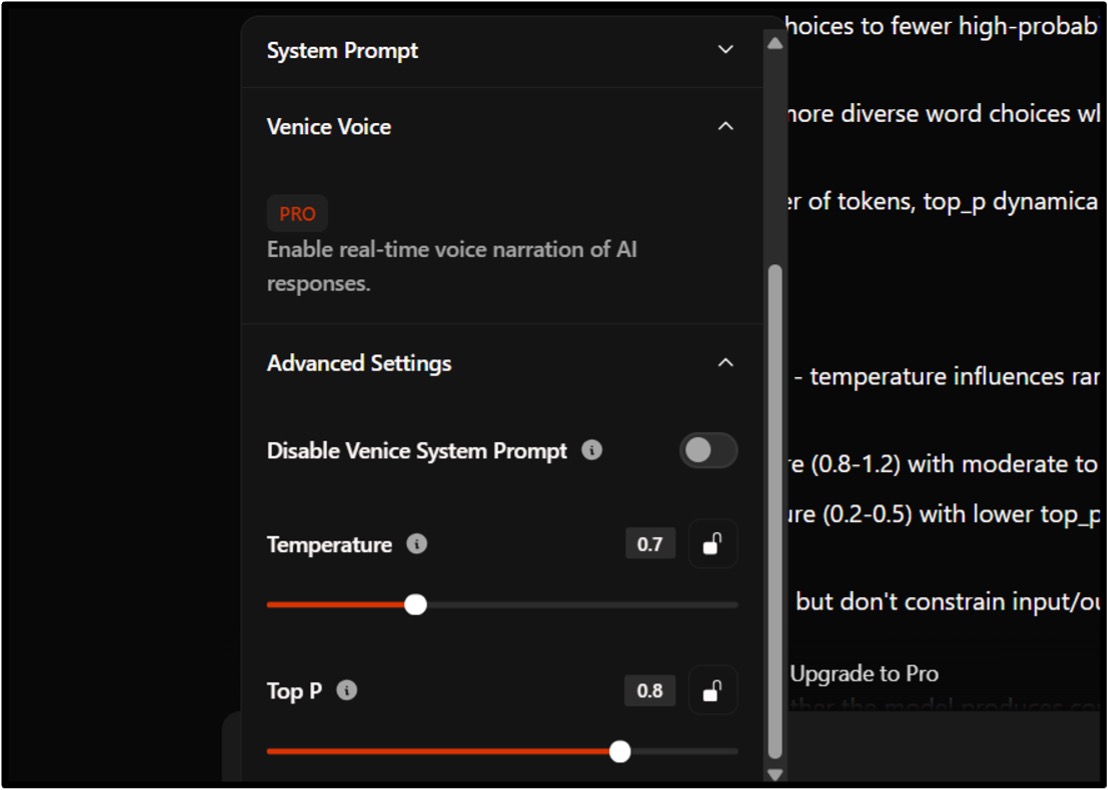
There’s also a temperature and Top feature in the chatbot that controls the randomness and scope of the output. But I think it’s not really necessary.
Venice AI Image Generator
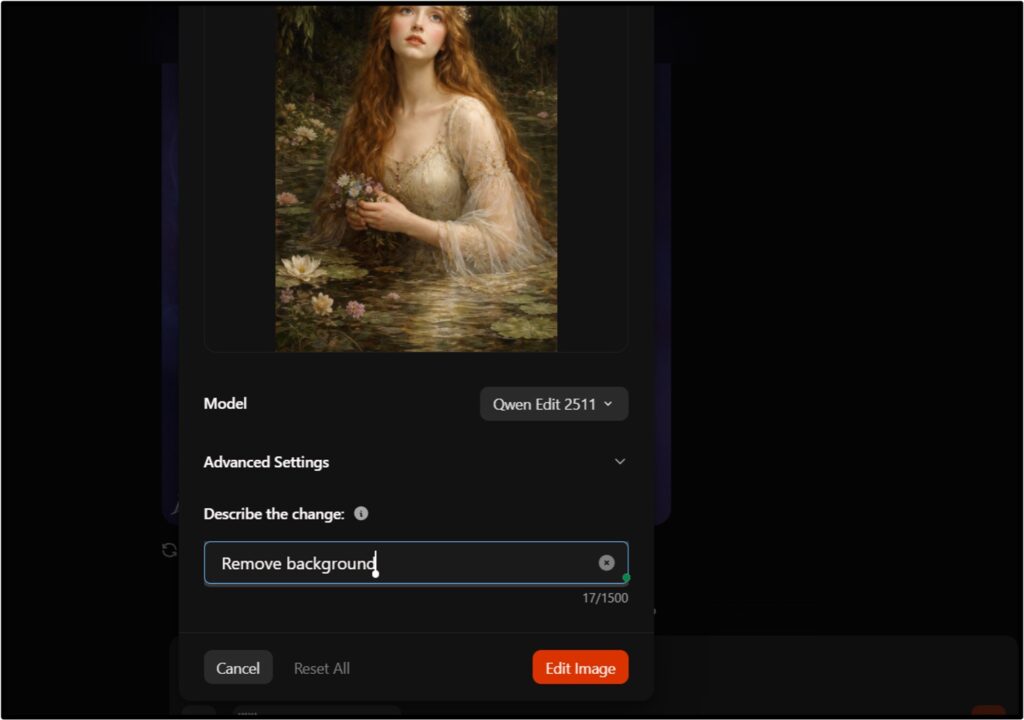
Just like other AI tools, Venice also provides a free image generator that creates output in just 21 seconds. And its background removal feature is also good, especially for portraits.
You can drag and drop any picture from your desktop, scale its resolution, and save it on your computer.
And to be very honest, this Venice AI image generator works better on simple-looking images. It may show you an error message if you try to edit a more detailed image.
Start building your AI character
Do you know around 37% of people spend time on AI to cope with their loneliness? And if you’re dealing with the same, then this feature is exactly what you need.
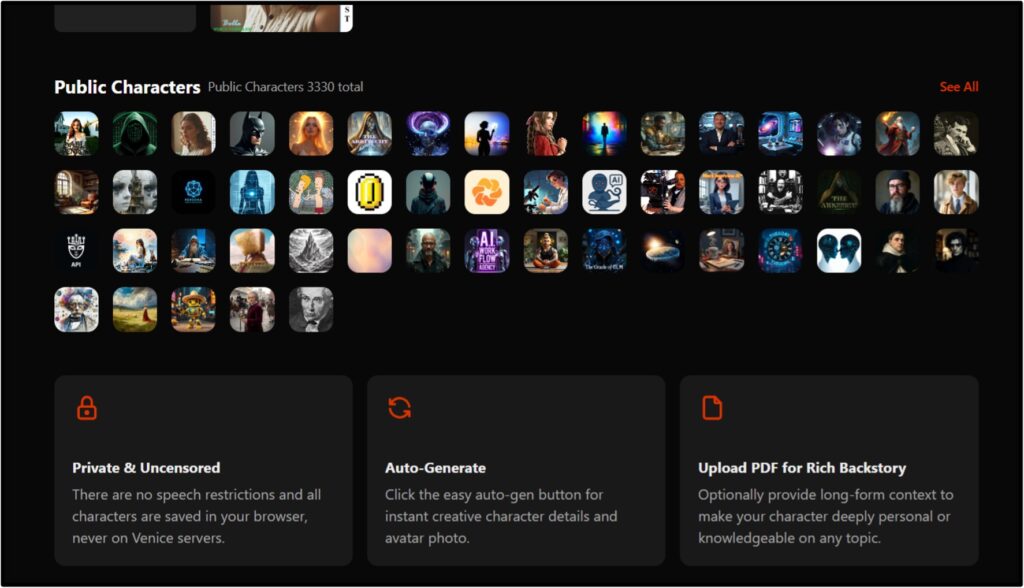
With Venice AI characters, you can talk with a psychologist for therapy and create your own villain are using a particular voice to give it a personality.
But it’s only possible if you subscribe to the monthly plan, which is around $18.
Vision analysis
I’ve compared Venice AI’s analysis ability with other AI tools, and I’ve noticed that it’s more concise.
You can attach any image or document from your computer and ask Venice to analyze it. It will give you all the important details very quickly that you might not even know.
Therefore, I think it’s good for artists and researchers who want to learn the history but don’t want to spend a lot of time on a single topic.
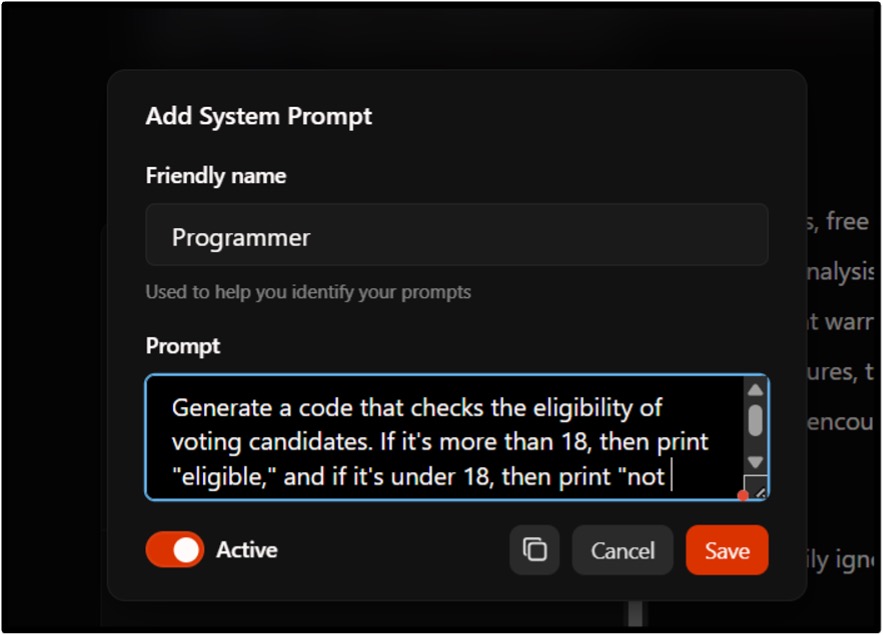
System prompt
When it comes to diversity, Venice AI is the king. I’m saying this because you can ask this bot to act in a certain way by adjusting its behaviour, response style, and tone.
Unlike many other tools, it answers everything. This means you can chat about any sensitive topic that other AI tools deny to do.
However, this freedom may spoil some youngsters who are curious about everything.
Venice AI video generator
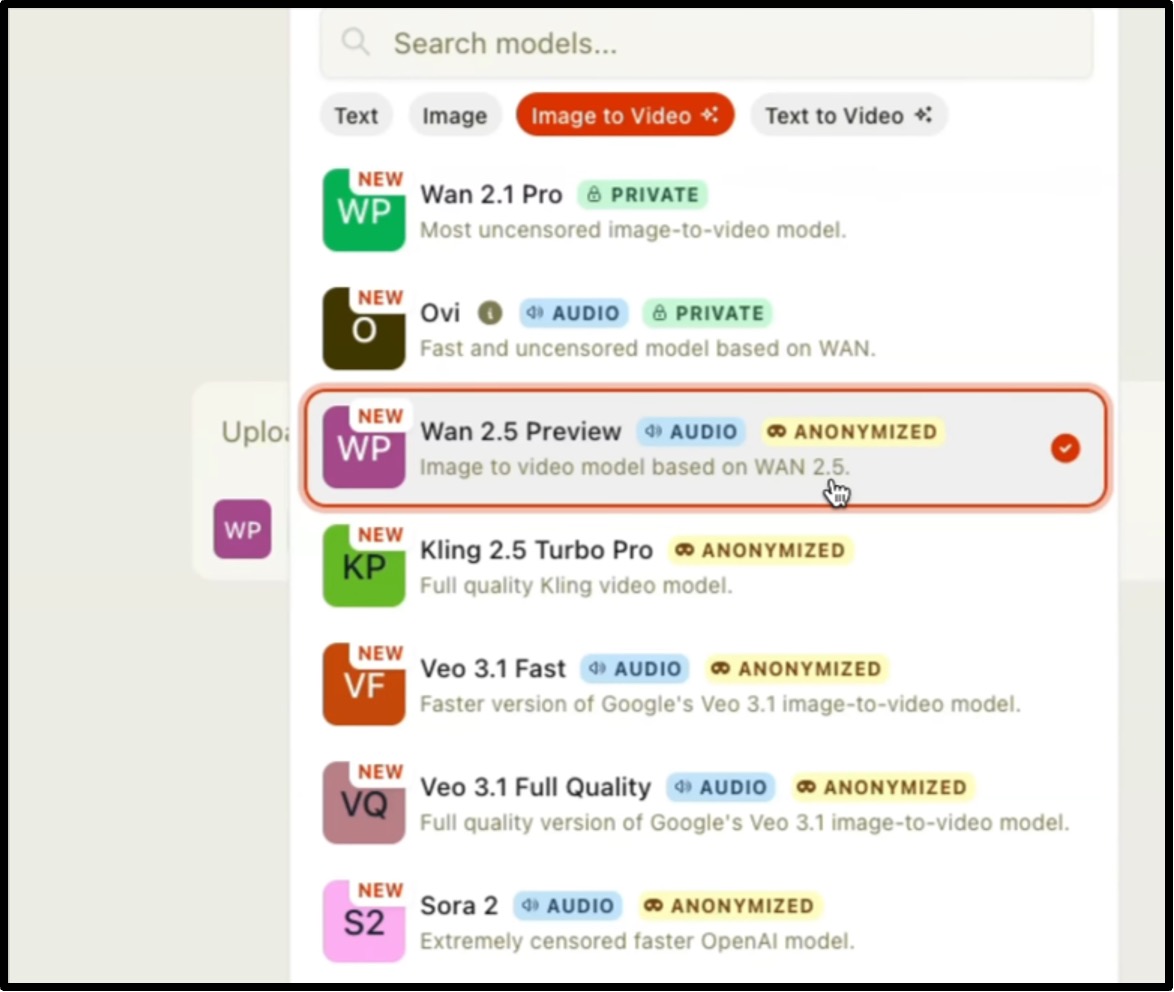
During my testing, I also consulted some content creators who are already using Venice AI and I’ve found a mixed response.
It excels in speed and transition but sucks at credits. Every AI video generator model uses a different number of credits, which means some can use 55, and some need 110 credits to create a video.
Some users also said that it uses credits even during retrial.
Venice AI Pricing & Promo Code
When it comes to pricing, the Venice AI app is pretty straightforward. It gives you 3 plans for everyone, including beginners, professionals, and developers. Each of them has a limited set of credits and features. So, let’s check this out in detail.
But $18 is too much for this. So it’s pretty unreasonable.
We didn’t find any Venice AI promo code, but the yearly Pro plan is cheaper than the monthly plan because it gives around 30% off.
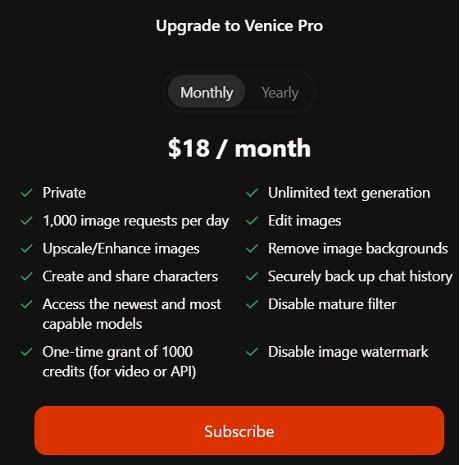
And to be honest, the Pro plan is costly because you are only paying for the extra video generator, the rest of the work can be done by the basic AI models.
Venice.ai Pros & Cons
By now you must have understood about the features, credits, and pricings of the Venice AI app. So, let’s take a quick review of its pros and cons as it’ll help you to take a better decision for future tasks.
Pros
- Straightforward answers with no judgments
- All the conversations are private
- Multiple creative tools for artists
- Real-time voice narration
Cons
- Unreasonable prices
- Sessions expire very soon
- Hard to understand payment process
- Fails to edit detailed images
Venice.ai vs Competitors
To document this Venice AI review, I’ve also compared the chat limits, image generation ability, privacy and availability of this AI tool with other popular ones like ChatGPT, Claude and Perplexity.
Let’s understand how they’re different from each other.
| Feature | Venice.ai | ChatGPT | Claude | Perplexity |
|---|---|---|---|---|
| Chat | 10 credits/day | 10 credits/ 5 hours | 40 credits/day | Unlimited credits/day |
| Image Generation | 16 requests/day | 3 requests/day | No feature | No feature |
| Privacy | High | Medium | Medium | Medium |
| Mobile App | iOS & Android | iOS & Android | iOS & Android | iOS & Android |
Real User Reviews
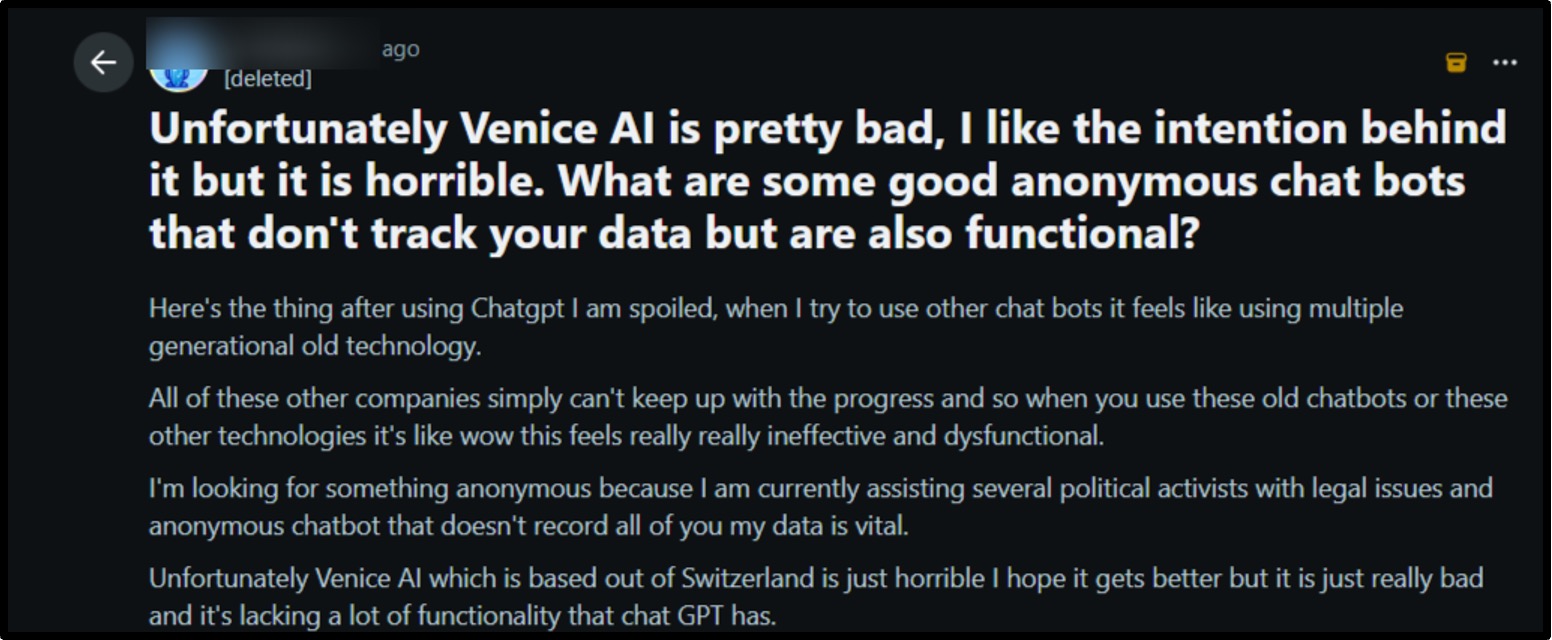
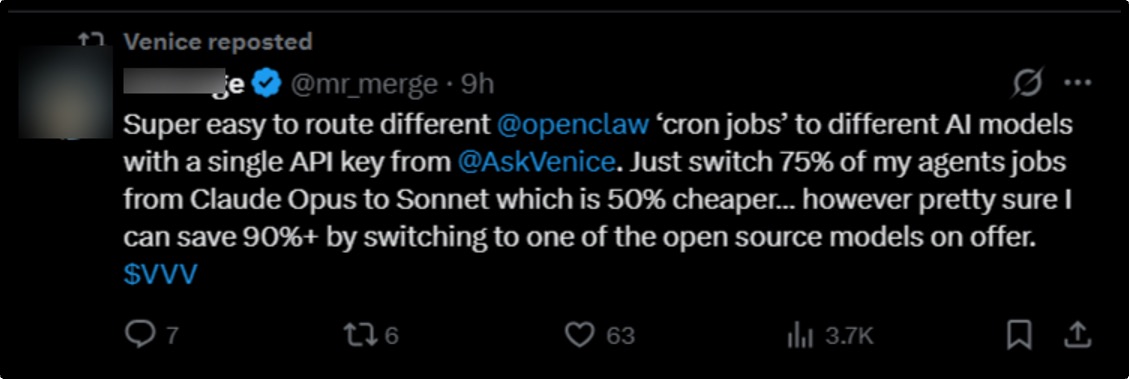
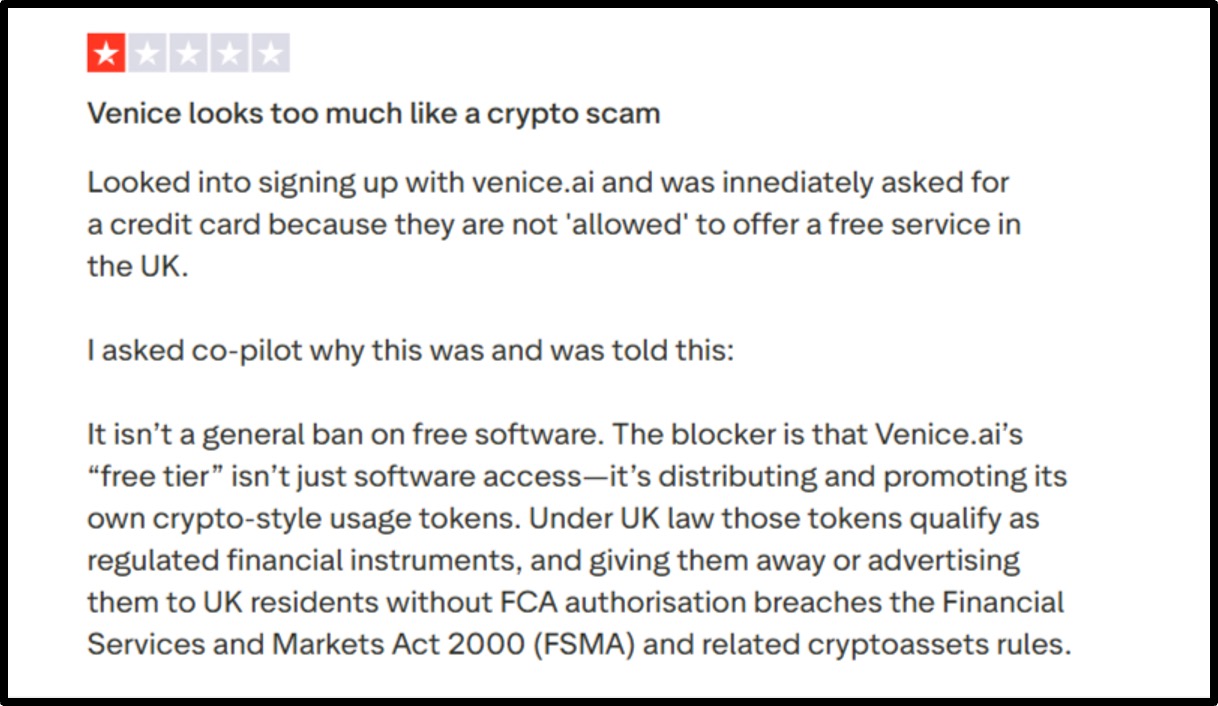
Venice AI app has a large community base, which is good because it helped me to understand what real users have experienced while using this app.
So, I’ve scanned all the trustworthy sites like Trustpilot, X, Reddit, and YouTube, and here are some real user reviews:


Conclusion
So, after reading this entire Venice AI review, you should have a clear understanding of what Venice AI is good for and what it’s not. I’ve tested all the features myself and also collected feedback from real users on Reddit, Twitter, Instagram, Trustpilot, and YouTube, so you can make the right decision.
From my side, you should buy this AI tool if you need privacy and want to play with creative tools. Content creators, designers, and podcasters can also go for the paid version for creating AI videos.
However, if you’re a student and want to use Venice AI just for research purposes and assignments, then the free plan is fine.
Frequently Asked Questions
Q1: Is Venice.ai Safe?
A: Yes, Venice AI is safe, as it doesn’t store user’s previous conversations and follows a zero data retention policy. This means whatever image, video, or source code you generate will remain on your computer and will get deleted only when you wish to.
Q2: Who Should Use Venice.ai?
A: Artists can use Venice AI for its image generation and editing features, writers and researchers can use it for data analysis, and developers can purchase the API plan to integrate this AI tool with other apps.
Q3: Does Venice AI store conversations?
A: No, Venice AI doesn’t store conversations. This means you’ll have to initiate each conversation from the beginning. And because it gives uncensored results, you can use it for any kind of conversation.
Q4: Is Venice AI better than ChatGPT?
A: Yes, Venice AI is better than ChatGPT in terms of data privacy and creativity. While ChatGPT stores all your chats and uses your data for training AI models, Venice doesn’t keep a thing. Also, it offers many more features in the free plan.
Q5: Can businesses use Venice AI?
A: Yes, businesses can use Venice AI. Designing firms can use its image creation and editing tools, IT companies can use it for data analysis, and developers can connect Venice with custom apps using API integration. Content creators can also use Venice to create videos for their reels, podcasts and shorts.
Q6: Is Venice AI open-source?
A: Yes, Venice AI provides an open-source version but charges a certain fee as per the API usage. You can explore the documents and copy scripts to use it independently with other software.
Q7: Does Venice AI support API access?
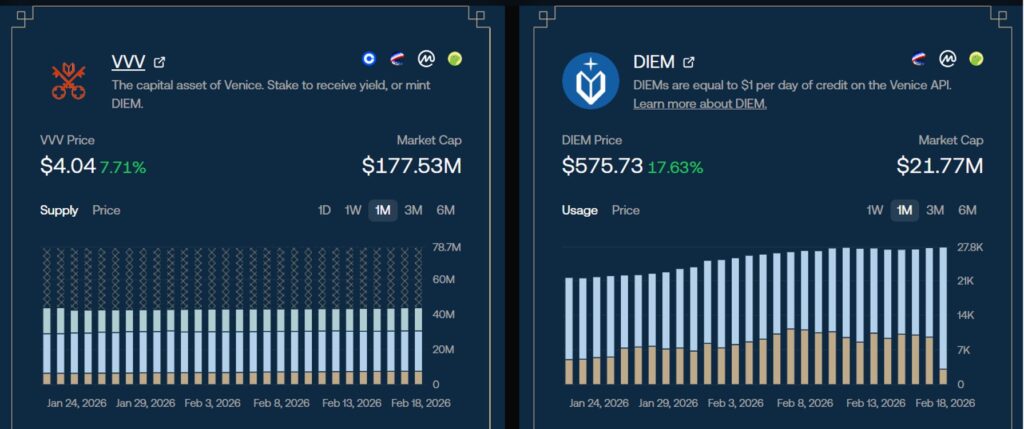
A: Yes, Venice AI supports API access. It has an entire API dashboard from where you can purchase credits, generate API keys and check DIEM token balance. You can pay directly in USD or purchase tokens.
Q8: Is Venice AI good for developers?
A: Yes, Venice AI is good for developers as they can access various open-source models and even generate source code for software by using different AI models. It keeps all the chats private so developers won’t have to deal with data theft.
Q9: Is there a Venice AI app for Android or iOS?
A: Yes, Venice has launched a new mobile app for Android and iOS. Users can download it from Google Play and Apple Store and use it anytime and anywhere for chats and image creation.
People also search for: