Stop managing tasks, let OpenClaw AI handle it for you.
OpenClaw AI brings a major shift from manual effort to real automation. It has been designed to take the pressure off your daily tasks like managing data, sending emails, handling repetitive work, and even helping you to make quick decisions, so you don’t have to do everything manually. What really makes OpenClaw AI stand out is letting the system take care of it while you stay in control.
This launch of OpenClaw has made a clear difference by helping users save time, reduce complexity, and focus on what truly matters.OpenClaw AI becomes more powerful when it is combined with the best OpenClaw Hosting, bringing a major shift from manual effort to real automation.
It is a reliable digital helper that actually works with you, not just for you. It understands your tasks, takes care of the repetitive work, and helps you to stay productive without feeling overwhelmed.
Suddenly, things that used to take hours, like managing data, switching between apps, and handling repetitive work, became a lot easier, faster, and smoother, and far less stressful.
Quick Definition
OpenClaw AI isn’t just another tool; it is like having a smart assistant that thinks, acts, and gets things done for you in real time. From handling repetitive tasks to researching, writing, and automating workflows, it works quietly in the background so you don’t have to. The best part is that it runs 24/7, learns your needs, and adapts as you go by turning complex tasks into simple and effortless actions.
What is OpenClaw?
OpenClaw AI is like a smart digital assistant that does not just give answers, it takes action for you. It can send emails, manage your calendar, browse websites, handle files, and even automate workflows across different applications like WhatsApp or Telegram. It is an open-source agent that can actually perform real tasks on your computer. It goes beyond simple assistance by actually handling tasks on your behalf.
OpenClaw AI connects the dots and gets things done in the background. It has been designed to save time, reduce effort, and make your daily digital tasks smoother and more efficient.
What is so interesting & unique about OpenClaw?
The fact that it is not tied to your device means that when you host it on a VPS or cloud server, it will keep running 24/7. That simply means even if your laptop is turned off, your AI assistant will still be active. This is very useful for long tasks, automations, or anything that requires continuous uptime.
Top 5 Best OpenClaw Hosting Providers (2026)
Now, let’s begin by starting talking to the top 5 best OpenClaw hosting providers for 2026, that will truly benefit you if you want an assistant that could look after your operations and provide you with an easier life.
| Provider | NVMe Storage | Root Access | Best For | High-performance & data-heavy OpenClaw tasks. |
|---|---|---|---|---|
| DigitalOcean | Yes (High-speed NVMe SSD) | Yes | Beginners+ developers who want simple deployment & stable performance | $4- $6/month |
| Kamatera | Yes (Premium SSD/NVMe) | Yes | Fully customizable environments for advanced OpenClaw setups. | $6/month |
| IONOS | Yes( SSD with NVMe in higher plans) | Yes | Budget users who want reliable OpenClaw hosting with fixed pricing | $3/month |
| OVHCloud | Yes (NVMe on VPS & dedicated plans) | Yes | High-performance & data heavy OpenClaw tasks. | $10.30/month |
| Hostinger | Yes (NVMe storage) | Yes | Easiest setup + managed experience for beginners running OpenClaw | $5/month |
OpenClaw Engine System Requirements
There are certain requirements you will need before you choose a hosting provider to run your OpenClaw.
Now, after researching well, we have given some essential requirements in a table form so that you can get a clear picture while choosing your hosting provider:
| Requirement | Details |
|---|---|
| Operating System | Windows 10/11 or Linux ( Ubuntu/Debian) for stable compatibility and smooth operations |
| CPU ( Processor) | Multi-core Intel i5/i7 or AMD Ryzen 5/7 to handle real-time messaging, AI tasks, and automation without lag. |
| RAM ( Memory) | Minimum 8 GB, ideally 16 GB + to run multiple bots, AI models, and automation scripts simultaneously |
| Storage | NVMe SSD with at least 50 GB free space for fast read/write speeds and responsive performance. |
| Network | Stable, high-speed internet with low latency for real-time execution across APIs and messaging platforms |
| Hosting & Scalability | VPS or cloud servers are preferred for 24/7 uptime, easy upgrades, and smooth multi-operation handling. |
Top 5 Best OpenClaw Hosting Providers (2026)
Choosing the right host is the key to running OpenClaw smoothly. Fast servers, reliable uptime, and easy scalability make all the difference.
Here are the five best OpenClaw hosting providers that deliver top performance and hassle-free setup for any user.
DigitalOcean
If you are planning to host OpenClaw (which requires a full server), with good control, flexibility, and scalability. The platform of DigitalOcean completely fits naturally into the use case of OpenClaw. Using DigitalOcean for OpenClaw AI is smart choice because it gives you speed with simplicity to run an AI system smoothly. DigitalOcean provides reliable cloud servers(Droplets) that can run 24/7 without any hindrance.
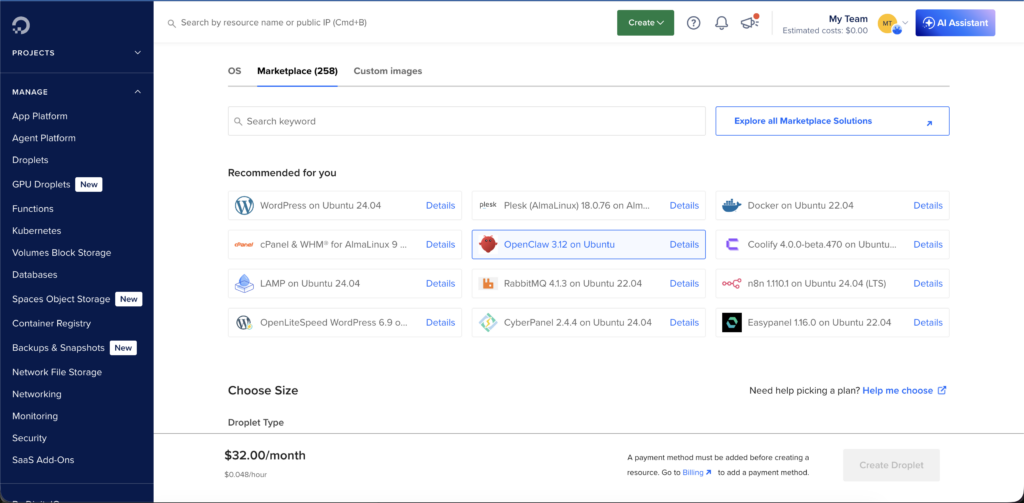
DigitalOcean is like getting your own remote computer in the cloud, giving you full root access where you can install OpenClaw manually and run multi-channel messaging gateway (WhatsApp, Telegram, Slack, Discord, Signal, iMessage, Google Chat.
Key Features
Let’s figure out the main features of DigitalOcean and understand how OpenClaw works for it.
Best For
DigitalOcean is considered best for:
Pricing/Rating
Here is a breakdown of the affordable pricing plans that DigitalOcean has, along with the ratings.
| Plan | Price (Approx) | Key Specs | Rating | Best Use |
|---|---|---|---|---|
| Starter | $6/month | 1 vCPU, 8 GB RAM, 25 GB SSD | 3/5 | Beginner OpenClaw setups, small tests & light automation. |
| Standard | $12/month | 2 vCPU, 16 GB RAM, 50 GB SSD | 4/5 | Smooth OpenClaw operation, multiple bots or medium scripting |
| Advanced | $24/month | 4 vCPUs, 32 GB RAM, 80 GB SSD | 5/5 | Best for 24/7 running, heavier tasks, multi-platform messaging. |
Kamatera – Deploy OpenClaw without any limitations
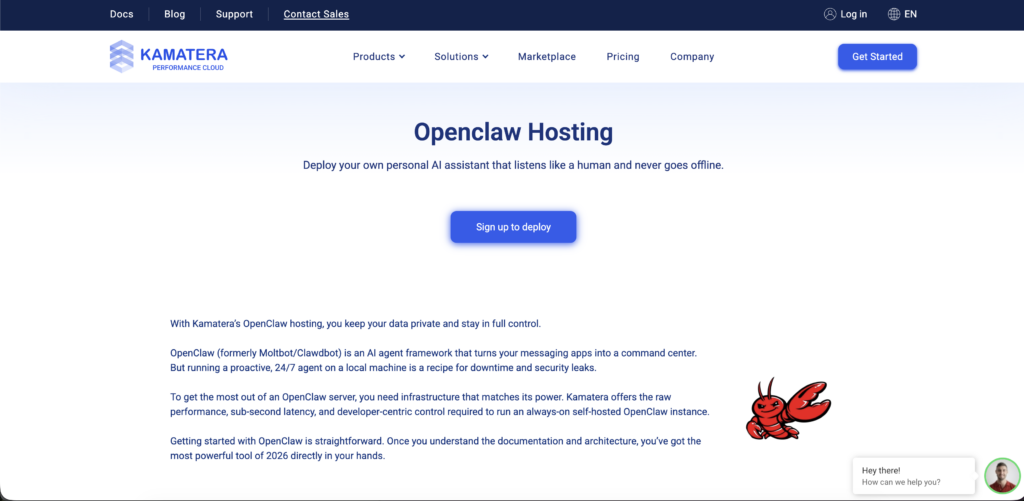
Kamatera is a global cloud infrastructure provider offering high-performance VPS and cloud servers. OpenClaw is self-hosted, so Kamatera gives you the freedom to install and configure it exactly as you want.
Just think of it like renting a powerful remote computer where you can easily deploy OpenClaw without any limitations.
You can start with 2GB RAM as a personal assistant with Kamatera, and enjoy their hourly billing with no surprise charges. You can install whatever dependencies your OpenClaw server needs without asking permission. It will give you full SSH access and custom kernel modules to your own firewall rules, this is your infrastructure to configure exactly how you want.
Key Features
Now, to better understand how OpenClaw works with Kamatera, let’s understand what key features come with this platform that help to integrate OpenClaw:
Best Use Case
Kamatera could be a perfect choice, and it is best for:
Pricing/Rating
Below, we have clearly mentioned the pricing plans of Kamatera of OpenClaw hosting to make you understand more. Kamatera even offers a 30-day trial worth $100 if you are a new user.
| Plan | Price (Approx) | Key Specs | Rating | Best Use |
|---|---|---|---|---|
| Type A (Availability) | $4/month | 1 vCore, 512 MB RAM, 20 GB NVMe | 3/5 | Testing/ very light OpenClaw setup |
| Type B ( Recommended) | $9/month | 4 vCores, 512 MB RAM, 40 GB NVMe | 4/5 | Heavy workflow/ multiple bots |
| Type T (Burstable) | $19/month | 6 vCPU, 512GB RAM/ 100GB Storage | 5/5 | Multi-platform for bots, 24/7 stability |
IONOS
Ionos is a reliable option when it comes to hosting OpenClaw, especially through its VPS (Virtual Private Server) plans. It will provide dedicated resources, high uptime ( around 99.99%), and fast provisioning so you can start running OpenClaw almost instantly.
With features like unlimited traffic, strong bandwidth, and secure sandbox environments, your AI agent can operate continuously and safely without affecting your personal system.
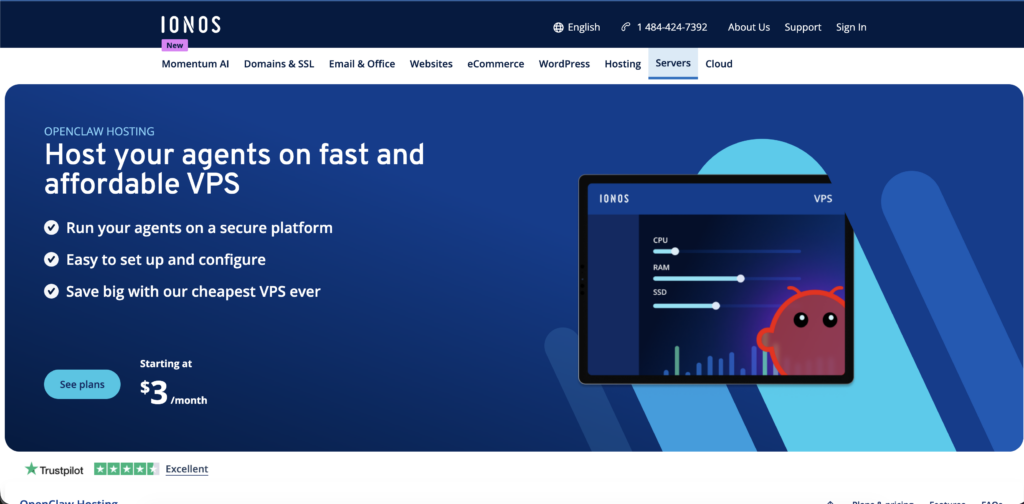
However, if you choose to self-host OpenClaw on Ionos VPS, you’ll need basic technical knowledge like using SSH, managing servers, and configuring tools like Docker or Node.js. But if you plan to go with the managed -style setup and hosting approach, then you get a much smoother experience with immediate deployment, continuous server uptime and 24/7 support. This will ensure that your OpenClaw setup will stay stable, secure and always running with the web resources it needs.
Key Features
Now lets dive deeper and learn about Ionos key features:
Best For
Ionos is best used for:
Pricing/Rating
Let’s see the breakdown of Ionos OpenClaw hosting plans:
| Plan | Price (Approx) | Key Specs | Rating | Best Use |
|---|---|---|---|---|
| VPS S | $3/month | 1 vCore, 1 GB RAM, 10 GB NVMe | 3/5 | Ultra-budget/ learning & small scripts |
| VPS M | $4/month | 2 vCores, 4 GB RAM, 120 GB NVMe | 4/5 | Every day, OpenClaw uses multitasking |
| VPS L | $8/month | 4 vCores, 8 GB RAM, 240 GB NVMe | 5/5 | 24/7 stability, multi-platform bots, heavier AI/ automation |
OVHCloud
OVHCloud is a popular choice for OpenClaw hosting, especially for users who desire strong performance at a lower cost. It offers high RAM VPS plans with fast NVMe storage, making it a well-suited platform for running the OpenClaw workflow.
It will hand over to you with full control over your server environment and allow you with the easy installation and configure it as per your needs. server.
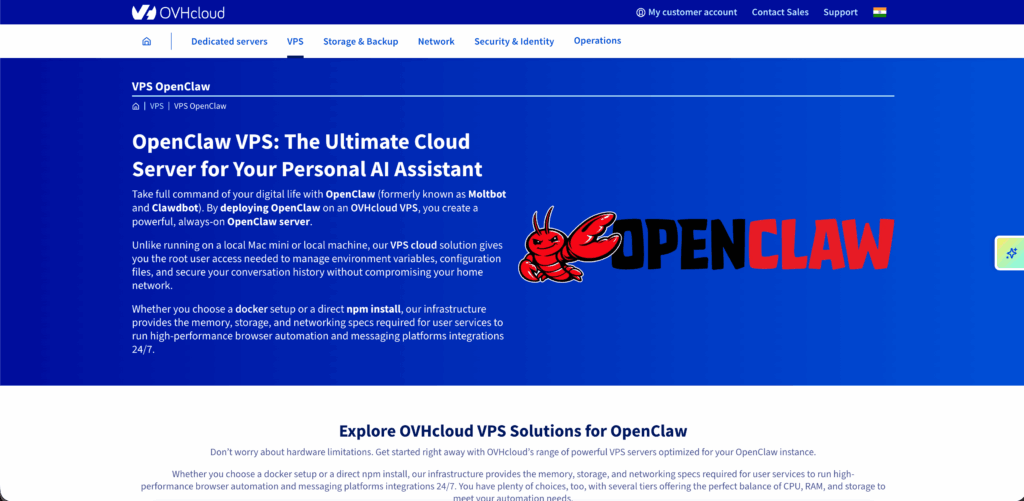
By deploying OpenClaw on an OVHCloud VPS, you will make a powerful, always-on OpenClaw server. OVHCloud VPS solutions are built with enterprise-grade hardware and fast NVMe storage. This will ensure the smooth running of your OpenClaw, and your browser automation workflow will also execute quickly.
Key Features
Now lets figure out the major features of OVHCloud and understand it better:
Best for
OVHCloud is considered the best in:
Pricing/Rating
Here is a breakdown of OVHCloud OpenClaw plans with other important facts:
| Plan | Price (Approx) | Key Specs | Rating | Best Use |
|---|---|---|---|---|
| OVHCloud VPS-2 | $10.30 – $10.88/month | 4 vCores, 8 GB RAM, 75 GB SSD NVMe | 3/5 | Lightweight OpenClawsetups, basic bots & testing |
| OVHCloud VPS- 3 | $19- $20.70/month | 6 vCores, 12 GB RAM, 100 GB SSD NVMe | 4/5 | Smooth OpenClaw performance, multitasking & automation |
| OVHCloud VPS-6 | $65- $70/month | 8 vCores, 24 GB RAM, 200 GB SSD NVMe | 5/5 | Best for 24/7 running,multi-platform messaging & larger AI tasks. |
Hostinger
Hostinger comes as yet another popular platform for OpenClaw, as it mainly helps you run and manage your AI tools or automation systems on a VPS. You can think of Hostinger like renting a powerful online computer where your OpenClaw setups run 24/7.
It is a budget and beginner-friendly hosting provider that works well for OpenClaw, especially for small to medium AI and automation projects. The platform is easy to use for beginners while still offering full control to install and customise tools as it is needed.
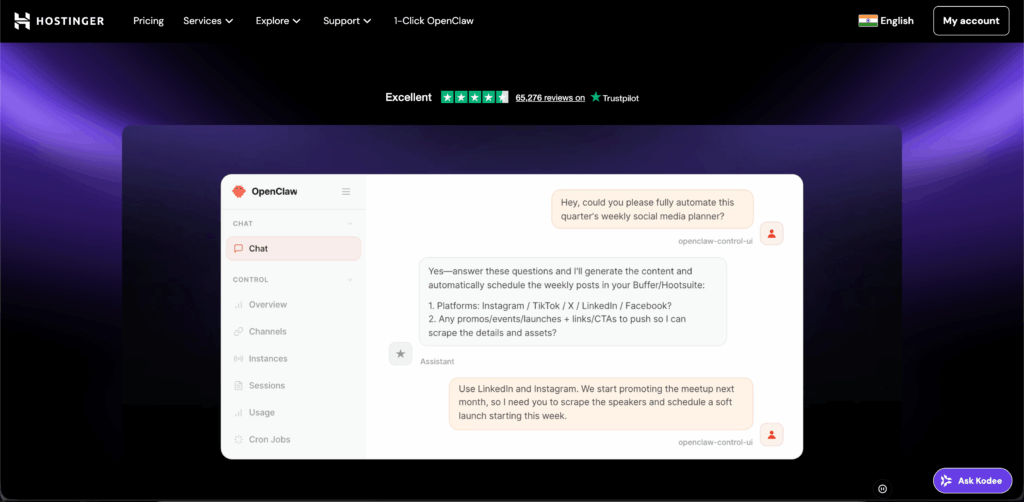
Managed OpenClaw will handle all the security, updates and backups. Hostinger can become a powerful platform to handle smaller setups or developers who prefer a ready-to-go environment. It may not provide the same level of scalability or raw performance as Kamatera or OVHCloud, but it still offers ease of use, pre-configured options with a strong uptime, and a low-maintenance OpenClaw deployment.
Key Features
Let’s find out the key features of Hostinger:
Best For
Hostinger is best used for:
Pricing/Rating
Now, let’s see what the pricing plans of Hostinger are and how they can help you:
| Plan | Price (Approx) | Key Specs | Rating | Best Use |
|---|---|---|---|---|
| Managed OpenClaw | $6.99/month | 2 vCPU, 8GB RAM, Built-in security | 4/5 | Launching and scaling AI agents instantly without any technical setup |
| Self-managed OpenClaw | $8.99/month | 4 vCPU, 16 GB RAM, 100 GB NVMe SSD | 5/5 | Instant deployment |
How to Choose the Best OpenClaw VPS Hosting Provider
If you want to select the best OpenClaw VPS hosting provider, then choosing the cheapest or the most popular one is not what you should keep in mind. It is about how you consider matching.
Here is a concise version in clear points to make you understand how you can choose the best OpenClaw VPS Hosting Provider:
How to Set Up OpenClaw on VPS (Step-By-Step)
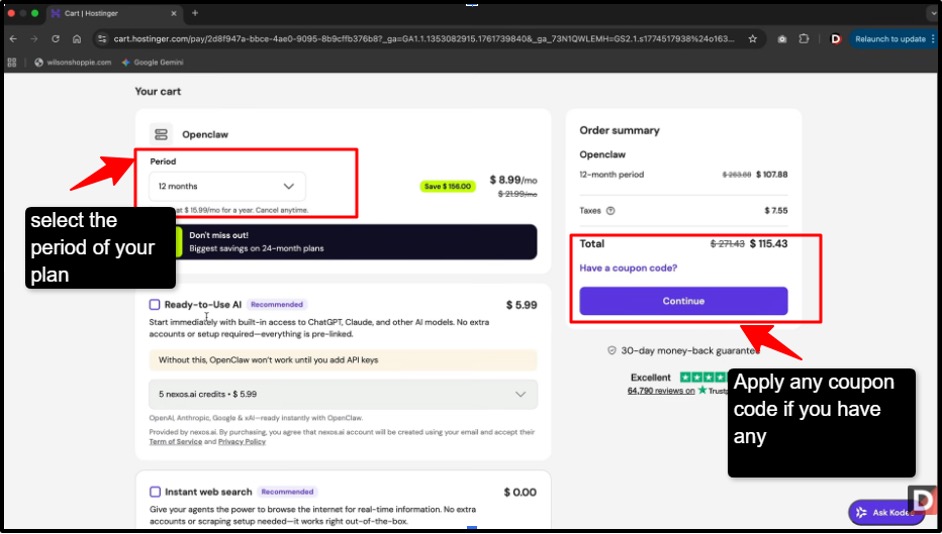
Here, we will explain to you what the required steps you need to follow to deploy OpenClaw on a VPS:
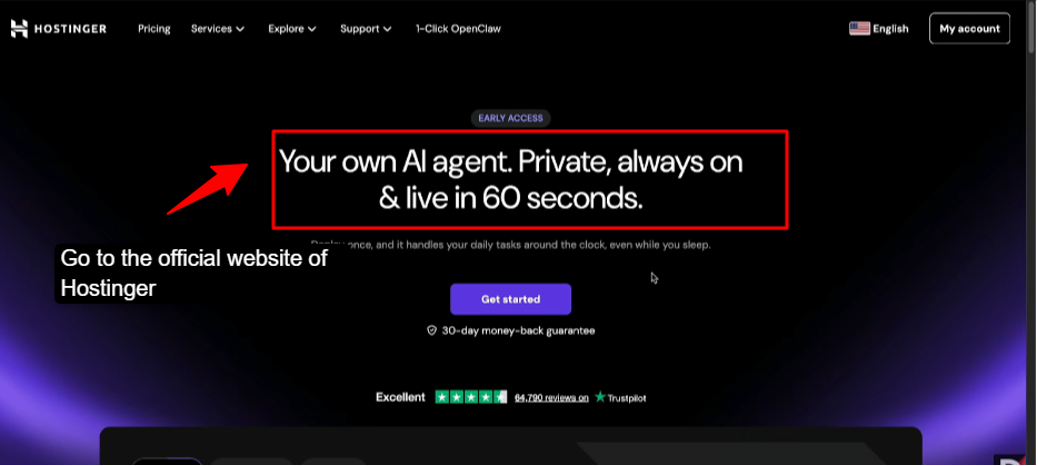
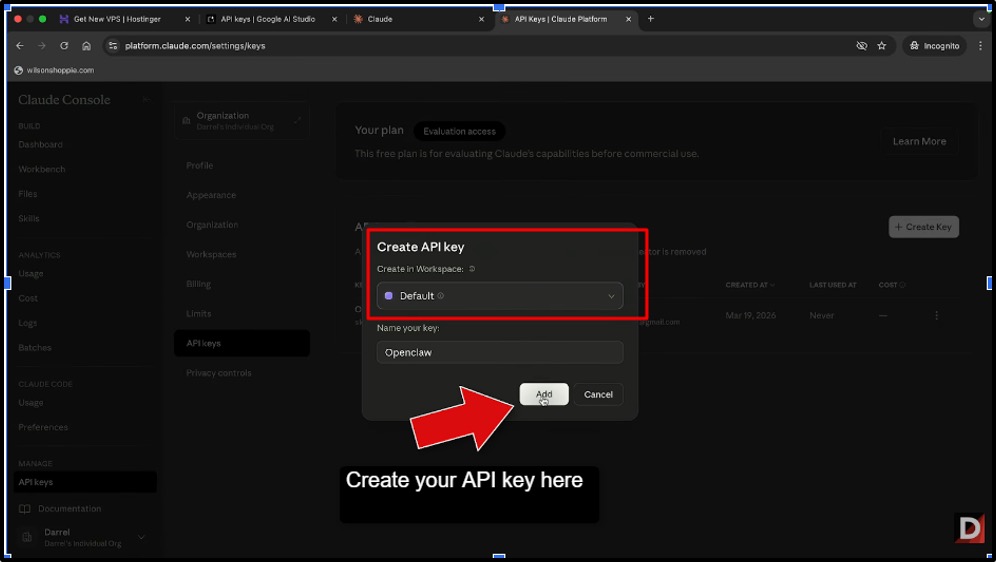
An API key in OpenClaw hosting acts like a secure access token that connects your OpenClw setup to external AI services (like language models). The API key tells the AI provider, “this request is coming for you” , and allows OpenClaw to send prompts and receive responses.
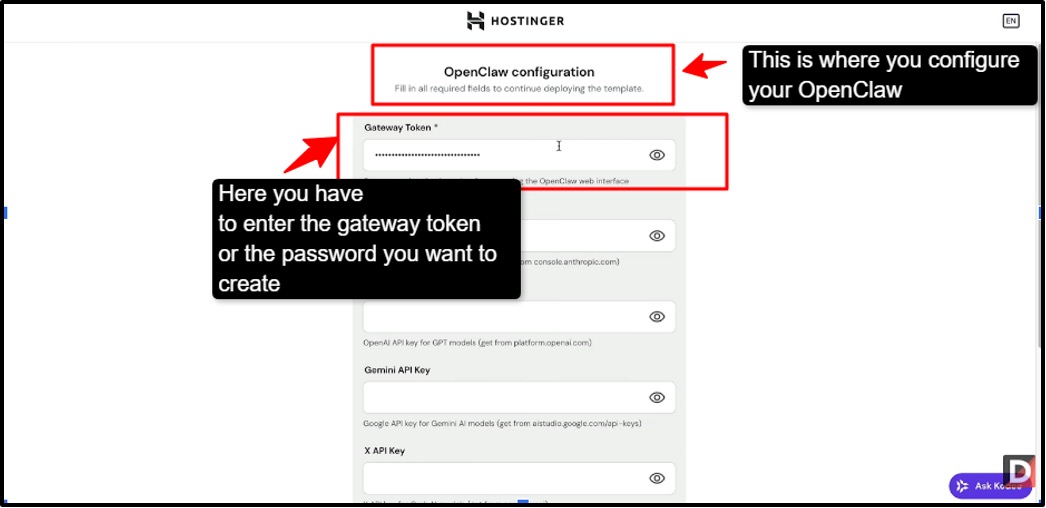
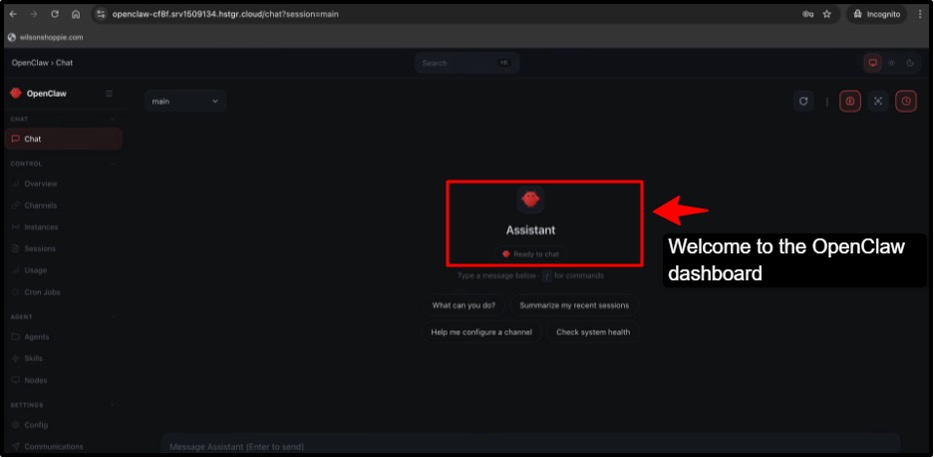
By following the setup that we have given above, you can easily deploy OpenClaw and use its amazing AI assistant perks.
Why Trust Our Recommendations
You can trust our recommendations because our dedicated research team has spent around 20 days on testing the hosting providers based on real performance, reliability, and features that matter the most.
We have focused on what OpenClaw really needs in terms of speed, uptime, NVMe storage, and smooth operation for bots or AI tasks, so we have listed these providers that offer the minimum requirements to run OpenClaw AI. Our picks are not random; they are based on hands-on testing, user feedback, and industry reputation.
We have highlighted all the important features along with the best use, affordable pricing, so that it remains online and responds to your requests, and you, to get a clear picture before deciding.
With our guidance, you can save time, avoid unreliable hosts, and choose a provider that keeps your OpenClaw setup running flawlessly.
FAQs:
What does it cost to use AI models with OpenClaw?
The cost of using the AI models with OpenClaw can feel confusing at first, but once you understand the basics, it is going to be pretty simple for you. The biggest thing to know is that OpenClaw itself is usually a free or self-hosted platform, where your main cost comes from the AI models, as you can connect to it.
Do I need technical experience to install OpenClaw on my VPS?
Yes, some basic technical experience will help you. But you don’t need to be an expert to install OpenClaw on a VPS. You need to have basic VPS familiarity, and following a step-by-step guide is enough to install OpenClaw.
Is it possible to run OpenClaw on VPS hosting?
Yes, OpenClaw can easily run on VPS hosting without issues. A VPS provides the server resources and remote access needed to install and operate OpenClaw efficiently, especially if it has good CPU, RAM, and preferably NVMe storage.
How important is NVMe to OpenClaw providers?
NVMe( Non-Volatile Memory) is very important for OpenClaw providers because it makes servers faster, more responsive, and reliable, ensuring smooth performance for real-time tasks and heavy workloads.
What is the best AI model for OpenClaw?
The best AI model for OpenClaw depends on your needs: GP-T4 OR gp-t4 Turbo is great for trading and data analysis, LLaMA3 or MPT works well for automation, and smaller models like Alpaca or Falcon are best for real-time tasks on a vPS, balancing speed and performance.
Can I run OpenClaw across multiple messaging platforms simultaneously?
Yes, you can run OpenClaw across multiple messaging platforms simultaneously. It supports integration with platforms like Telegram, WhatsApp, Discord and others, allowing it to send and receive messages, execute commands, and manage tasks all at once from a single setup.
Conclusion
Using OpenClaw AI along with a reliable hosting provider gives you the perfect combination of automation, performance, and stability. OpenClaw AI helps in simplifying complex tasks and boost productivity, with a good hosting provider ensures it runs smoothly 24/7 without interruptions. Together, they create a powerful setup where you can automate workflows, save time, and focus more on results instead of manual effort. It is a smart and efficient approach for anyone looking to scale their work with ease and consistency.
Providers like Hostinger, Kamatera, and others offer flexible options that balance performance and cost. Start with simple, and you can always scale as your OpenClaw projects grow.
💡 Most Loved Article!