Creating a new song requires a good understanding of music. Music composers have the right experience with vocals, rhythm, and singing, but they still have to spend a lot of time creating a song.
However, some believe that Mureka AI review has made this easier as it offers many features, so even an ordinary person with zero musical knowledge can generate new songs effortlessly.
You can even download songs as MP3s and distribute them on other platforms.
But wait! Is this all true or just made-up?
I spent over 20 hours finding the truth about the Mureka AI APK to give you this unbiased review.
Especially for the users, I’ve done a deep study on this AI tool, contacted various music creators, and searched multiple websites like Trustpilot, Reddit, YouTube, and X to help you be more aware before you spend money on this tool.
So, in this review article, I’ll walk you through Mureka AI features, pricing and billing scandals, real user experiences, the entire workflow for creating a song, and how to download it.
To help you make the right decision, I’ve attached some real screenshots and compared this app with other top AI music alternatives like Suno and Udio.
Let’s get ready and be with me till the end because I’m going to rate this app too.
What is Mureka AI?
Mureka AI is a music generator that uses machine learning to create songs based on lyrics, style, and mood selected by the users.
By using this tool, you can create new songs and also edit old songs with the help of different options like trimmer and splitter.
To create a new song, you can also give this AI a reference (it can be the link of any song), and it will trace and generate another new song with the same background music and voice.
Advanced Features
Mureka AI voice has many features for music generation and editing. I’ve tested every single feature and even created new versions of old songs by adding different styles and vocals. I’ve shared my experience below.
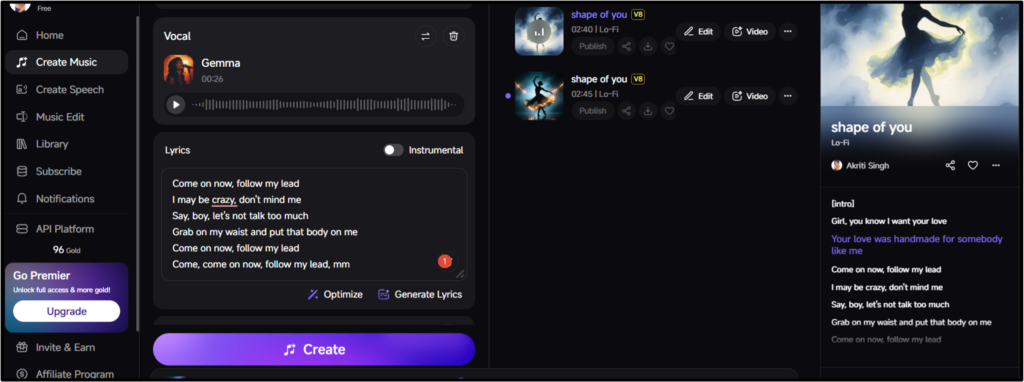
Create music
I was quite impressed using this feature.
Simply paste in the lyrics, select the singer, style, and vocal gender, and it will create your music in just 30 to 50 seconds with two variants.
The free plan offers 4 credits, and you can access advanced features only with the premium plan.
Music edit
In addition to creating music, you can also edit it.
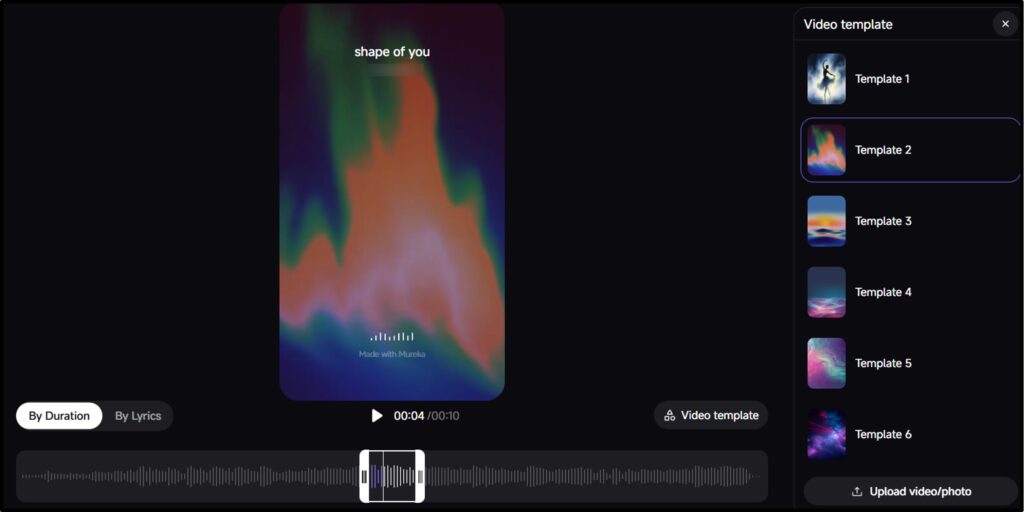
It offers a free trim tool and paid splitter, extender, and region editing tools. You can even add your music to videos using ready-made templates.
However, you can also add your own custom images and videos.
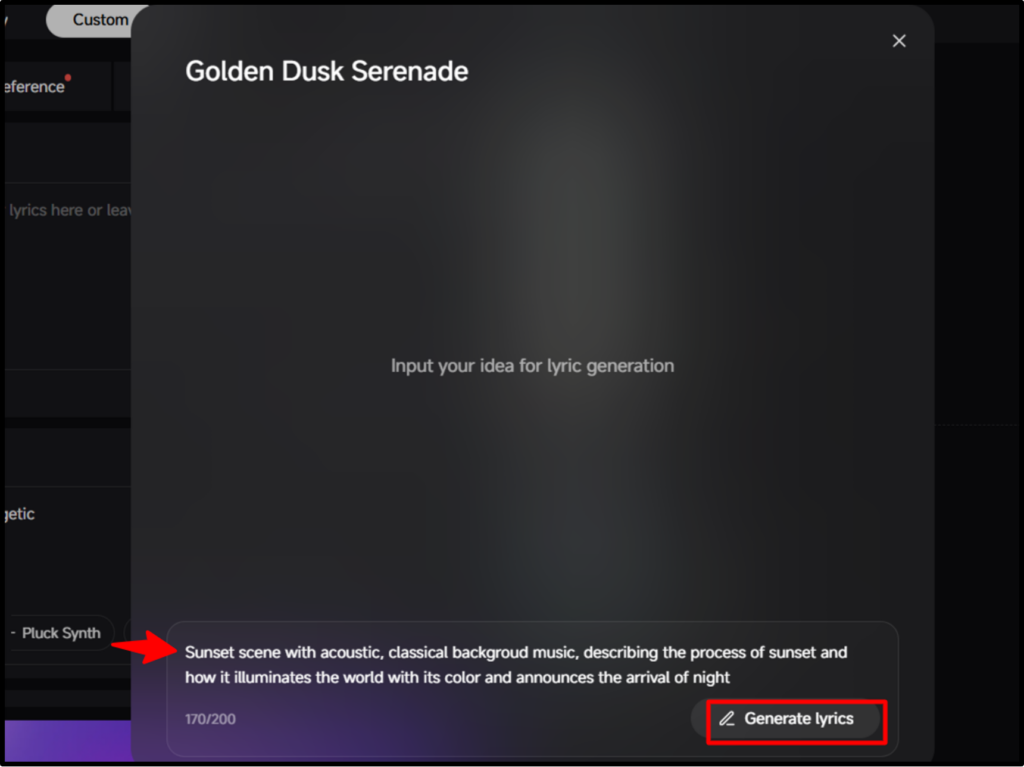
Generate lyrics
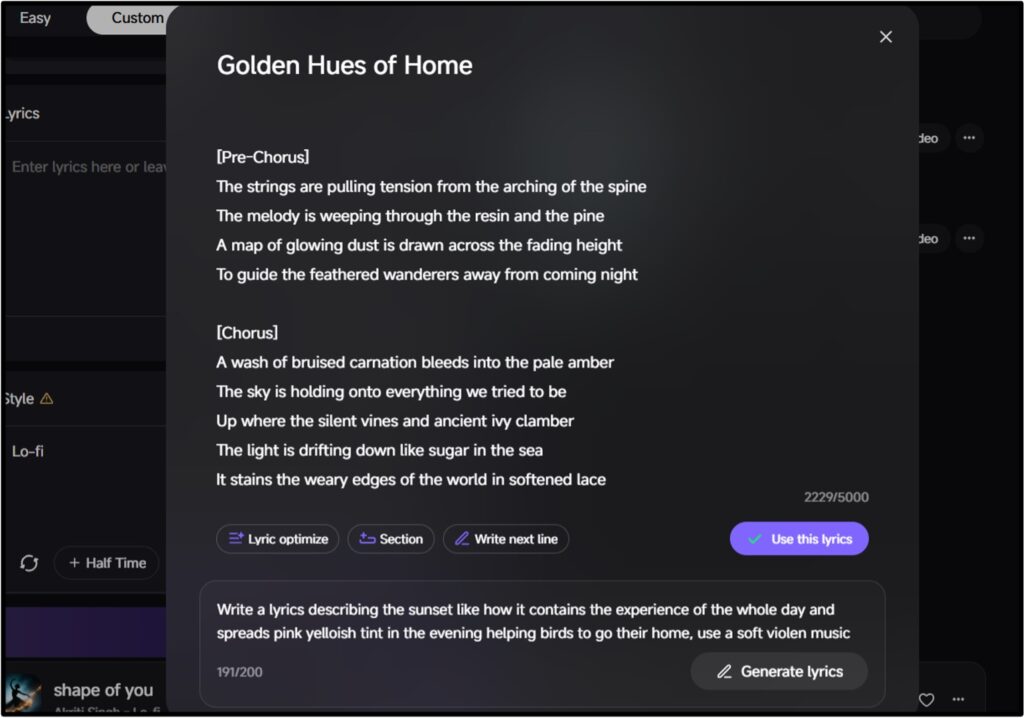
I found its autofill feature quite useful for content creators and podcasters, as they can create a new song without any knowledge of writing lyrics.
You just need to describe the song, and it’ll write the lyrics within a minute.
However, the words it provides sound quite robotic, which doesn’t sound as good in a song.
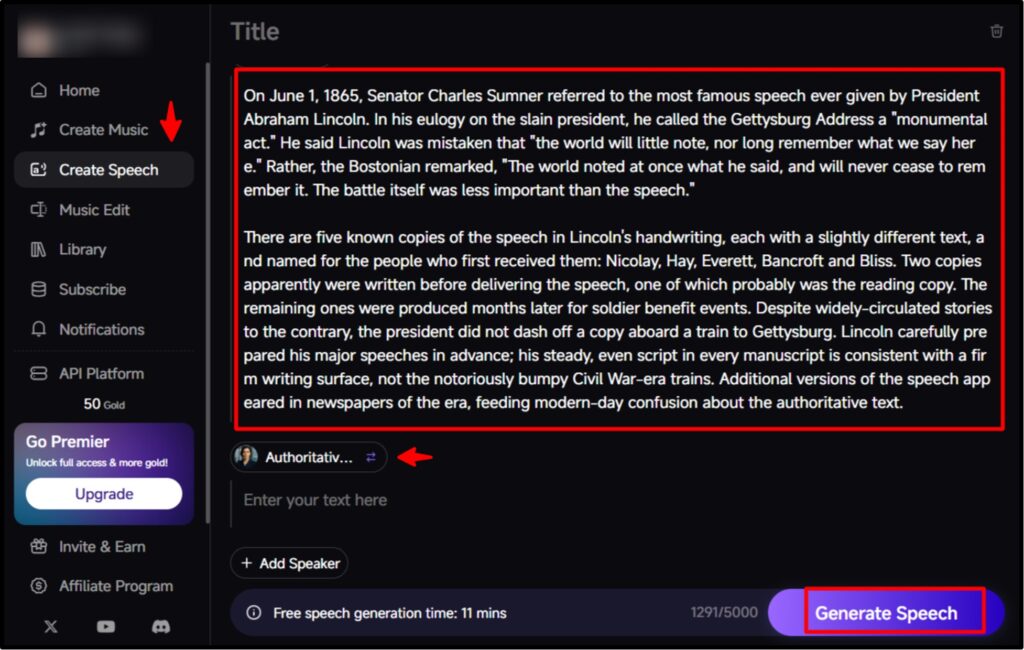
Create speech
If you upload audio podcasts to platforms like Spotify, this feature can be very beneficial.
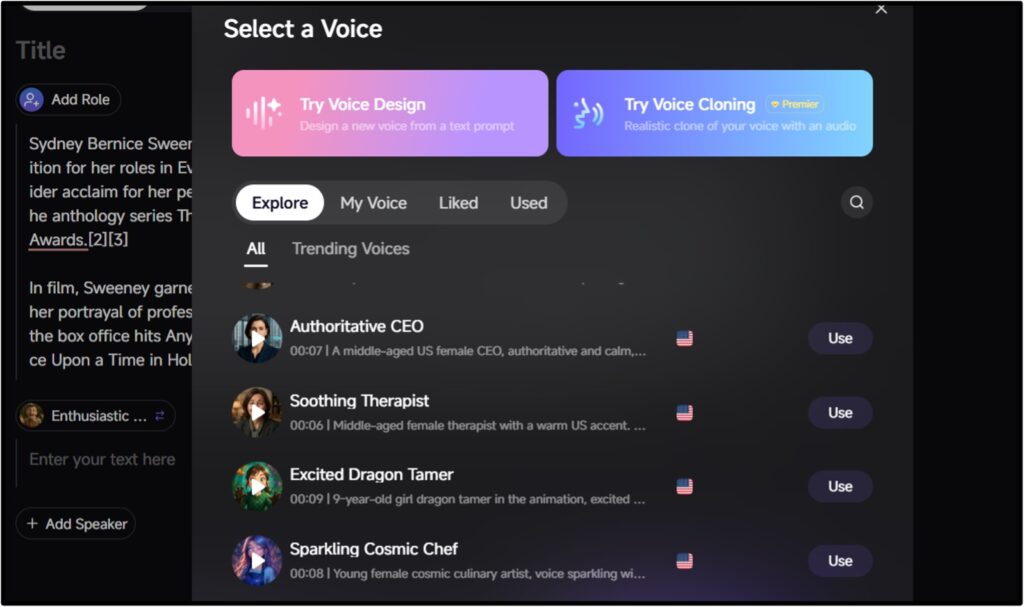
Simply paste the text and select a voice from the voice options (such as a child’s or an authoritative tone), and it will create the speech in that voice.
The free plan has a limit of 11 minutes, allowing you to paste 5,000 characters.
Pricing & Billing Scandals
If you’re a musician and are planning to purchase Mureka AI to enhance your creativity, it’s important to know the plans and their benefits.
Mureka offers three plans: Free, Pro, and Premium. Let’s discuss these three in detail:
Free plan
This plan gives you 4 credits per day, allowing you to create music and also create a new version of any song. As a free plan, it gives plenty of features to create something new.
The only problem is that it only has a trimming option for editing, and you can’t download the generated song.
I think it should at least offer 3 credits for downloading songs, as Suno AI provides the option of MP3 download even in its free plan.
Pro Plan
This plan costs $7.17/month and contains advanced models with 400 monthly credits. You also have the option to download all the songs you generate.
I even created up to 10 songs in a single stack, and also used features that were not available in the free plan.
So, I found this plan quite reasonable, as $7.17 isn’t too much for 400 songs.
Premium plan
Mureka AI also offers a premium plan worth $21.59 per month, which gives 1600 credits.
This plan is slightly different from the Pro and Free plans, as it allows you to download songs in WAV and Stems formats, in addition to MP3.
Plus, you have a full commercial license, and you can also turn a humming sound into a full song.
But to be honest, it’s a bit more expensive, as it offers all the benefits of the Pro plan, with just 2-3 extra features.
API plan
If you find the monthly or annual plans too expensive, you might like the API plan because it follows a pay-as-you-go credit system, where you only pay for what you use.
You just need to generate an API key, which will remain active for 12 months, and you don’t have to worry about unused credits because it won’t charge you for that.
So this plan seems better to me than the Pro and Premium plans.
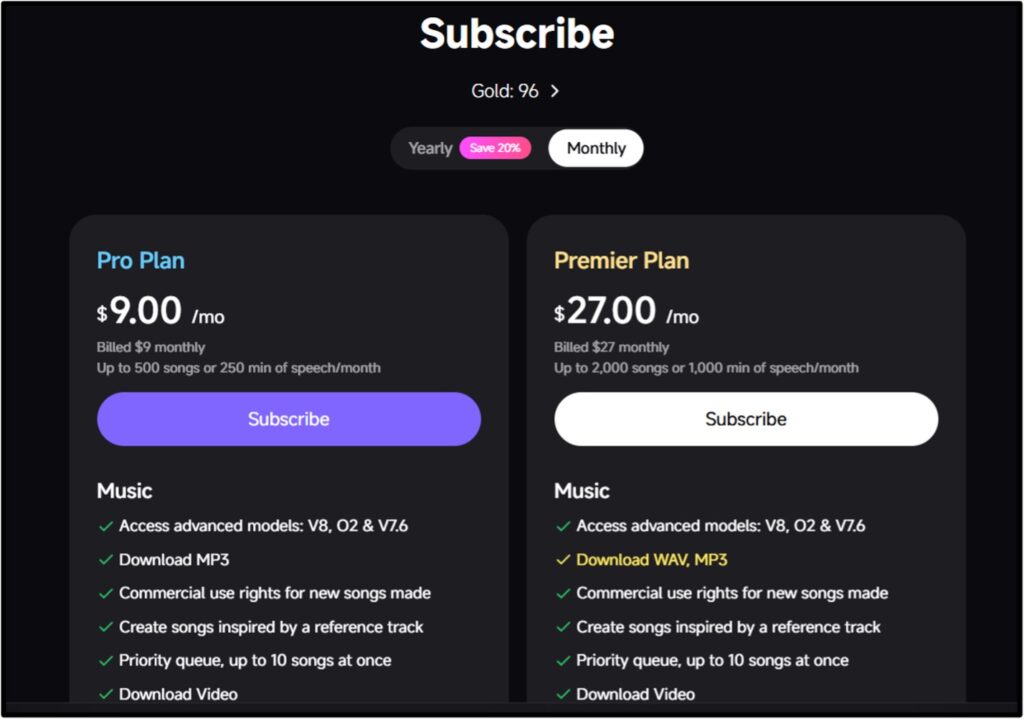
Overall, I am satisfied with the free and pro plans, but the premium plan is a bit expensive for its features. However, if you want more savings, you can use yearly billing as it will save you 20%.
To verify Mureka AI pricing, I scanned other sites and came across a tweet from X, in which Mureka’s official account tweeted about offering 8 credits per day on the occasion of New Year.
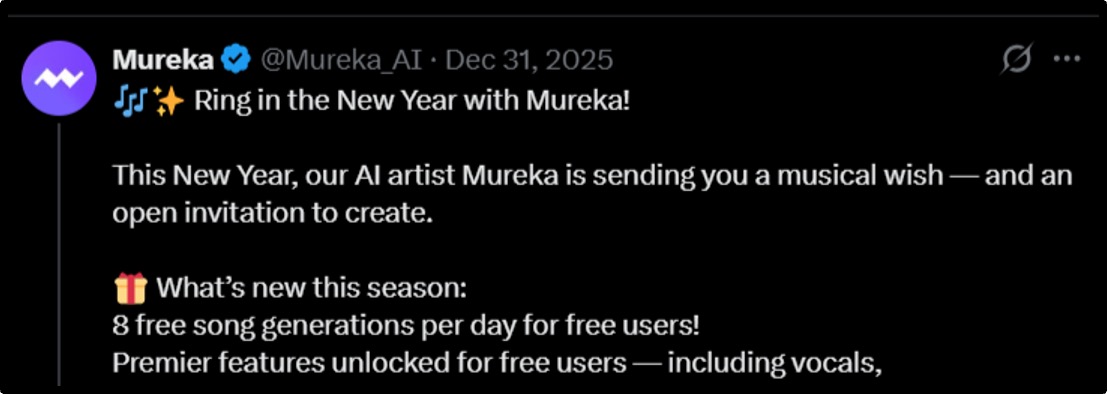
So, it’s possible that it might offer the same on other seasonal occasions as well.
I also found many users on Trustpilot accusing Mureka of being a scam. Many people faced problems with subscriptions and their cancellations, which is why its overall rating is 1.3 out of 5.
Mureka AI Review: Real User Experience
Although I tested this AI music generator for many days and liked it quite a bit, I also wanted to hear from others who have experience creating music and have been using Mureka AI music downloader for a long time. So I searched YouTube, Reddit, and Trustpilot, where I found these reviews:


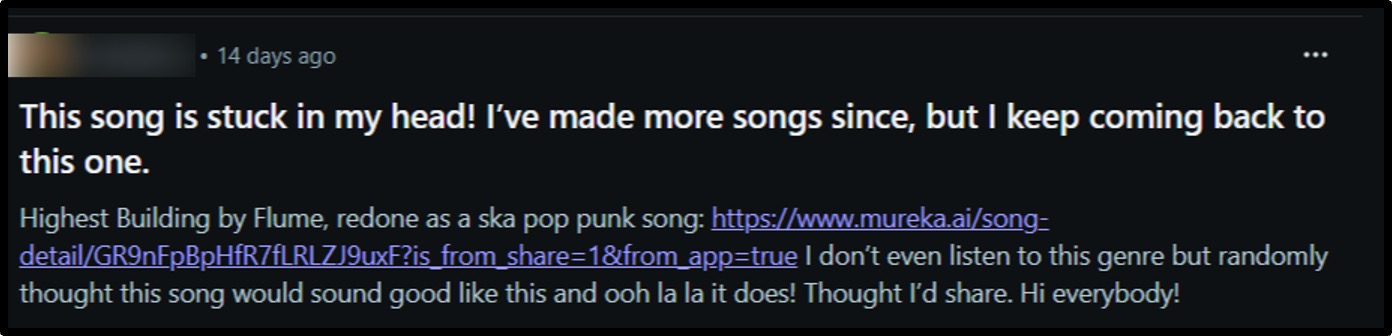

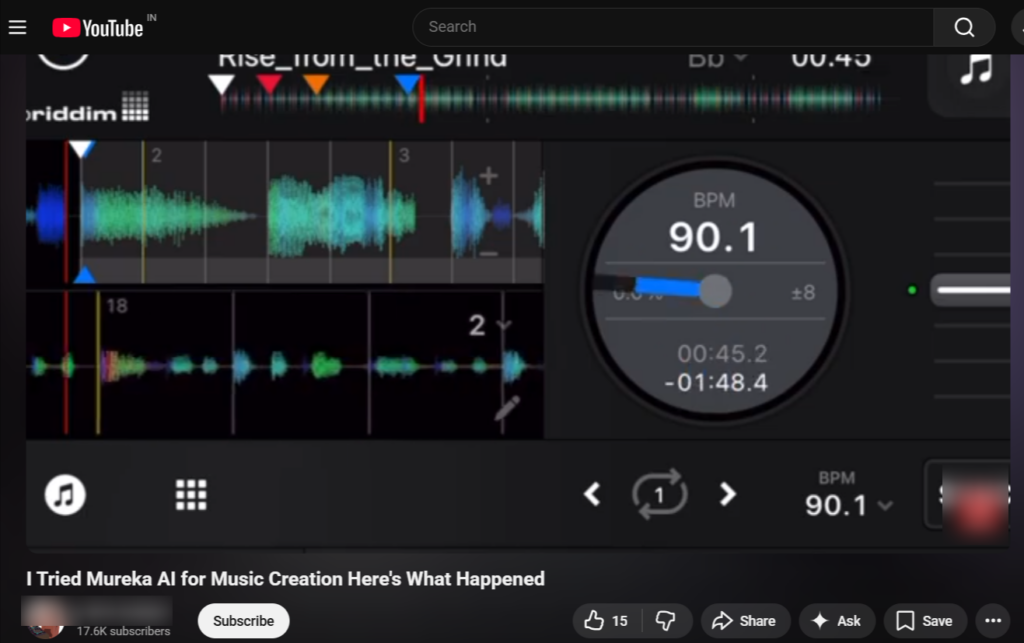
Step-by-Step: The “Perfect Song” Workflow
If you’ve never used Mureka AI before and don’t have any knowledge of music, don’t worry. I’ve written some steps below, along with screenshots, that’ll help you create the perfect song. Just follow these:
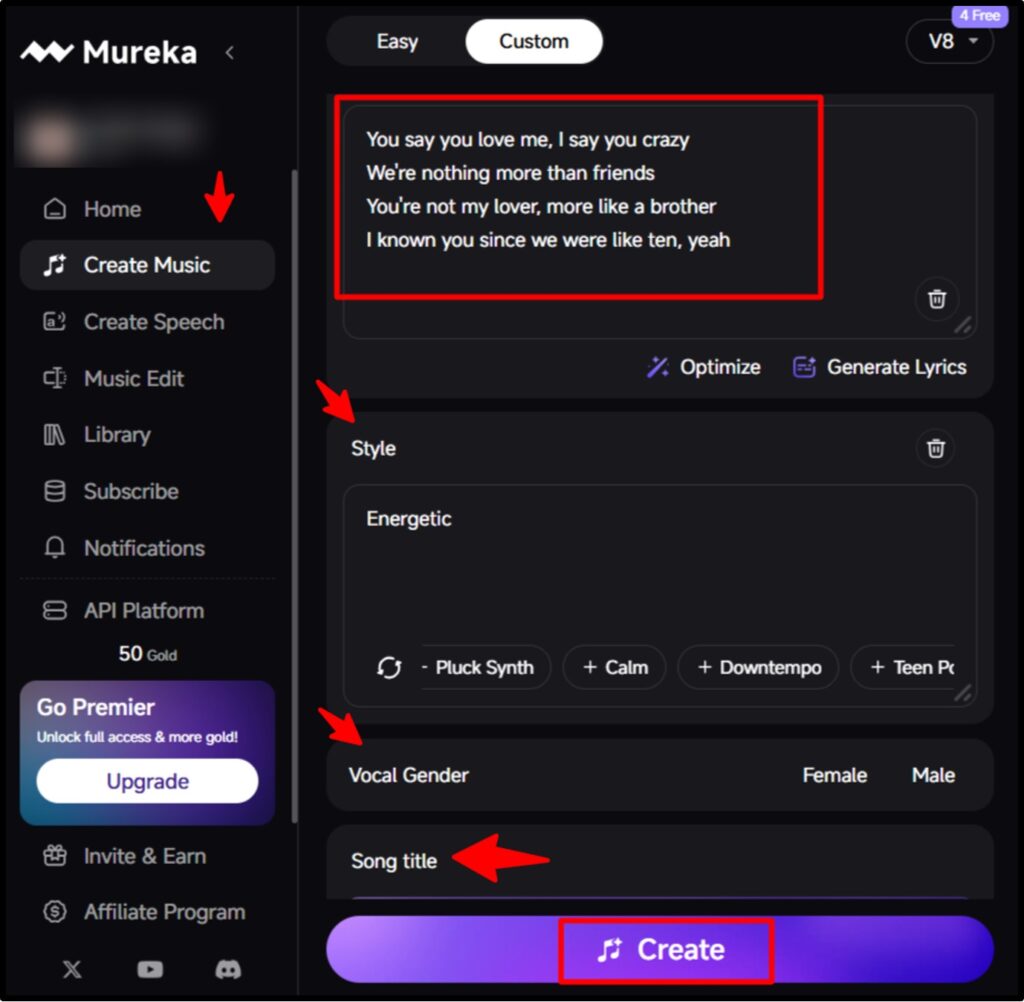
If you’re subscribed to the Pro or Premium versions, then you can try editing features as well to extend the audio and add background music to them.
Download Mureka AI APK
You can use Mureka ai on both desktops and smartphones. The Android version is free and has received very good reviews from users with a rating of 4.5.
But some users also expressed dissatisfaction that sometimes this tool ignores the selected style and chooses something of its own.
Apart from the official website, there are some other platforms like uptodown, APKPure.net, and APKTodo from where you can download Mureka AI APK.
Mureka Alternatives
While testing Mureka ai, I also searched some other music generators like Suno AI and Video AI and tested all of them equally.
Both the apps gave me more artistic vibes; plus, Suno AI had one more advantage of recording and editing songs in real time.
I have created a table to compare the pricing, credits, and features of both the alternatives with Mureka.
| Features | Mureka AI | Suno AI | Udio AI |
|---|---|---|---|
| Free plan | 4 songs/day | 10 songs/day | 10 songs/day |
| Paid plan | 400 songs/day | 500 songs/day | 600 songs/day |
| Create music | V8 & 01 models | V4.5 & V5 models | V1.5 & Pro models |
| Edit music | Trim, split, extend, region editing | Replace, crop, remix | Extension |
| Generate lyrics | Yes | Yes | Yes |
| Create speech | Yes | No | No |
| API Plan | Public API | Limited | Early access |
| Download option | MP3, WAV, Stems | MP3, WAV, Stems, Video | MP3, WAV, Stems |
Final Verdict: Who Should Actually Pay?
I hope you’ve gained useful information about Mureka AI after reading this review. I can only share my opinion, but the final decision will be yours.
So I really liked the interface of this tool because it’s very easy to use. Furthermore, its features can be of great help to unprofessional musicians who wanna create new songs.
I think the Pro and API plans are the best, as the free plan doesn’t offer as many options, and the premium plan is a bit more expensive.
So buy this tool if :
Try other alternatives if you don’t want to fuss about subscriptions, and if you’re getting good features in the free plan of other Music AI tools.
So as promised in the beginning, I want to rate Mureka AI 3.5 out of 5.
FAQ:-
Q1: Can I use Mureka for Spotify distribution?
A: Yes, you can use Mureka for Spotify distribution, but only if you’re subscribed to the Pro or Premium plan. In the free plan, you can download the audio however, other plans also provide commercial license for distribution.
Q2: What is the difference between Mureka O1 and V7.5 models?
A: There’s a difference of song duration and thinking ability between Mureka O1 and V7.5 models. With Mureka O1, you can create a song of 90 seconds whereas with V7.5 generates a song of 5 minutes.
Q3: Does Mureka support MIDI export?
A: Yes, Mureka AI supports MIDI export in paid plans (Pro & Premium). You can create 4 songs with the free plan but you can’t export them whereas, the paid plans allows users to export 400 songs in MP3, WAV and Stems
Q4: Is Mureka copyright free?
A: Yes, Mureka is copyright-free for paid users. The Pro and Premium plan gives users a commercial license for distribution so they can download and distribute songs on third-party apps like Spotify.
Q5: Who is the founder of Mureka AI?
A: Rayn Pan is the founder of Mureka AI. He founded this platform in 2024 in Singapore (Headquarters).
Q6: How much does Mureka AI cost?
A: Mureka AI costs $7.17/month for Pro plan and $21.59/month for Premium plan,
People also search for: