Your laptop is dying. Your internet cuts out at the worst times. Your trading bot misses trades because your computer was offline. Your SEO tools stop running when you close your laptop, or your work suffers when you are away from your desk.
Premium RDP providers promise solutions but charge $50-200/month, which is insane.
But there’s one thing: you can get reliable RDP at low prices, so it doesn’t matter if you’re a student who needs it for coding projects, a forex trader running 24/7 bots, a developer practising skills, or even a small business owner. You deserve RDP at low or affordable prices that actually work.
The problem isn’t finding cheap RDP; it’s like finding cheap RDP that’s trustworthy. Free services often crash, but don’t worry; here we will cut through this gap.
You’ll discover which provider can work best for your needs, compare them, and then make your choice. Zero confusion because we have given only honest advice that can save you money.
Let’s get started.
Budget Pick
RDPHostings

Best Value
Kamatera

Premium Pick
QloudRDP

Who Should Buy a Cheap RDP Server?
If you belong to any of these categories, trust us: an affordable remote desktop server can transform your business and save you thousands annually.
So, it’s very clear that a cheap RDP does not mean a bad one, because thousands of traders, freelancers, and developers are already using the affordable remote desktop services and saving their cash while getting better performance.
Quick Comparison Table of cheap RDP providers
We’ve compiled this detailed comparison of the five best cheap RDP providers of 2026. Each provider brings unique strengths from pricing and performance to security and support.
Use this table as your guide to find your perfect RDP solution that matches your budget and requirements.
| Providers | Starting Price | RAM / CPU | Storage | Windows License | Uptime SLA |
|---|---|---|---|---|---|
| RDPHostings | Free | 24 CPU Cores | 500 GB SSD Drive | Included | 99.95% |
| Kamatera | $4/month (Custom) | 1 GB RAM / 2 vCPU. | 40 GB NVMe | Included | 99.95% |
| QloudRDP | $9.99/month | 2 GB RAM /1 vCPU | 70 GB NVMe | Included | 99.99% |
| UltaHost | $16.50/month | 2 GB DDR4/2 vCPU | 50GB + NVMe | Included | 99.99% |
| Interserver | $3/month | 2 GB/2 vCPU | 50GB + SSD | Included | 99.9% |
Don’t just pick the cheapest option. Consider uptime, features, and security. All these providers offer Windows licenses, so focus on your requirements of RAM, CPU, and storage.
5 Best Cheap RDP Providers in 2026
Not every cheap RDP is worth your money. So we have researched the market, compared the top options, and shortlisted the best cheap RDP providers for you.
Each of the providers stands out for different reasons, be it pricing, performance, or reliability. All of them are trusted by real users for trading, remote work, and business tasks.
Here we go.
RDPHostings – Best RDP Server For Linux/ Windows
RDPHostings is our 1st pick, and the reason is very simple: you can try it for free before paying anything. There is no hidden catch and no sort of “free trial” that quietly starts charging you. It’s just a real free server, plus paid plans if you need more power later.
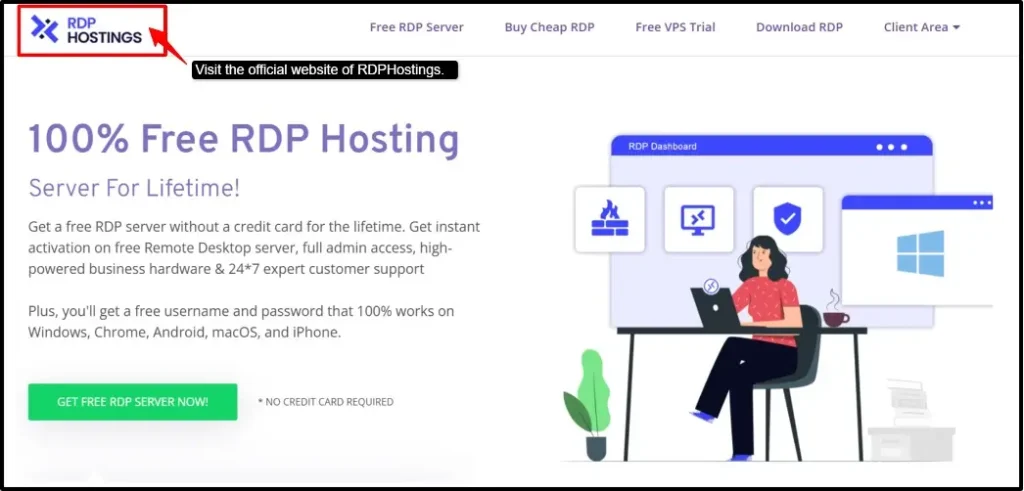
You get full admin access in their paid plans, where you can jump straight into your tasks like trading, testing something, or running your small project without waiting much time. RDPHosting is available 24/7.
It’s not a big fancy enterprise tool; instead, it’s built for everyday people, freelancers, traders, and small business owners who just need something that works, is secure, and doesn’t come with confusing steps.
Key features
Let’s see its core features so you understand more about this provider:
Best for
RDPHostings is best used for:
Kamatera
Kamatera is built for businesses that grow faster and cannot afford downtime, as it is backed by a solid uptime guarantee of 99.95%, and you get their servers’ speed across the globe.
The most standout feature you can find here is the hourly billing model, where you pay only for what you actually use, and you can scale up the moment your business needs to.
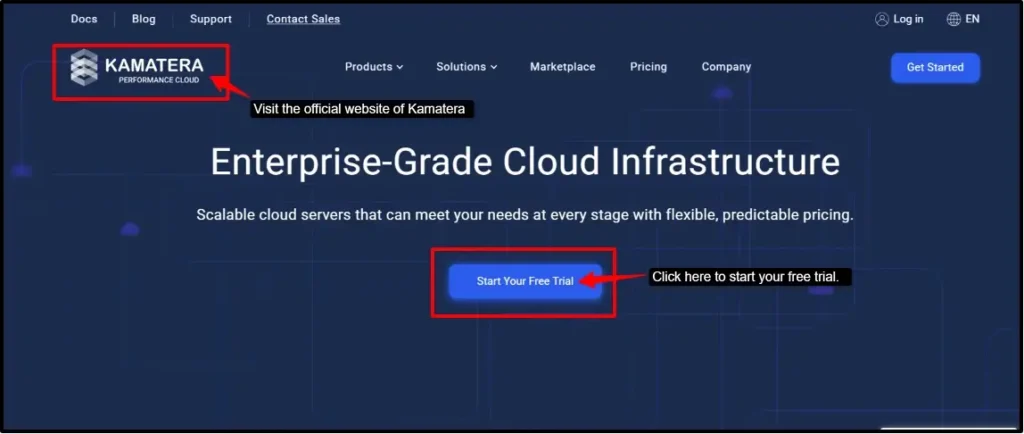
There are no long-term contracts; you just have your resources. And if by chance you are not happy, there’s a 30-day money-back guarantee, plus you get $100 in free credits to help you get started. So it’s a risk-free platform with amazing customizable options.
Key features
Here are some of Kamatera’s major features, so you know it can be your reliable RDP server.
Best for
Kamatera is best used for:
QloudRDP – Best Overall High-Performance RDP Server
QloudRDP comes in when you’re running your automated tasks all day, and you need a server that just doesn’t quit. It’s known as one of the more budget-friendly RDP providers, built for people who need their virtual server running 24/7 without a break.
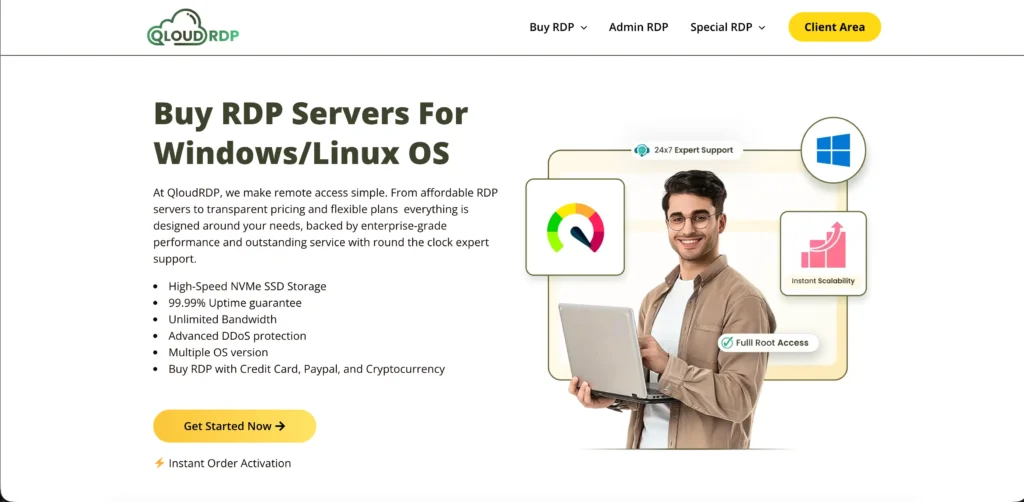
Serving in 12 locations across the UK, Germany, and the Netherlands, you can pick one close to where you actually need it.
QloudRDP is backed by a 99.99% uptime guarantee along with its solid security features like DDoS protection and encrypted connections, so your work stays safe, and your operations don’t skip anything.
Key features
Here are the core RDP features of QloudRDP:
Best for
QloudRDP is best used for:
UltaHost – Fast Windows VPS Hostings
UltaHost delivers high-performance RDP solutions that are built on NVMe-powered infrastructure. It ensures you have lightning-fast server response times. Here, every account has unlimited monthly bandwidth and full admin access.
You get the experience of seamless scalability.
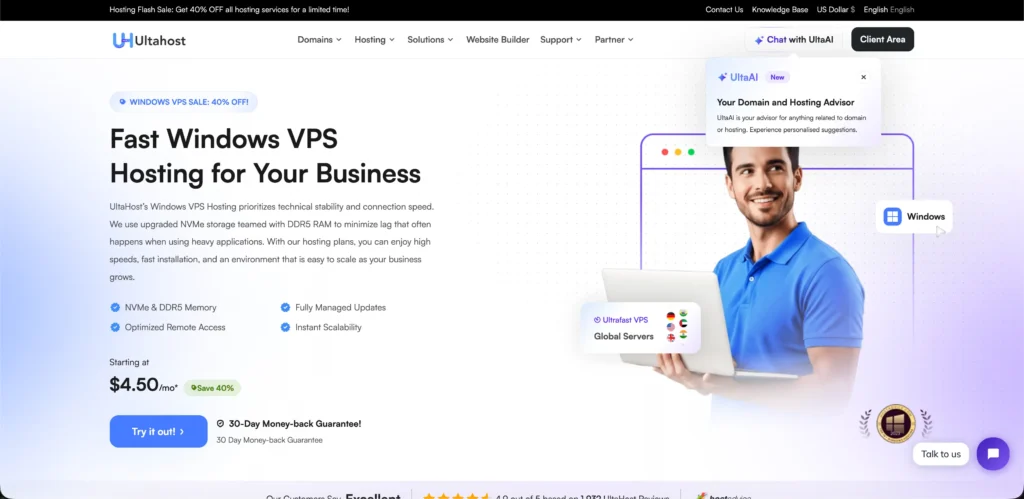
Their managed server approach will completely remove your maintenance headaches, like security hardening and major updates.
You get enterprise-level resources with dedicated team support from UltaHost. You get the experience of a secure and amazing remote server for professionals who demand strong performance.
Key features
Here are the main core features that you would need for your remote server:
Best for
UltaHost is best used for:
Interserver – Affordable RDP Hosting Provider
Interserver runs its own data centers, so you don’t have to rely on others. You get Windows VPS servers with zero lock-in contracts, which you can cancel anytime. When you buy a Windows VPS, you are actually buying cheap RDP access.
RDP is only the connection method, but your Windows VPS is actually your powerful computer.
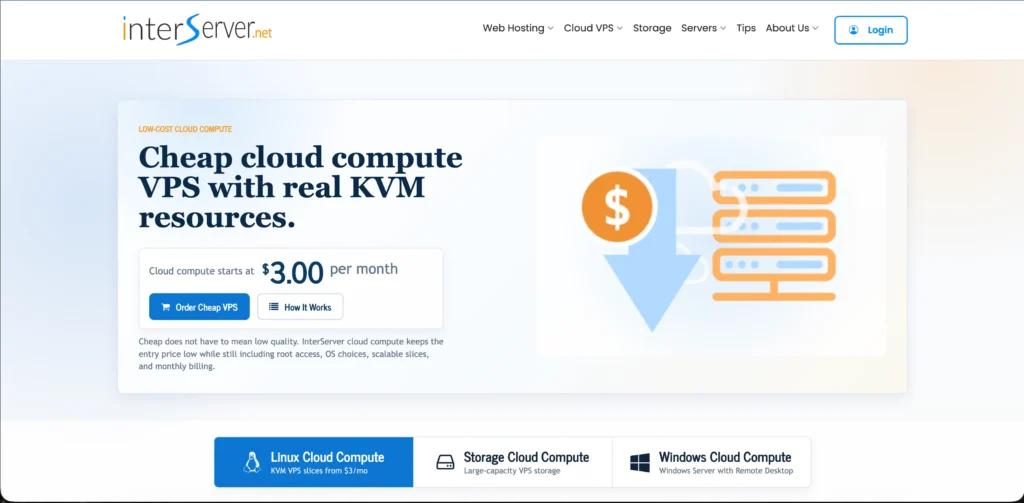
The platform gives you easy accessibility so you can boost your resources like CPU, RAM, and storage whenever you need a simple control panel.
You even get their 30-day money-back guarantee. This platform is great for small teams and developers who want reliable remote servers without paying for big enterprise prices.
Key features
Here are the main features of this provider:
Best for
InterServer could be best used for:
What to Check Before Buying a Cheap RDP Server
If you are buying a cheap RDP server, it does not mean you have to sacrifice quality; you still need to know what to look for. Many people end up with slow and unreliable servers because they skip the important checks.
Taking time to check these points before buying will save your money. A cheap RDP that’s reliable and fast is better than an expensive one that falls when you need it the most.
Refer to our five providers; we have listed all of them after deep research, and they do check all the boxes mentioned above. Pick one that matches your actual needs.
How to Set Up and Connect to Your Cheap RDP
Note*
Now we have come to the part where we will actually show you step by step how you can use and get your free RDP server on Kamatera.
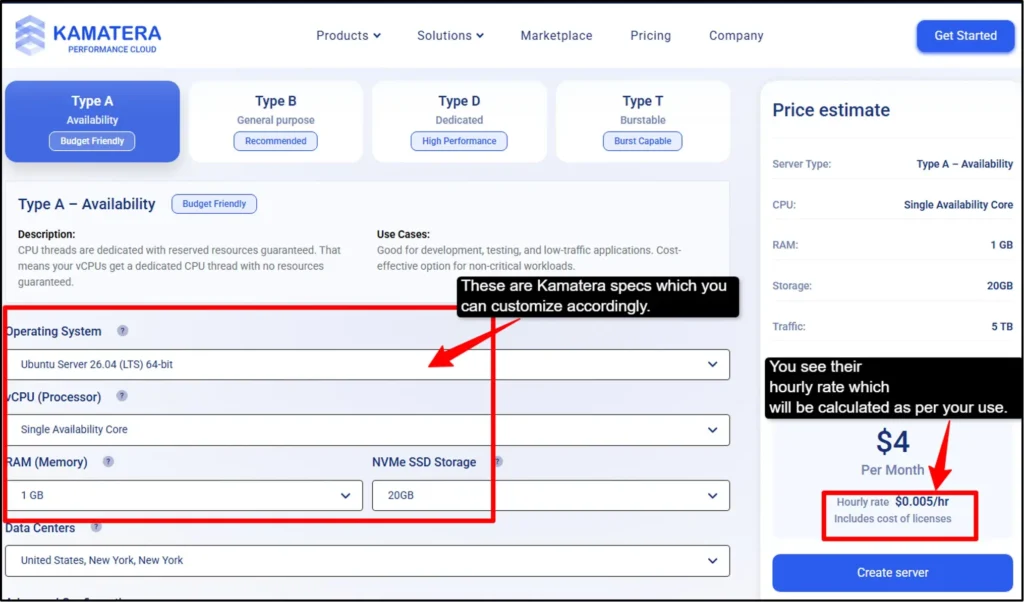
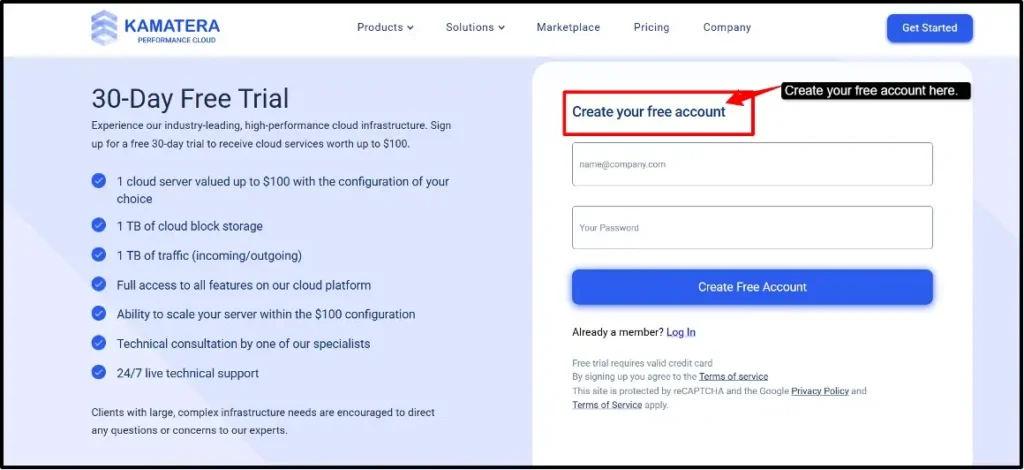
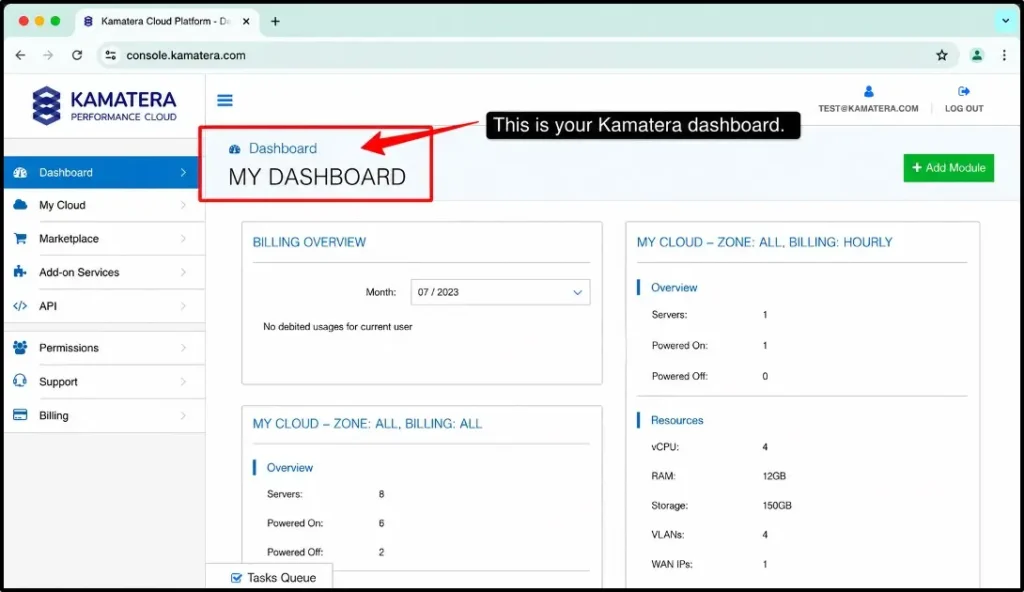
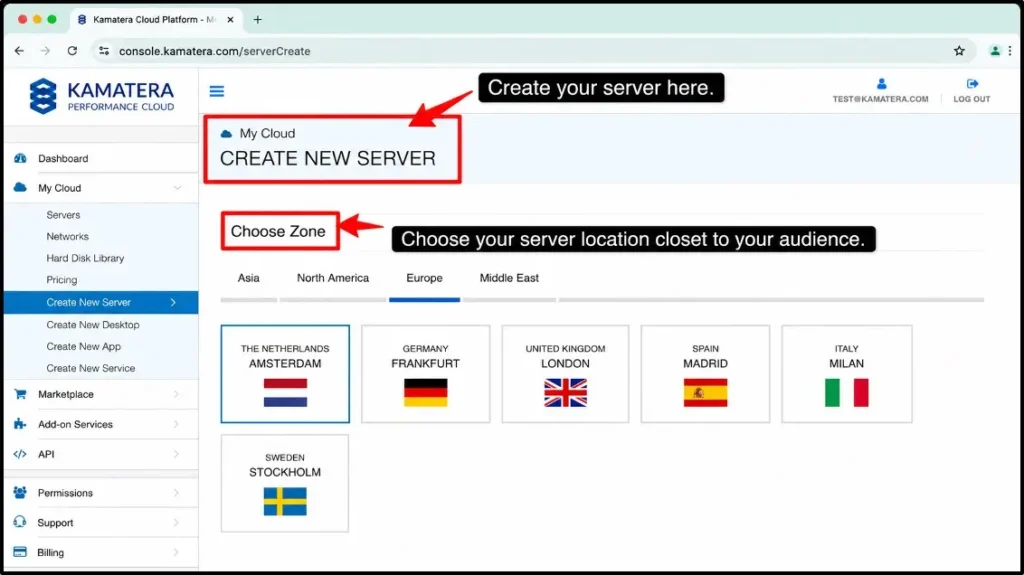
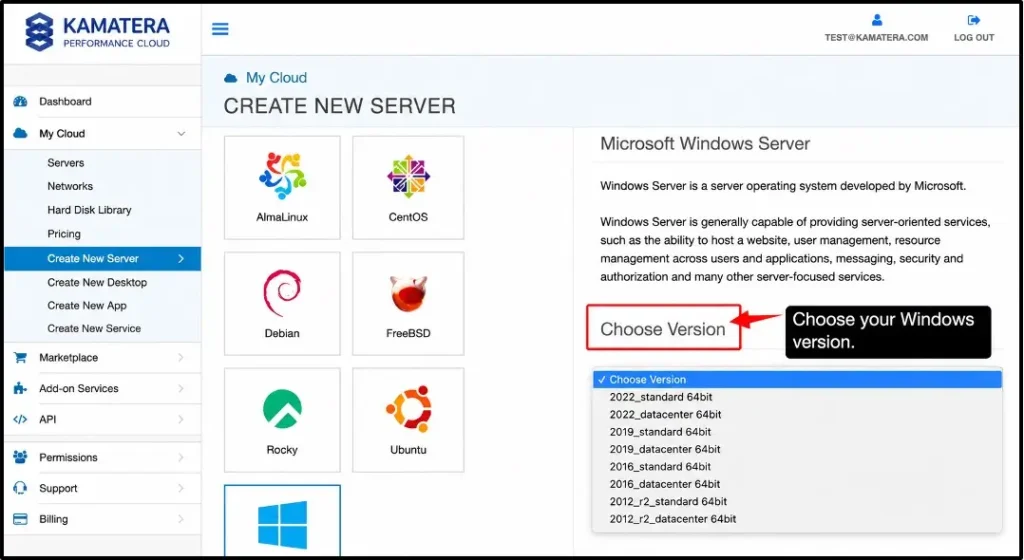
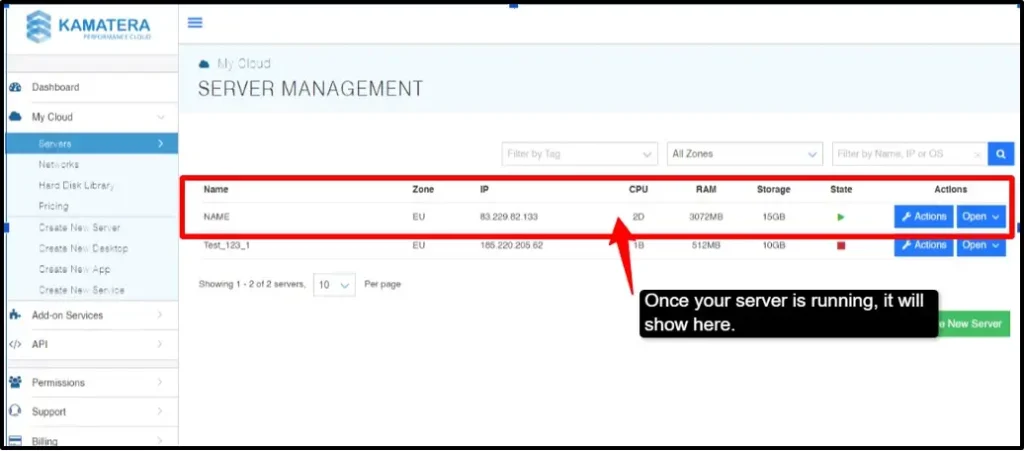
You are now connected to your Kamatera RDP server. You now have full access to your remote Windows desktop. Install any software, upload files, and run programs. It’s completely yours to handle.
Conclusion
Cheap RDP does not mean bad quality. The key is finding value and getting maximum performance for your budget. Start by understanding and identifying your needs: RAM, CPU, storage, and server location, which matter more than any price.
Make sure to keep these things in mind when buying a cheap RDP plan or when registering for a free RDP service. Please see if the RDP plan offers a dedicated IPv4, full root access, 99.9% uptime, and instant setup.RDPHostings is one of the best free RDP providers that offers these features for free.
The best budget-friendly options are Kamatera, RDPHosting, and UltaHost, as they offer reliable performance at reasonable prices.
Choose a provider you can trust with quality and stability.
FAQs:
Is cheap RDP safe to use?
Yes, if chosen carefully. A low-latency RDP is safe when it has secured firewalls, encrypted connections, and DDoS protection. You can even use strong passwords and basic security practices to stay protected. Avoid free services because they often have security risks.
Can I run MT4 or MT5 on a cheap RDP?
Absolutely, a cheap RDP is fully compatible with MT4 and MT5. 2 GB can handle 1-2 terminals, and 4 GB and up can handle multiple charts and indicators smoothly.
Do I need technical knowledge to set up a cheap RDP?
No, RDP is easy to use and set up; providers give clear instructions and 24/7 support to quickly deploy your server and start in less than 15 minutes.
Can I get RDP completely for free?
Yes, you can, but free RDP services are best only for short-term testing and learning. They will not only make your work environment easy but also make you experience powerful resources that you can use from anywhere and at any time.
What is the minimum I should spend to get a working RDP
Basically, entry-level plans start at $4/month for beginners. You can spend between $6 and $15/month for a good and reliable server. Don’t go for very cheap options, since it can create problems and downtime for you. A few dollars extra can save you headaches later.
💡 Most Loved Article!