
If you trade in NinjaTrader, Sierra Chart, or similar platforms, speed is everything.
When you use your home computer to trade, there is a problem. Your trading order takes time to reach the exchange. Even a one-second delay can cost you money. You may miss your trade or get a bad price. You know why?
Because your home PC is far from the trading exchanges like CME and NY4. Your orders travel slowly to reach the market.
So a solution to this is using RDP servers. RDP stands for Remote Desktop. It’s a fast computer server that is located close to your trading exchanges.
Your orders go from this server to the exchange in milliseconds, not seconds. Here, we show you the top RDP services so you can choose the one that is best for you.
- Why Futures Traders Need an RDP (Not a Home PC)
- The One Thing That Matters Most: Latency to CME
- What to Look for in a Futures Trading RDP
- Best RDP for NinjaTrader and Futures Trading in 2026
- RDP for Prop-Firm Futures Traders (Apex, MyFundedFutures, Bulenox)
- Frequently Asked Questions
- Conclusion: Choosing the Right RDP for Futures Trading
Why Futures Traders Need an RDP (Not a Home PC)
Futures markets move in milliseconds, and a home internet connection on a regular PC often cannot match the speed and stability of professional servers.
When you use an RDP, it hosts your NinjaTrader or Sierra Chart setup to a data center close to major exchanges and gives you faster and more reliable order execution.
When you switch from your home PC to a proper trading RDP, you remove most of the technical reasons for bad fills and failed evaluations, and your strategy performs as it should.
The One Thing That Matters Most: Latency to CME
When it comes to futures trades, the single most important factor is how fast your orders can reach the CME matching engine. Everything else, like the CPU speed, RAM, and fancy charts, comes second to this.
Why Chicago / CME Aurora Proximity Wins
What Latency to Target (Under 5ms Baseline, Under 1ms for HFT)
If your main market is CME futures, then you should choose a VPS/RDP in or very near Chicago/Aurora first, then only worry about CPU and RAM.
That location decision alone will have the biggest effect on your execution quality.
What to Look for in a Futures Trading RDP
Every RDP is different and not meant for trading. Many options are available, but you need to check why any RDP is best for futures trading.
Any good futures RDP must be fast, stable, and fully compatible with platforms like NinjaTrader and Sierra Chart.
Here are some of the key features you should check before buying.
Low Latency to Your Exchange and Broker
Dedicated CPU and RAM (No Shared Throttling)
NVMe Storage for Chart and Tick Data
99.99%+ Uptime for 24/7 Strategies
Platform Compatibility (NinjaTrader, Sierra Chart, Rithmic, CQG)
If you are choosing an RDP for your trading, it’s a tough choice, as you cannot ignore certain important requirements like these.
If you choose an RDP with these features, you get a stable, low-latency foundation for your NinjaTrader, Sierra Chart, and other trading platforms so that your trading strategy runs like you want it to run.
So here, we have listed the best RDPs for NinjaTrader and Futures Trading. Below are the top options that real traders use for their honest value and performance.
Best RDP for NinjaTrader and Futures Trading in 2026
You need to choose the right RDP for NinjaTrader and futures trading because it means focusing on low latency, stable Windows performance, and enough resources for charts, DOMs, and data feeds.
Below are the top options that match real traders’ needs in 2026 for their honest value and performance.
1. QloudRDP—Best for Overall Performance
QLoudRDP is a good choice for futures traders who want speed and reliability. Their servers are located close to broker hubs, giving you low latency on your trades.
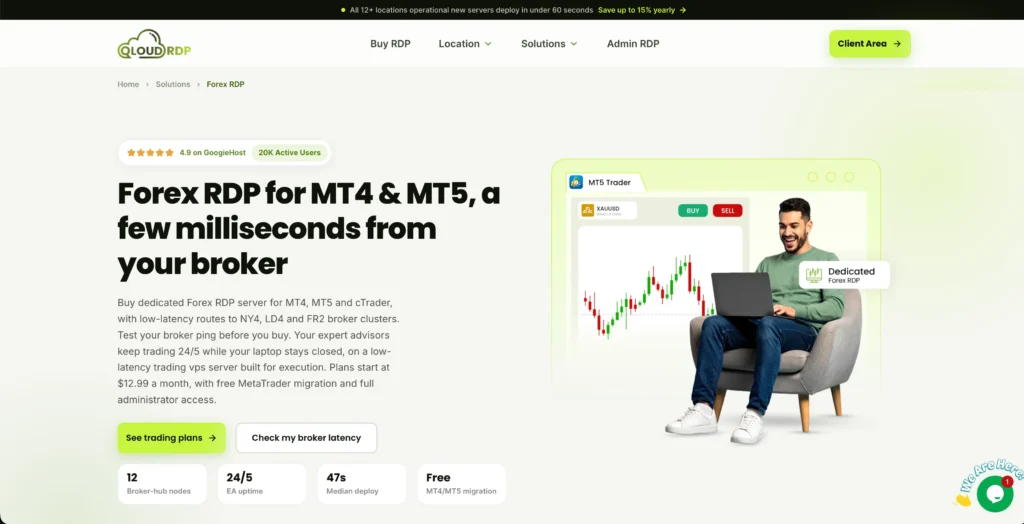
They use fast NVMe storage and unlimited bandwidth, so your charts stay smooth even with multiple feeds.
They work with NinjaTrader, Sierra Chart, and all of the major brokers. You get their clear pricing and an affordable starting range. There are zero surprise charges, and you get a simple setup where support is available 24/7.
Features
Here are the key features you would need for your trading:
Pricing
Here is the pricing for QloudRDP.
| Plans | Price | Resources |
|---|---|---|
| Nova | $12.99/monthly | 1 vCPU, 2 GB RAM, 70 GB NVMe SSD. |
| NovaPlus | $23.99/monthly | 4 vCPU, 4 GB RAM, 100 GB NVMe SSD. |
| NovaPro | $34.99/monthly | 4 vCPU, 8 GB RAM, 120 GB NVMe SSD. |
Note: We have mentioned the starting plan for QloudRDP, but for your trading setups you can go with their Supernova plan as it delivers the minimum RAM for your setup, or you can even choose the next plan if your requirements are higher.
2. Trading VPS—Best for Ultra-Low CME Latency
TradingVPS is built for future traders who need the fastest possible connection to the CME. Its Chicago-based server uses high-end AMD Ryzen 9 CPUs and optimized network routes to deliver sub-1 ms latency to CME endpoints.
For the use of NinjaTrader, Sierra Chart, and other platforms, this means faster order execution, less slippage, and a stable environment for scalping and automated strategies.
It comes with solid hardware, NVMe storage, and 24/7 uptime; this RDP targets serious CME-focused traders.
Features
Here are the main features:
Pricing.
Here is the pricing for TradingVPS.
| Plans | Starting Price | Resources |
|---|---|---|
| Starter | $16/month | 1 CPU, 4 GB DDR5 RAM, 100 GB NVMe SSD storage. |
| Basic | $28/month | 2 CPUs, 8 GB DDR5 RAM, and 200 GB NVMe SSD storage. |
| Standard | $47/month | 4 CPUs, 16 GB DDR5 RAM, 300 GB NVMe SSD storage. |
If you’re not sure, you can try their trial period that they offer, which offers 1 to 3 days of testing on their VPS service.
3. ForexVPS.net—Best for Prop-Firm Traders
ForexVPS.net is a solid choice for most of the prop-firm traders who require stable, low-latency servers and strict IP compliance. It has 22 Equinix data centers (including NY4 and Chicago).
It supports NinjaTrader, Sierra Chart, Rithmic, and CQG on the same VPS used for MT4/MT5 or cTrader.
All of these factors make it perfect for traders running mixed forex and futures strategies across firms like FTMO, MTFundedFX, Apex, and others, while keeping a fixed IP and high uptime to avoid rule breaches.
Features
Here are some important features for you.
Pricing.
Here is the pricing of ForexVPS.net for you:
| Plans | Starting Price | Resources |
|---|---|---|
| Core | $25.69/monthly (All pricing based on conversion from local to USD) | 1-3 trading platforms, 4GB RAM, 2x CPU, 100 GB storage. |
| Edge | $38.57/monthly | 3-6 trading platforms, 6GB RAM, 4x CPU, 150 GB storage. |
| Prime | $51.38/monthly | 6+ trading platforms, 8GB RAM, 6x CPU, 200 GB storage. |
ForexVPS.net offers you a money-back guarantee of 14 days.
4. rdp.monster—Best Budget Option
rdp.monster is a strong and reliable budget pick for NinjaTrader and futures traders who want low latency without paying high monthly costs.
Its New York (NY4) servers are located in the same Equinix Secaucus data center as many major brokers, offering sub-1ms latency to CME-routed order flow.
You get budget-friendly starting plans with dedicated CPU/RAM and 24/7 uptime, making it best suited for prop-firm evaluations, NinjaTrader, and overnight Globex sessions with automated strategies on a light budget.
Features
Take a look at the major features.
Pricing
Here is the pricing for you.
| Plans | Starting Price | Resources |
|---|---|---|
| Basic | $7.49/monthly | 6GB DDR4, 2 cores, 40 GB SSD NVMe. |
| Standard | $14.16/monthly | 8GB DDR4, 4 cores, 70 GB SSD NVMe. |
| Pro | $24.99/monthly | 12GB DDR4, 6 cores, 90 GB SSD NVMe. |
Here is a simple comparison table with important specs for all the providers, so you can check and understand better.
| Provider | Locations | CME Latency | Starting Price | Uptime |
| QloudRDP | 12 global locations. | Low-latency focused. | $9.99/monthly | 99.99% |
| TradingVPS | 6 locations. | Sub-1 ms to CME. | $16/monthly | 99.99% |
| ForexVPS.net | 22 locations. | Low-latency focused. | $25.69/monthly | 100%. |
| rdp.monster | 4 locations. | Sub-1ms to CME. | $7.49/monthly | 99.9% |
Note: The information above shows what each provider claims. These are their marketing claims, not real test results. If you require to know the actual performance, you can test the setup yourself or read real reviews from actual traders who use their RDPs for futures trading.
RDP for Prop-Firm Futures Traders (Apex, MyFundedFutures, Bulenox)
Prop-firm futures accounts have very strict rules. A slow connection or sudden disconnection can easily break your daily loss limit or trading in seconds.
A good RDP keeps your NinjaTrader or Sierra Chart running 24/7 on a fast server, close to CME, so your orders reach the market quickly and your platform stays online even during evaluations and funded trading.
Simple Tip: Test your strategy in the prop firm’s simulator on the RDP first, check your ping to the broker now and then, and use your home PC only to watch, not to run the main trades.
This setup helps avoid disconnections and bad fills, so you have a better chance to pass evaluations and keep your funded account.
Why uptime is pass/fail for evaluations
When it comes to prop-firm evaluations, uptime could be a pass/fail issue because even a short disconnection at the wrong time can easily break your daily loss limit or trading and fail your account instantly.
Firms like APex, MyFundedFutures, and Bulenox do not accept “internet problems” as an excuse.
So, for evaluations, 99.9% is not safe, and 99.99% is the proper minimum required to protect your account.
Frequently Asked Questions
What latency do I need for futures trading?
You need 1-100 milliseconds of latency. Anything above this will cost you money in slippage on fills. Test your ping to CME servers now, and if you’re consistently over 100 ms, get a VPS immediately.
Do I need a Chicago VPS for CME futures?
Yes, if you’re trading CME futures, a Chicago VPS is non-negotiable.
Can I run NinjaTrader and Sierra Chart on the same RDP?
Yes, both are lightweight. You can get a VPS with 4 GB RAM minimum, and you will have zero issues running both simultaneously with multiple charts open.
Is a VPS allowed for prop-firm evaluations?
Yes, most prop firms allow it. But check your specific firm’s rules before you start; some have restrictions, so don’t waste evaluation attempts finding out the hard way.
How much RAM does NinjaTrader need on a VPS?
You should get 4 GB RAM minimum and 8 GB RAM if you’re running multiple platforms.
Can I access my trading RDP from my phone?
Yes, you can easily access your trading from Remote Desktop Protocol (RDP) or VPS directly from your phone using Microsoft’s official Windows app (Windows App Mobile) available on iOS and Android.
Conclusion: Choosing the Right RDP for Futures Trading
When you’re thinking of trading on NinjaTrader, Sierra Chart, or similar platforms, the right RDP can directly improve your fills, reduce slippage, and protect your prop-firm accounts.
You need to first focus on latency to your exchange, then on stable uptime and dedicated CPU and RAM that provide full platform compatibility.
Always choose a server location close to your broker or exchange. For your future traders, this means servers in Chicago (CME Aurora data er in Illinois) or New York (for:NY4 exchange). Some traders also use London servers depending on their trading hours.
You should always test the setup with real ping times during active trading hours, and always check real reviews from real traders to see how it performs. This simple approach removes the most technical reasons for bad trades and failed evaluations.
💡 Most Loved Article!