Your team works remotely, but do you really know what they’re doing during work hours?
Managing a remote team is hard when everyone works from different locations. You can’t see what they’re working on, and personal devices add security risks.
Remote desktop hosting solves this. It gives you a secure remote computer you can access anytime, from anywhere, so you can see exactly what your team is doing whenever you need to. It keeps your software running smoothly, stores all your business data, and gives you tighter control over your remote work.
Many businesses need software running 24/7, like email systems and other tools, to keep working even after people log off. SEO experts and developers also rely on web scrapers that need powerful systems running all day.
Not every provider delivers what you need, so we tested and compared the best remote desktop hosting providers through in-depth research, helping you find one that actually works.
Budget Pick
RDPHostings

Best Value
Kamatera

Premium Pick
QloudRDP

- What is Remote Desktop Hosting?
- Who Should Use Remote Desktop Hosting?
- Quick Comparison Table Of Remote Desktop Providers
- Best Remote Desktop Hosting Providers in 2026
- How Does Remote Desktop Hosting Work?
- How We Selected These Remote Desktop Hosting Providers
- Remote Desktop Hosting vs VPS Hosting
- Conclusion
- FAQs:
What is Remote Desktop Hosting?
Remote Desktop hosting is a type of hosting service where a provider sets up and runs a virtual Windows desktop for you on a powerful server in their secured data center. Instead of using your own computer for all the processing, you simply connect to that remote desktop over the internet from your laptop, PC, or even your mobile.
All of the computing happens on the provider’s server, not on your device. Simply, it means you can access the same desktop, files, or applications from anywhere while enjoying better performance with security.
Your work stays online even when your personal computer is turned off, making it perfect for running your business applications, web scrapers, and bots that need to operate 24/7 with zero interruptions.
Who Should Use Remote Desktop Hosting?
Remote desktop is very useful for anyone needing a secure and high-performing computer that can be accessed from anywhere. If you have a business running, you are working remotely, or you need to use heavy software that needs to stay online 24/7.
It covers all of this, giving you a reliable desktop that keeps your files and workflow running continuously. Here are some of the critical users who benefit the most from remote desktop hosting.
Here are some critical users who need RDP in their day-to-day work and bring a complete balance to their professional lives.
RDP makes your work easier, no matter which industry you belong to. You also save money because you don’t have to buy an expensive, high-performing laptop to keep your own desktop powered on 24/7.
The remote desktop stays online all the time, and you can securely access and manage it from almost any device with an internet connection.
But the right provider makes all the difference, so we tested the best options for you.
Quick Comparison Table Of Remote Desktop Providers
Here’s a quick comparison of the best remote desktop hosting providers, so you can easily compare their features, pricing, and performance. Either you belong to the business world, are a developer, or are even a trader, this table will help you in all ways.
And if you are a student, you can even check which providers offer free RDP hosting to run and save your different projects on a remote server without your personal computer.
| Providers | SSD/NVMe | Server Locations | Admin Access | Windows Version | Starting Price/Annual Price |
|---|---|---|---|---|---|
| RDPHostings | 500 GB SDD | 1 location | Yes (paid plans) | Windows Server 2022 | Free plan (Windows & Linux servers) |
| Kamatera | Customizable | 24 locations | Yes | Windows Server 2025 | $35/month |
| QloudRDP | 70 GB NVMe | 12 locations | Yes | Windows Server 2022 | $9.99/month |
| UltaHost | 50 GB NVMe SSD | Multiple server locations. | Yes | Windows Server 2022 | $16.50/month |
| Interserver | 80 GB SSD | 9 locations | Yes | Windows Server 2025 | $10/month |
Every provider cannot fulfil your needs in every area, so we have picked out these five RDP providers that can perform well in your respective professional needs.
You can use this table as a quick reference for your remote desktop connection, but do visit each provider’s official website to check their exact specifications before proceeding.
Best Remote Desktop Hosting Providers in 2026
You need to be very careful when it comes to choosing your hosting provider as per your needs. The right provider can make a big difference in your RDP experience. Every provider offers different features, performance, and support, so choosing the right one is important.
So to help you decide, we’ve compared the best ones based on the factors that matter most.
RDPHostings – Overall Best Free RDP Hosting
RDPHostings is one of the fastest-growing remote desktop providers that gives businesses and professionals exactly what they need: fast and affordable access to powerful RDP servers.
We’ve kept this provider first in the list because it offers an easy and affordable way to get started with remote desktop hosting.
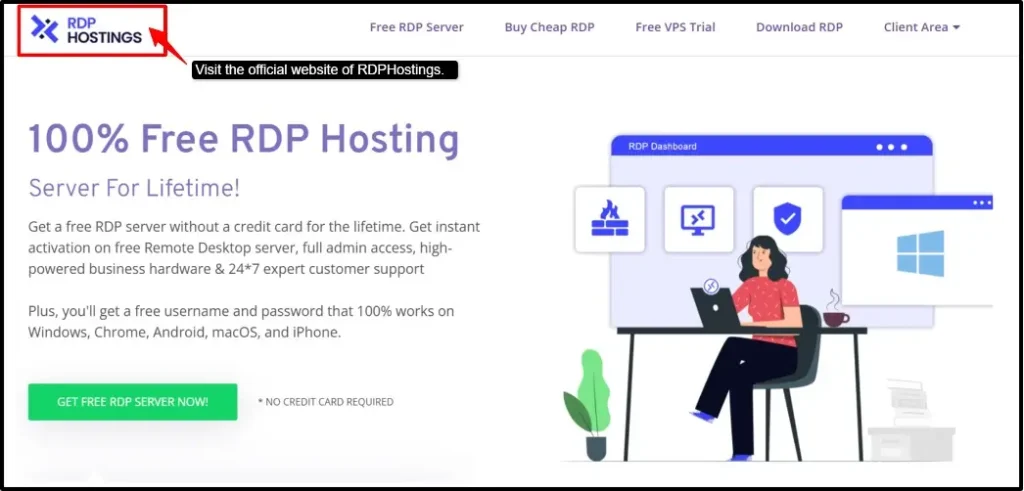
Their Solo plan comes with 95.99% uptime and 500 Mbps network speed, which makes it a solid fit for students, software testing, and even small teams where multiple users need to access the same applications remotely. In this plan, you also get a Linux OS option, so you can pick the environment that suits your workflow.
You can even upgrade later to their Expert plan, which gives you Windows OS and 1 Gbps network speed for resource-hungry tasks.
Key features
Let’s understand RDPHostings better with its features:
Pricing
Here is the pricing for your remote desktop server:
| Plan | Starting Price | Specs | Best for |
|---|---|---|---|
| Solo Server | $0.0/month | Full access, 32 GB RAM, 24 CPU cores, and a 500 GB SSD disk. | Best for beginners or newbies. |
| Expert Server | $0.0/month | Windows Server 2022, 24-hour activation, 256 GB NVMe SSD drive. | Best for tech teams |
| VPS Trial Server | 30 days free trial with $100 credit | Full admin access RDP, unlimited storage, 13 global data centers & daily backup. | Best for enterprise-level teams. |
You get a free trial with a $100 credit, so you can try this provider first and then make your next move wisely.
Why We Recommend It
We highly recommend RDPHostings because it offers a secure and affordable remote desktop with reliable uptime and fast deployment. You get their dedicated virtual servers, making it a strong choice for beginners, businesses, or your SEO teams. On top of that, they also give you a proper free RDP server with a Linux or Windows OS that you can access 24/7, anytime, for your own use.
It even includes essential security features like firewall protection and secure remote access to help protect your server from unauthorized access. Altogether, it provides a trustworthy platform for running your remote workflow with confidence.
Kamatera – High Performance Global Cloud RDP
Kamatera is the second-best choice for your remote desktop connection, offering full access to its powerful and scalable cloud RDP infrastructure, while hourly billing lets you pay only for resources you use.
You get instant deployment and a fully customizable environment so you can build an RDP setup exactly matched to your needs.
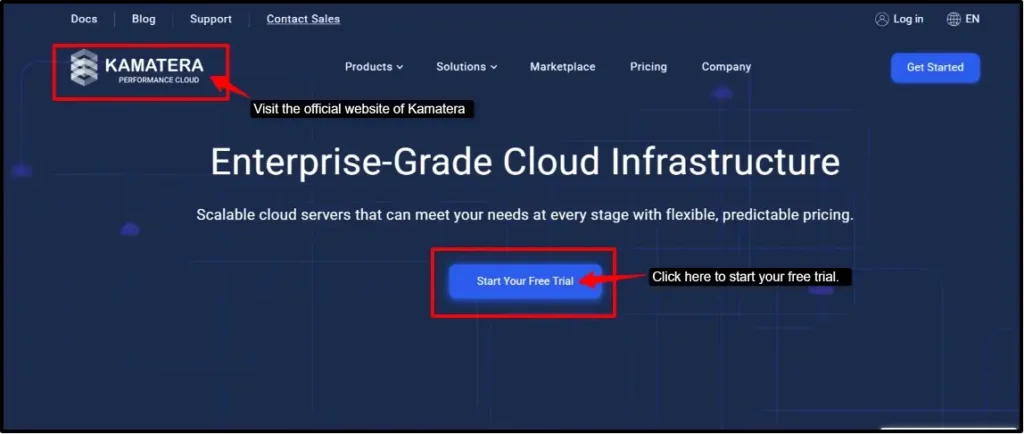
Kamatera’s block storage delivers fast and dedicated storage performance for your applications and growing workloads, giving you low-latency connections wherever you are located.
It is perfect for developers and digital marketers. Its flexibility to scale resources whenever needed is the biggest feature you can pull out of this provider.
Key features
Given below is Kamatera’s pricing for your remote desktop connection:
Pricing
Given below is Kamatera’s pricing you would need:
| Plan | Starting Price | Specs | Best for |
|---|---|---|---|
| Type A | $35/month | 4 GB RAM, 50 GB NVMe SSD storage | Best for your starting projects and remote work. |
Kamatera offers a free trial of 30 days with a $100 credit.
Note:
Kamatera follows a flexible, hourly billing model. You can customize your server resources, such as CPU, RAM, and storage, based on your requirements and scale them whenever needed. Since Kamatera offers hourly billing, you pay only for the resources you use.
Why We Recommend It
Kamatera stands second in recommendations here because it gives growing businesses the real control it needs and makes your environment completely customized as per your choice.
The aspect we really liked was Kamatera’s Marketplace, where you can easily deploy the most configured open-source services with a free account creation.
QloudRDP – Affordable RDP Hosting Provider
QloudRDP is a strong RDP hosting option built around speed and affordability. You get here complete admin access/root access so you can easily customize your server and install any software while managing configurations exactly how you want.
This provider has been serving in almost 12 global data centers, all with low-latency connections and NVMe SSD storage. It offers you a reliable uptime of 99.99%, so your business or office operations can work smoothly.
Forex traders can get uninterrupted trading sessions and scalable resources for digital marketers. It’s a complete, dependable choice for you.
Key features
Now, let’s see some of its critical features:
Pricing
Here is the pricing for QloudRDP at a glance:
| Plan | Starting Price | Specs | Best for |
|---|---|---|---|
| Standard | $9.99/month | 1 vCPU, 2 GB RAM, 70 GB NVMe, AMD EPYC 7302P. | Small remote teams. |
| Professional | $15.99/month | 4 vCPU, 4 GB RAM, 100 GB NVMe, Admin Access. | Forex traders needing high performance. |
| Enterprise | $25.99/month | 4 vCPU, 8 GB RAM, 120 GB NVMe | Best for tech, IT teams |
QloudRDP offers a 7-day refund window.
Why We Recommend It
If you prioritize performance with zero complexity and unnecessary costing, then QloudRDP could be the best pick for you.
It’s highly recommended for its powerful servers, and you get multi-core muscle for running multiple sessions, EAs, or automation tools at once. Its 1 Gbps connectivity is great for traders who can’t afford execution lags.
UltaHost – Secure Managed Windows VPS Hosting
UltaHost is a fast-performing RDP provider built on NVMe SSD storage and AMD EPYC processors with multiple global data centers.
It gives you a remote desktop, which you can access from almost anywhere, offering full admin/root access and multiple Windows OS options, great for businesses or developers wanting full server control and reliable uptime.
The biggest advantage you get is their managed server environment, taking care of your server maintenance, updates and infrastructure so you can easily focus on your applications instead of managing your server.
Key features
Here are some of the major features you’ll find in UltaHost:
Pricing
Given below, you can see the RDP pricing plans for UltaHost;
| Plan | Starting Price | Specs | Best for |
|---|---|---|---|
| Basic Windows VPS | $16.50/month | 2 CPU cores, 2 GB RAM DDR5, 50 GB NVMe SSD | Starting point for your remote work |
| Business Windows VPS | $24.50/month | 2 CPU cores, 4 GB RAM DDR5, 80 GB NVMe SSD | Best for medium businesses |
| Professional Windows VPS | $33.99/month | 3 CPU cores, 6 GB RAM DDR5, 150 GB NVMe SSD. | Expanding business or projects. |
UltaHost offers a 30-day money-back guarantee.
Why We Recommend It
You get the “set and forget” approach at UltaHost, which means you spend less time managing your server and more time using it, delivering you a 99.99% uptime guarantee and free SSL. It matters for your business, trading activity, or any kind of remote work.
UltaHost delivers both speed and data redundancy with your ready-to-install software stack (Docker, Plesk, IIS Manager, and Windows) for teams that need to get running fast.
Interserver – Best and Affordable RDP Hosting
Interserver gives you a dependable, budget-friendly remote Windows server, saving you from high renewal costs.
It uses fast NVMe SSD storage for fast data transfers, along with a web application firewall (WAF) and DDoS protection to keep your server safe during heavy tasks. You get full control that comes with the Plesk management panel.
Developers can even benefit from this platform because of their full server management and stable performance. It offers their price-lock guarantee so you don’t see add-ons or hidden renewal charges.
Key features
Here you see InterServer’s critical features at a glance:
Pricing
Here are the RDP plans of Interserver:
| Plan | Starting Price | Specs | Best for |
|---|---|---|---|
| 2 Slices | $10/month | 1 core, 4 GB RAM, 80 GB SSD. | Starting new projects, SEO professionals |
| 4 Slices | $20/month | 2 cores, 8 GB RAM, 160 GB SSD. | Digital marketers, medium businesses |
| 8 Slices | $40/month | 4 cores, 16 GB RAM, 320 GB SSD. | Enterprise-level businesses. |
InterServer offers you a 30-day money-back guarantee.
Why We Recommend It
InterServer is built for people who want honest, no-surprises hosting and not to compromise on control and power. We recommend this provider for its price-lock guarantee feature, where the rate you pay when you sign up is the rate you keep at renewal forever.
You get no sudden price hike ever. Beyond pricing, this provider is highly flexible in where you scale resources as your needs grow.
How Does Remote Desktop Hosting Work?
Remote Desktop Hosting lets you access a full Windows / Linux server from anywhere in the world, using just your phone or laptop. It’s installed on your virtual machine, depending on the plan you choose as per your workload.
You are essentially renting a ready-made computer that lives in a data center and stays online always. Let’s see in some easy steps how this hosting works:
This “always-on” setup is the best feature that makes RDP perfect for every task that you need to run continuously. Once you are connected, RDP hosting does not look like some technical mystery.
Either you need it for your business work, running trading software, or just testing an app in a clean environment, the process largely stays the same.
Note:
The above steps give you a simple, easy-to-follow overview of how RDP hosting works, but if you are new and want to see it in action yourself, you can try a free RDP trial from a provider like RDPHostings to get hands-on experience before committing anything.
How We Selected These Remote Desktop Hosting Providers
We didn’t just add the well-known names of hosting providers; instead, we wanted to look at the details that actually matter depending on who’s using the server and why.
You are a business owner, an SEO professional, or a forex trader; all need very different things from an RDP server, so we evaluated each provider against criteria that reflect these professional needs.
Taking all these factors together, we have a well-rounded picture of each provider, not just what looks good in a feature list but what actually holds up for the specific person using it.
A single provider cannot win over all use cases, which is exactly why matching the right RDP host to your actual intent matters more than chasing the “best” one online.
Remote Desktop Hosting vs VPS Hosting
Remote Desktop and VPS are often used interchangeably, but they are not quite the same thing, as one describes how you access a server, and the other describes what kind of server you are accessing.
Let’s understand the difference clearly in the table below:
| Aspect | Remote Desktop (RDP) | Virtual Private Server (VPS) |
|---|---|---|
| Interface | Full graphical desktop | Often accessed via command line (SSH) or GUI (optional). |
| Primary Use | Everyday desktop tasks – apps, browsing, trading, office work. | Hosting websites, apps, databases, and backend services. |
| OS Control | Usually pre-configured | Full root/admin access to configure from scratch. |
| Resource Sharing | Can be shared or dedicated depending on plan | Typically dedicated virtual resources, isolated from other users. |
| Best for | Individuals/teams needing a full desktop environment. | Developers, businesses running servers, sites, or apps. |
RDP is a way to remotely access and use a Windows desktop from anywhere, whereas a VPS, on the other hand, is a virtual server designed for hosting websites, deploying applications, running databases, or even managing your custom server environments.
So always choose an RDP if you want a full remote desktop for your work, trading, or automation, but if your goal is to host websites or build custom server infrastructure with full control, then go for a VPS.
Conclusion
RDP hosting comes down to a simple idea: access securely from anywhere. Once you understand the basic steps a virtual machine gets created, Windows is installed, you get credentials, and you connect the process stops feeling technical and starts feeling practical.
All the providers mentioned above take a completely different approach, no matter which use case you think of.
You have a business so you can keep your team connected, or a marketer or developer can use it to test tools or automation without slowing down their own device.
The best way is to try and test it yourself before committing to any provider.
So why wait any longer?
Sign up for a free RDP trial today and experience how simple and powerful remote desktop hosting really is in just a few minutes.
FAQs:
Common Use Cases of Remote Desktop Hosting
- Common use cases of remote desktop hosting are
- Remote work and team collaboration.
- Managing SEO and marketing automation tools.
- Testing software in a clean environment.
- Accessing business applications from any device, anywhere.
Is remote desktop hosting better than VPS?
No, RDP and VPS solve different problems; you can buy a cheap RDP server if you need a full desktop to work from, and you can use a VPS if you need to host a website or an app.
Do I get administrator access?
Yes, most reliable RDP providers’ plans give you full administrator access by default, meaning you can install software and configure the server exactly how you need it.
What type of RDP provider is good for beginners?
If you are a beginner, setup could be too complicated for you because of a confusing dashboard and hidden technical steps. So, look for a provider with instant activation, an easy control panel, full admin access, and responsive support to help if you get stuck. A provider with clear instructions: if you just want to test, then don’t go for the paid options; instead, use the free RDP option and test your server.
Can multiple users access one server?
Yes, this depends on the plan you choose. Shared or multi-user RDP plans allow several people to log in and work simultaneously, which is useful for small teams needing centralized access. If each person needs dedicated resources and full control, a single-server dedicated RDP plan is the best fit.
💡 Most Loved Article!