
Finding the best Plesk hosting is not just about choosing any hosting provider; it is about making your work easier and more organized. For business owners, developers, and agencies looking to simplify website management, picking the right Plesk hosting provider can make a real difference. Managing websites, emails, domains, and server settings can get confusing at times, especially if you are not very technical.
Instead of dealing with complex server settings or switching between multiple tools, you can get a single, easy-to-use dashboard to manage everything.
Now, as we move ahead, it is important to see why it is becoming so popular, as it helps you to manage websites, email, domains, and security in a smooth and time-saving way.
Coming to what Plesk actually is, Plesk is a web hosting control panel that lets you manage your server and websites without much technical knowledge. You can easily handle domains, emails, databases, security, and backups from one place. When hosting providers offer Plesk with their services, it’s called Plesk hosting, giving you both hosting and an easy control panel in one setup.
- What is Plesk Hosting?
- Top 7 Best Plesk Hosting Providers (2026)
- Specs To Consider When Choosing a Plesk Web Host
- Top 7 Best Plesk Hosting Providers (2026)
- What Are The Key Differences Between Plesk And CPanel?
- How to Buy Plesk Hosting with Kamatera? Step-by-Step Guide.
- Why Trust Our Recommendations
- FAQs:
- Conclusion
What is Plesk Hosting?
Plesk hosting is basically web hosting that comes with Plesk already installed to make website management simple and smooth. Instead of handling the complex server commands, Plesk gives you a clean dashboard where you can easily manage your websites, domains, emails, databases, and security, all in one place. It is just like having a control room for your hosting, where everything is organized and easy to access, even if you are not very technical.
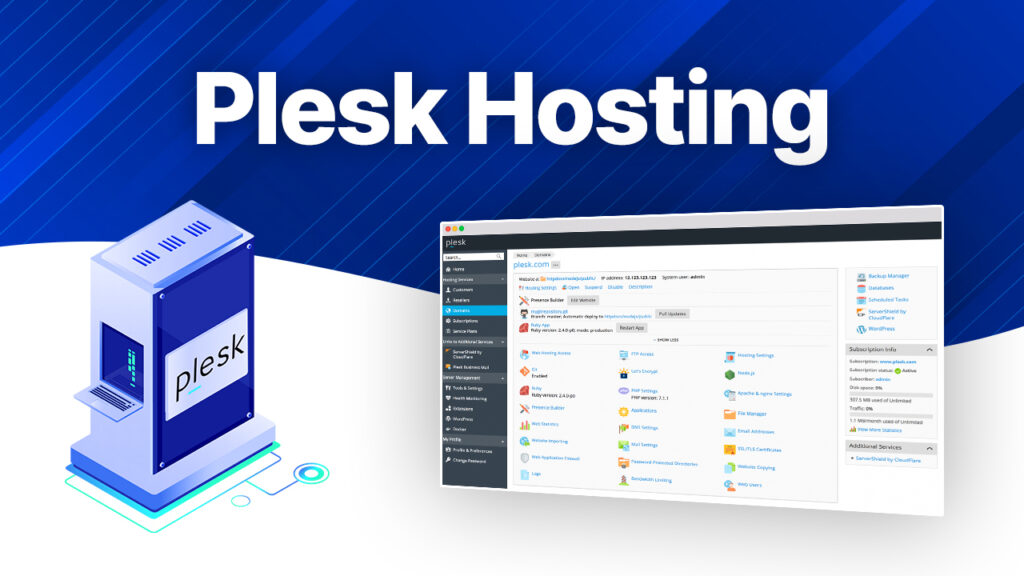
Now, connecting Plesk with hosting is simple. Hosting is the space where your website lives (a server), and Plesk is the tool that helps you control that space.
When you buy Plesk hosting, you are not just getting server space; you are even getting a user-friendly system to manage it. With Plesk, you can install apps like WordPress in one click, create email accounts, manage files, and even handle backups without needing a developer.
So Plesk acts as a bridge between you and your hosting server.
Top 7 Best Plesk Hosting Providers (2026)
When you are planning to host a website in 2026, selecting the right control panel becomes just as important as choosing the hosting itself. Now, hosting providers offer the same level of Plesk integration. Some include it pre-installed, some require the manual setup, and others bundle it with advanced features like WordPress management, backups, and whatnot.
To make it easier, our team has been researching for 10 consecutive days and has shortlisted the top 7 best Plesk hosting providers for 2026, based on support, performance, and backups.
| Provider | Best For | Support | Backups | Starting Price |
|---|---|---|---|---|
| UltaHost | Managed Plesk hosting with strong performance | 24/7 live chat & tickets | Daily automatic backups. | $5.50/month |
| Kamatera | Custom cloud servers with full control | 24/7 technical support | Optional (paid add-on) | $4/month |
| Hostinger | Budget-friendly hosting with easy setup | 24/7 live chat | Weekly backups (daily on higher plans) | $6.59/month |
| MilesWeb | India-based hosting with good local performance | 24/7 support (chat + phone) | Daily backups | $19.80 – $20.00/month |
| Hosting.com / A2 hosting | High-speed turbo servers & developer-friendly setup | 24/7 Guru Crew support | Automatic backups | $3.99/month |
| Interserver | Price stability & scalable VPS hosting | 24/7 support | Weekly backups | $17/month |
| Contabo | High resources at low cost (VPS) | Ticket-based + limited live support | Snapshot backups (paid) | $17.59 – $70.37/month |
Overall, the right Plesk hosting depends on your needs: UltaHost for managed ease, Kamatera for flexibility, and Hostinger or MilesWeb for a budget-friendly start.
So, now let’s move forward to as to what some of the major specs are that you need to consider when you choose any of them.
Specs To Consider When Choosing a Plesk Web Host
Now, here we will talk about some of the major specs that you need to consider when choosing a Plesk web host:
| Features | Overview |
|---|---|
| Server Performance (RAM & CPU) | More power means better, smoother website performance, especially when handling multiple sites. |
| Operating System (Linux or Windows) | You need to select Linux if you want flexibility, and choose Windows if you want ASP.NET and different Microsoft apps |
| Ease of Use | The dashboard should be simple and very easy to navigate without any confusion. |
| Security features | You should always look for SSL, a firewall, malware protection, and regular backups. |
| One-click app installs | There will be a quick installation of WordPress and other apps, as it saves a lot of time. |
| Scalability | Make sure you can upgrade resources easily as your website grows. |
Top 7 Best Plesk Hosting Providers (2026)
Now, after talking about the major spec requirements for Plesk web hosts, we move on to the top 7 best Plesk hosting providers and understand each of them in detail, so it can help you choose the right one for yourself.
UltaHost – Overall Best Plesk Hosting Provider
UltaHost is a performance-driven hosting provider that focuses more on VPS and dedicated resources rather than basic shared hosting. The platform is built for those users who need speed, stability, and control, which is why it emphasizes modern infrastructure like NVMe storage, high-frequency CPUs, and scalable resources.
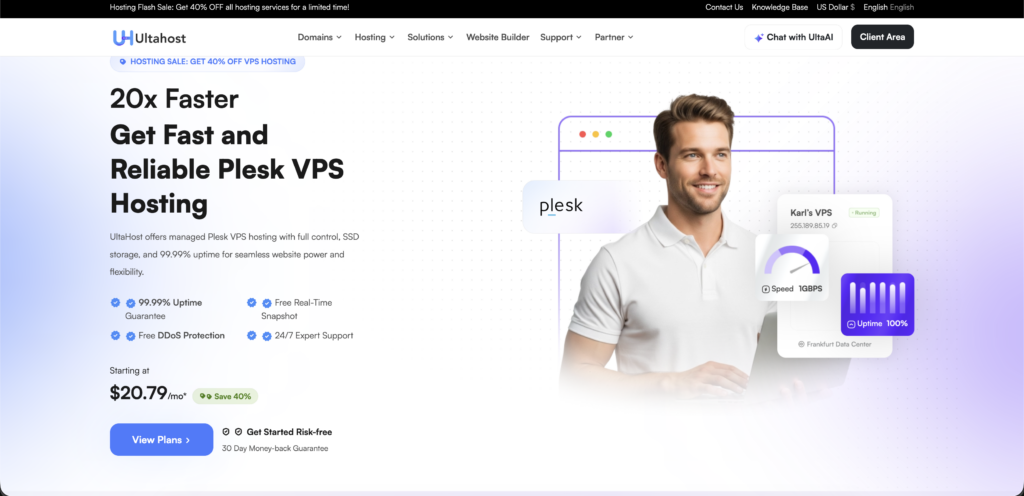
When you connect UltaHost with Plesk hosting, the experience becomes more structured and powerful. Plesk is offered as a premium add-on within its VPS plans, which means you are not just getting a control panel; you will be getting it on top of a high-performance server. This setup allows you to manage multiple websites, applications, databases, and emails from one dashboard.
Key Features
Now let’s talk about its features in detail and understand it better:
Pros & Cons
Let’s figure out some pros and cons of the platform:
Pros
- High-performance VPS setup.
- All-in-one Plesk dashboard.
- Reliable Uptime.
- Helpful Customer Support.
Cons
- Plesk is paid, not included in the basic plan.
- Higher pricing compared to basic shared hosting.
Pricing/Rating
Now, lets breakdown their pricing plans:
| Plan | Price | Resources | Rating | Best For |
|---|---|---|---|---|
| Basic Plan (VPS Basic) | $5.50/month | 1 Core/ 1 GB/ 30 GB NVMe. | 4.5/5 | Beginners & small projects |
| Medium Plan (VPS Business) | $9.80/month | 2 Cores/ 2 GB/ 50 GB NVMe | 4.7/5 | Small businesses & multiple sites |
| Advanced Plan(VPS Professional) | $15.99/month | 3 Cores/ 4 GB/ 75 GB NVMe | 4/5 | Growing websites & higher traffic. |
Now, this pricing that we have given is for all the Linux users, but if you are someone who wants to use it on the Windows operating system, then you can visit the official website of UltaHost.
Kamatera – Best Free Plesk Hosting Services
Kamatera is best for its cloud-based hosting approach, where everything is built around flexibility and instant scalability. Instead of fixed hosting plans, it offers customized cloud servers where you can choose your own CPU, RAM, storage, and data center location.
This makes it even more of a first choice for developers, businesses, and advanced users who want full control over their infrastructure rather than a pre-configured setup.
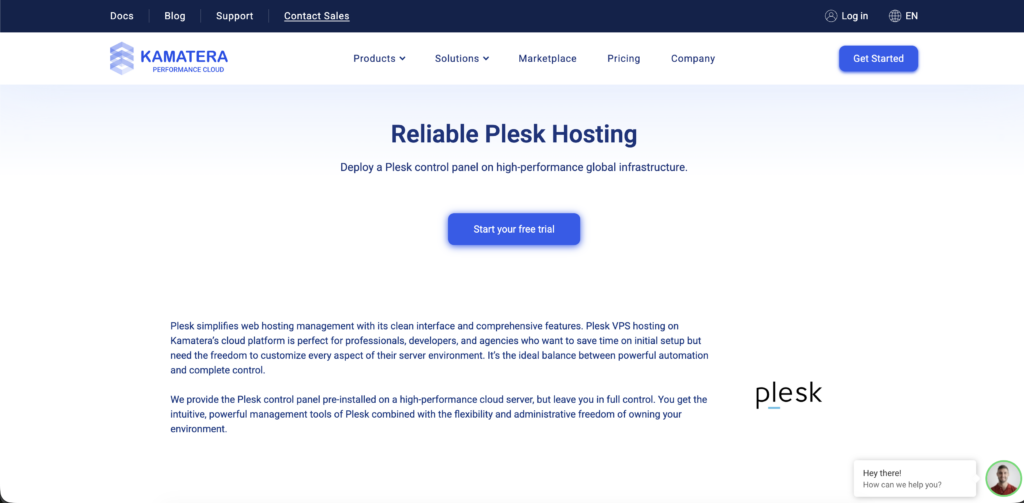
If you relate Kamatera to Plesk hosting, it works a bit differently compared to other providers. Plesk is not included by default; you need to deploy it manually on a cloud server or choose it during the setup process. But the main advantage here is flexibility; it allows you to run Plesk exactly the way you want, on a fully scalable cloud environment. This means you get complete control with high performance. You even get a 30-day free trial where you can easily use and see how it is helping you.
Key Features
Now, let us understand the major features of Kamatera:
Pros & Cons
Kamatera does have some pros and cons, let us see that:
Pros
- Complete freedom to build your hosting setup.
- Best for long-term projects.
- Transparent pricing
- Trusted by developers for stable and consistent cloud performance.
Cons
- Not beginner-friendly.
- Requires separate setup and management for tools like Plesk.
Pricing/Rating
Let’s find out Kamatera pricing:
| Plan | Price | Plesk License | Resources | Best For | Rating |
|---|---|---|---|---|---|
| Basic Cloud Server | $4/month | Not included (Add-on) | 1 vCPU, 1 GB RAM, 20 GB SSD Storage | Beginners & single websites | 4/5 |
| Standard Setup | $12-$20/month | Web Admin Edition | 1-2 vCPU, 2 GB RAM, 20-40 GB SSD Storage | Growing websites & small businesses | 4.2/5 |
| Business Setup | $24-$40/month | Web Pro Admin | 2-4 vCPU, 8 GB RAM, 100+ GB SSD Storage | Agencies & resellers | 5/5 |
Hostinger – Best Plesk Hosting Provider
Hostinger is widely known as a budget-friendly yet performance -focused hosting provider that has evolved far beyond just cheap shared hosting. It provides a full range of services, including shared, cloud, VPS, and WordPress hosting, making it better for beginners as well as for growing websites.
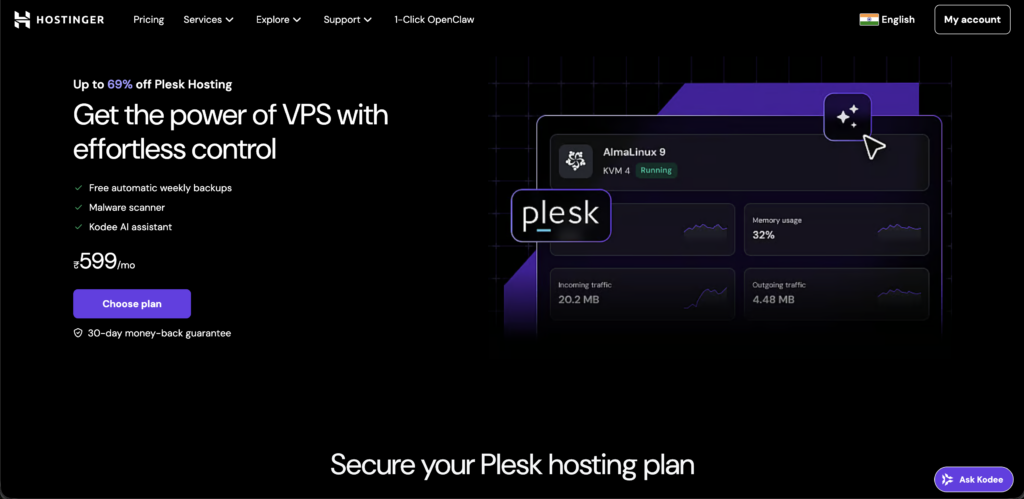
What actually stands out is how it maintains a balance between affordability and usability, its custom hPanel, AI tools, and optimized infrastructure making managing a website feel simple without compromising too much on performance.
Hostinger with Plesk hosting, the approach becomes a little different. This platform majorly uses its own custom control panel (hPanel), so Plesk is usually deployed on its VPS plans rather than offered as a default feature. This means you get more flexibility but also a bit more manual setup.
In return, you are running Plesk on a high-performance VPS environment with NVMe storage and scalable resources, which works well if you want control and performance rather than a pre-configured Plesk setup.
Key Features
Let’s dive into the features that make Hostinger what it is:
Pros & Cons
Let’s see some of the pros and cons that could help you even more:
Pros
- Create your website without any financial pressure.
- Great starting point for beginners.
- Useful for quick projects.
- Better security and custom support.
Cons
- Limited credibility.
- Not reliable for the long term due to restrictions and instability.
Pricing/Rating
Lets breakdown Hostinger pricing and give you a clear picture:
| Plan | Price | Resources | Rating | Best For |
|---|---|---|---|---|
| KVM 1 | $6.35 -$6.59/month | 1 vCPU, 4 GB RAM, 50 GB NVMe | 3/5 | Beginners & Small websites |
| KVM 2 | $8.59/month | 2 vCPU, 8 GB RAM, 100 GB NVMe | 4.5/5 | For growing websites & developers |
| KVM 4 | $11.84/month | 4 vCPU, 16 GB RAM, 200 GB NVMe | 4/5 | Businesses & high-traffic sites |
MilesWeb – Easy to use Plesk Hosting Provider
MilesWeb, an India-based hosting provider that has grown rapidly by focusing on affordable yet performance-oriented hosting. It has been introduced mainly for beginners, bloggers, startups, and small businesses who want reliable hosting without spending too much.
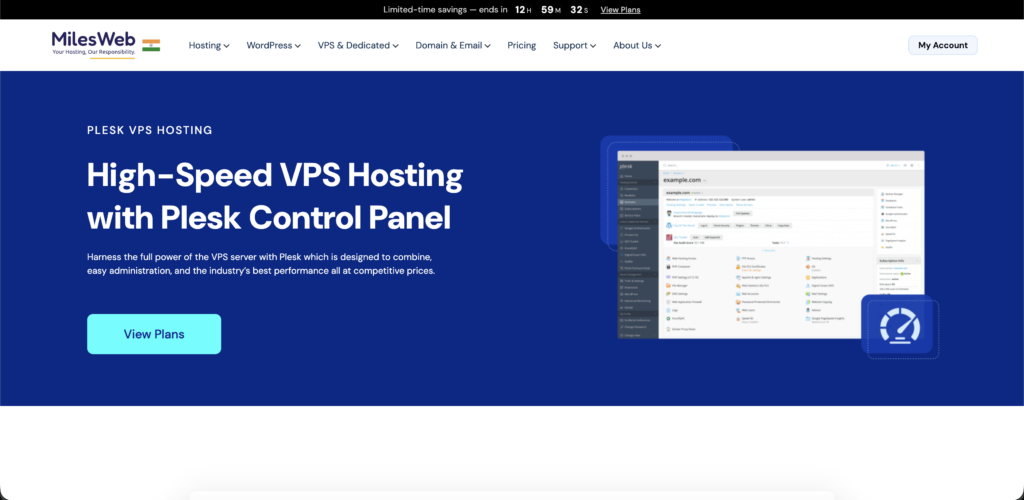
The company runs on modern cloud infrastructure (including AWS-powered workspace in some plans), which helps in giving better speed, uptime, and security as compared to traditional low-cost hosts. It even has a strong presence in India with multiple global data centers.
Plesk hosting with MilesWeb becomes more relevant and a better choice for Windows-based hosting users. MilesWeb supports Plesk on its Windows hosting and VPS plans, making it a practical option if you are working with ASP.NET or Microsoft Technologies.
You don’t need to force on one control panel as it offers you the flexibility to choose between cPanel (Linux) and Plesk (Windows).
Key Features
MilesWeb is unique when it comes to its features, so let’s see them:
Pros & Cons
Let’s figure out some pros and cons of MilesWeb:
Pros
- Feels beginner-friendly, especially if you are starting your first website.
- Comfortable pricing.
- Responsive customer support during setup.
- Works best for Indian users, with better local performance setup.
Cons
- Support quality can feel inconsistent for technical users.
- Performance outside can vary, so not the best choice if your audience is global.
Pricing/Rating
Let’s see the pricing of MilesWeb:
| Plan | Price | Resources | Rating | Best For |
|---|---|---|---|---|
| Plesk VM1 | $19.80 – $20.00/month | 1 vCPU, 2 GB RAM, 55 GB NVMe | 4/5 | Developers & Small sites |
| Plesk VM2 | $24.30 – $24.60/month | 2 vCPU, 4 GB RAM, 80 GB NVMe | 4.2/5 | SMBs growing websites |
| Plesk VM3 | $37.31/month | 4 vCPU, 8 GB RAM, 160 GB NVMe | 5/5 | E-commerce and medium traffic |
Hosting.com / A2 hosting – Budget-Friendly Plesk Hosting Service
Hosting.com (previously known as A2 Hosting) is a long-standing hosting provider that started back in 2001, and built on its reputation around speed and developer-friendly hosting. Over the years, it has been a popular choice for its “Turbo Servers”, reliable uptime, and strong performance-oriented approach.
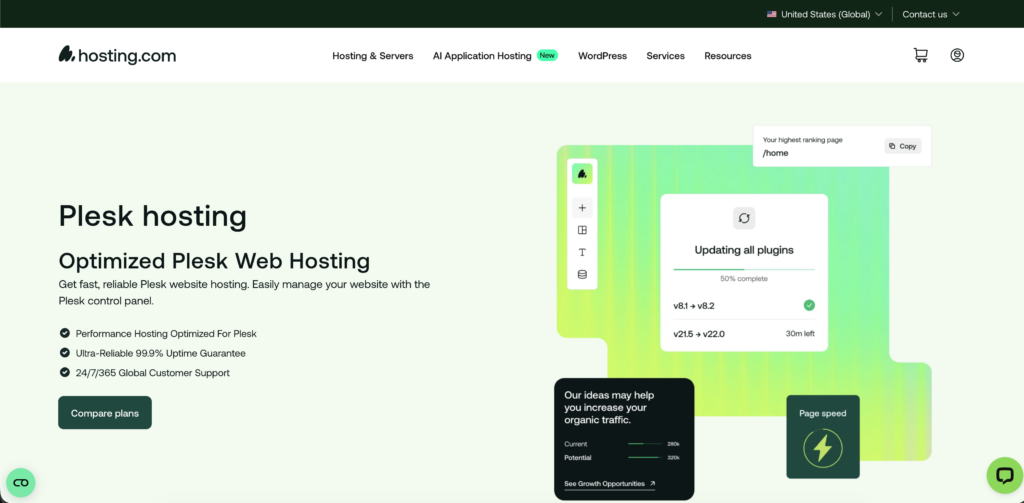
In 2025, the brand officially rebranded to Hosting.com in order to reflect a more global vision, but the core infrastructure, services, and focus on speed are the same.
This platform, combined with Plesk hosting, works as a more flexible environment rather than a pre-bundled Plesk provider. It majorly focuses on Linux-based hosting with cPanel, but Plesk can be used on its VPS (especially Windows VPS setup). This means you are getting performance-driven hosting where you can run Plesk if needed, but it is not the default experience.
It will suit all the users who want speed and customization, rather than looking for a ready-made Plesk setup.
Key Features
Hosting.com/ A2 Hosting delivers some of its major features, such as:
Pros & Cons
Let’s check out the pros and cons of this platform:
Pros
- Reliable for long-term use.
- Good reputation among developers.
- Customer support is generally available 24/7.
- Works best for users who want a balance between performance and control.
Cons
- Renewal pricing can jump significantly.
- Interface and settings can feel a bit confusing for beginners.
Pricing/Rating
Let’s find out the plans for Hostinger:
| Plan | Price | Resources | Rating | Best For |
| cPanel Plus | $3.99/month | 2 Websites, 30 GB SSD Storage & Free SSL | 4/5 | Developers & Small sites |
| Shared Plus | $1.99/month | 2 Websites, Free domain included & Free SSL | 4.2/5 | SMBs growing websites |
| VPS Plus | $19.99/month | 4 CPU Cores, 8 GB RAM & Optional cPanel. | 5/5 | E-commerce and medium traffic |
Interserver – Affordable Best Plesk VPS Hosting
It is one of the oldest hosting providers in the market, known for its no-frills, budget-focused approach. In place of heavy marketing or flashy features, it focuses more on offering stable hosting with low-cost monthly plans and flexible options.
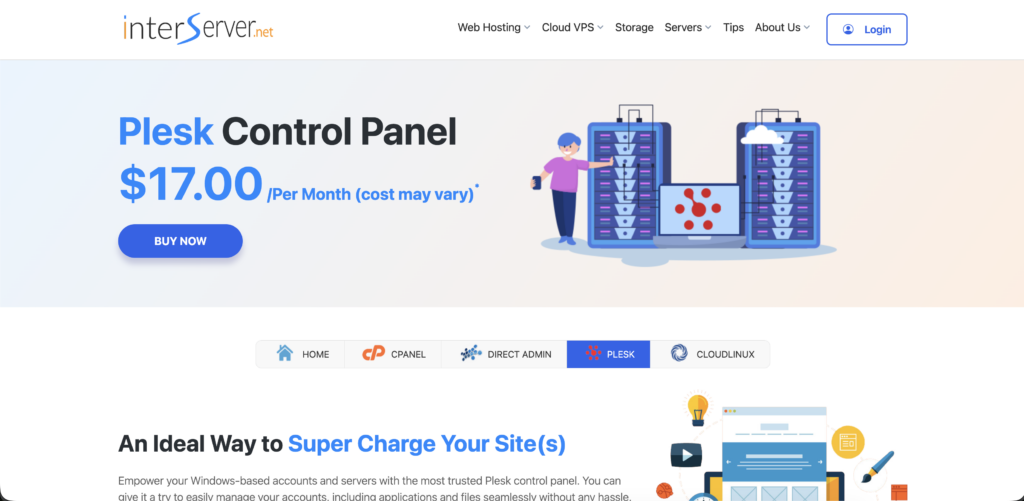
It has supported a wide range of hosting types, such as shared, VPS, cloud, and dedicated, making this platform a practical option for small businesses and users who wish to start with a low-cost plan.
Connecting Plesk hosting with InterServer, it works more as a customizable backend workspace rather than a ready-made Plesk provider. Plesk is not included by default; you typically need to deploy it on Windows, VPS, or cloud servers.
This allows users the flexibility to set it as they want it to be, but it will bring a little bit of manual work as compared to plug-and-play hosts. Overall, InterServer is for those users who want an affordable workspace with freedom to run Plesk.
Key Features
Let’s talk about its features in detail and understand InterServer more:
Pros & Cons
Let’s see some of the pros and cons of InterServer:
Pros
- Very budget-friendly.
- The price-lock model means no sudden hike in prices.
- Works well for users who prefer a simple, straightforward hosting experience.
- Reliable for small business or personal projects.
Cons
- Interface can feel outdated and less innovative compared to modern hosting.
- Limited global data centers.
Pricing/Rating
Let’s see the number of pricing plans that InterServer has:
| Plan | Price | Resources | Rating | Best For |
|---|---|---|---|---|
| Admin | $17/month | 10 domains | 4/5 | Developers & Small sites |
| Pro | $26/month | 30 domains | 4.2/5 | SMBs growing websites |
| Web | $50/month | Unlimited domains | 5/5 | Best for heavy traffic with quick setup |
Contabo – High-Performance Plesk Hosting Provider
Contabo is a Germany-based hosting provider that has built its reputation on very low pricing and high resource allocation. In place of focusing on the features or beginner-friendly tools, Contabo is more about giving its users maximum use of hardware (RAM, CPU, storage) at a lower cost.
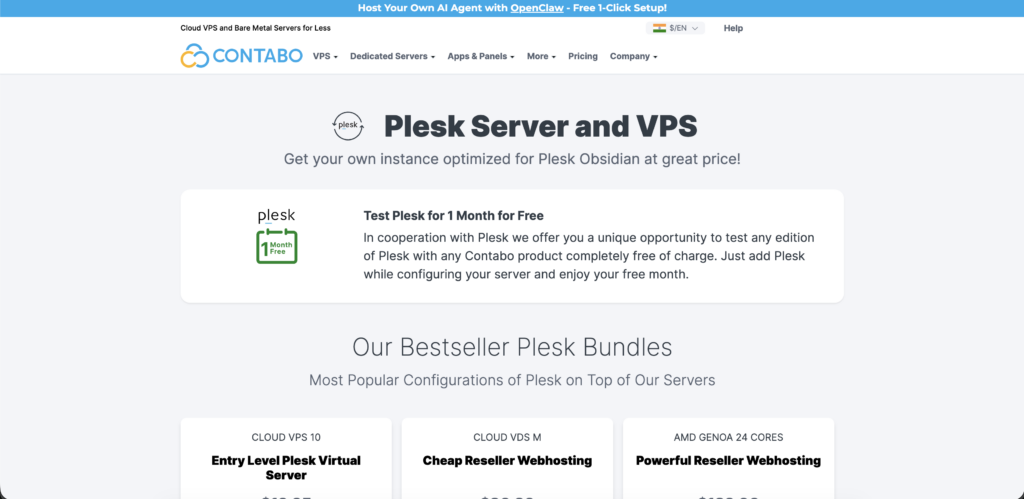
The platform comes with a wide range of services like VPS, VDS, dedicated servers, and cloud hosting, along with the global data centers located. The overall idea of Contabo is very simple: delivering strong performance while keeping the cost low.
If you want to combine Contabo with Plesk hosting, it will work like a build-your-own workspace rather than having a ready-made solution. Plesk is not present by default; you need to add it manually on a VPS or any of the dedicated servers.
The biggest advantage is the flexibility, as you get full root access, customizable servers, and the ability to run Plesk just the way you want it to run. But at the same time, it requires more technical handling.
Key Features
Let’s see some major features of Conatabo that make it a practical choice for you:
Pros & Cons
Contabo is an amazing platform, but it does come with some pros and cons. Let’s see them:
Pros
- Value for money.
- Works well for long-term projects.
- Transparent and simple pricing.
- Popular among developers who prefer flexibility and a self-managed environment.
Cons
- Slow or inconsistent customer support.
- Not very beginner- friendly in setup and management requires technical knowledge.
Pricing/Rating
We will now move to Contabo pricing plans:
| Plan | Price | Resources | Rating | Best For |
|---|---|---|---|---|
| Web Admin Edition | $17.59 – $70.37/month | 4 vCPU Cores, 8 GB RAM, and 75 GB NVMe or 150GB SSD storage | 4/5 | Great for System Administrators |
| Web Pro Edition | $60.32/month | 30 Domains on Plesk Web Pro Edition on top of 4 Physical CPU Cores (8 Threads), 32 GB RAM, and ultra-fast NVMe storage. | 4.2/5 | Best for Developers |
| Web Host Edition | $178.36/month | Unlimited domains on Plesk Web Host Edition +AMD GENOA 24 with 256 GB RAM. | 5/5 | Great for Agencies and Service Providers |
What Are The Key Differences Between Plesk And CPanel?
After covering the 7 best Plesk hosting providers, it is important to understand how Plesk is actually compared with its biggest competitor, cPanel. Both are powerful control panels, but they differ in usability, flexibility, and overall experience.
So before making a final choice, let’s quickly break down the key differences to see which one fits your needs better.
| Basis | Plesk | cPanel |
|---|---|---|
| Operating System | Supports both Linux and Windows | Supports only Linux. |
| User Interface | Clean, modern, and more structured. | Slightly outdated but widely familiar. |
| Ease of Use | Beginner-friendly with logical layout | Easy once learned, but it can feel cluttered. |
| Target Users | Developers, Agencies, Windows users | Traditional hosting user basically Linux users. |
| Security Tools | Built-in security features and extensions | Requires more third-party add-ons. |
| Customization | More flexible with extensions and integrations | Limited compared to Plesk |
At the end of the day, there is no absolute winner between Plesk and cPanel because it really depends on what you need.
If you want flexibility, a modern interface, and Windows support, Plesk feels like a more complete option. But if you are comfortable with Linux and prefer a familiar, traditional setup, cPanel still does the job.
Now lets figure out how you can buy Plesk hosting with Kamatera step-by-step:
How to Buy Plesk Hosting with Kamatera? Step-by-Step Guide.
Here is a simple step-by-step guide you can follow to buy Plesk hosting with Kamatera:
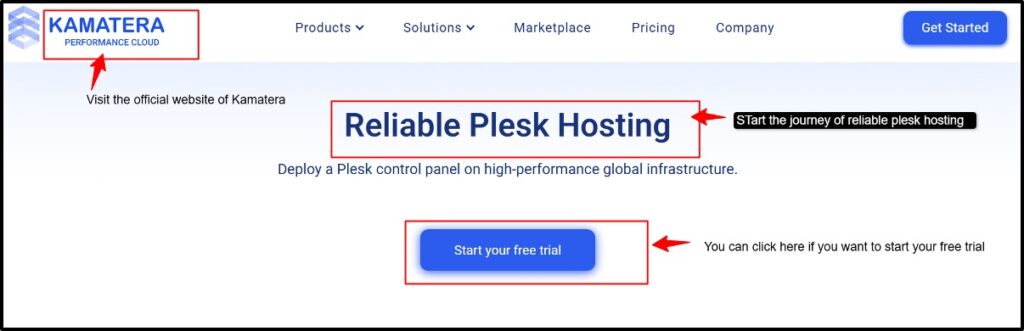
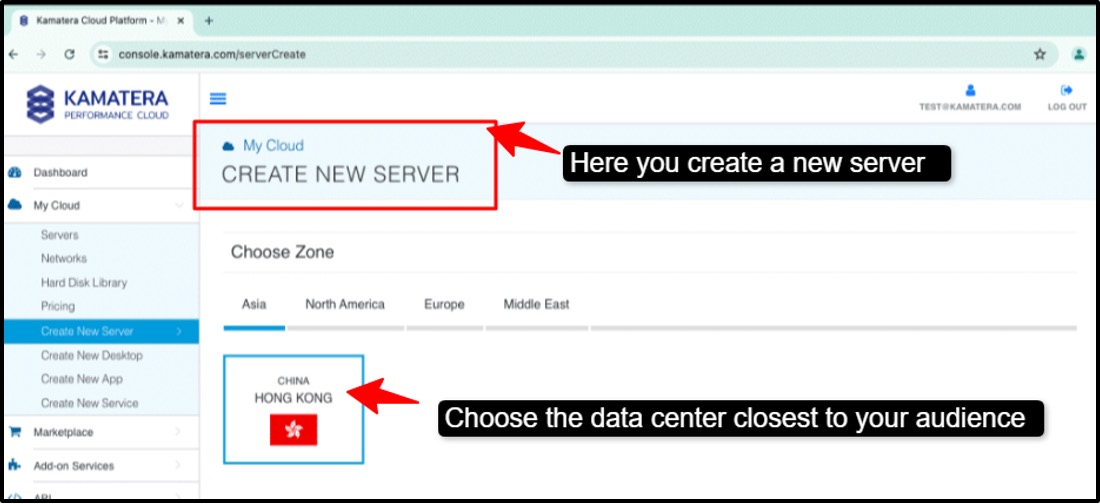
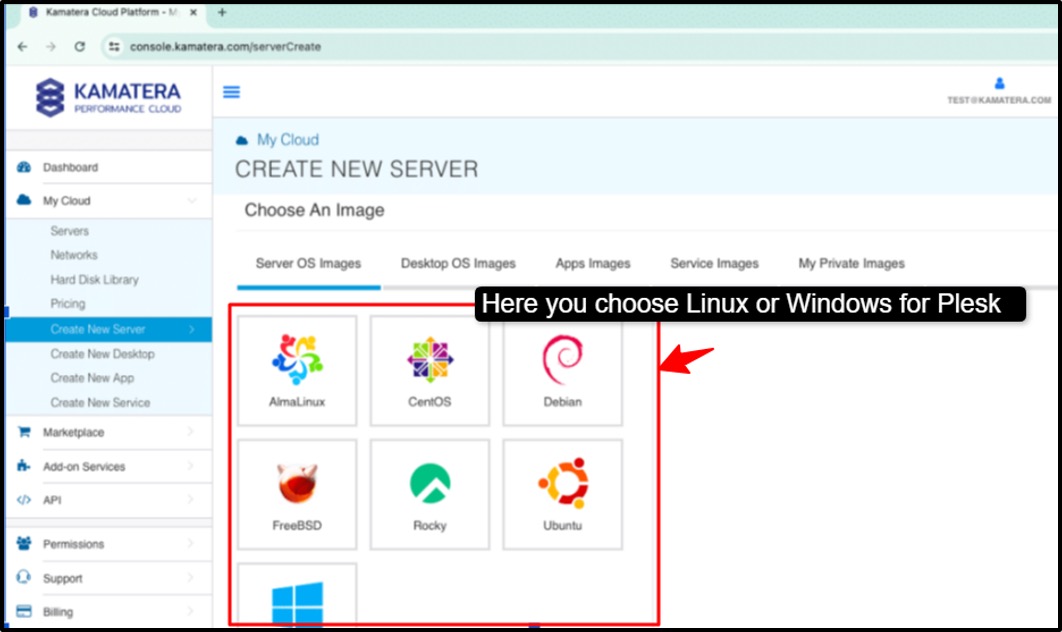
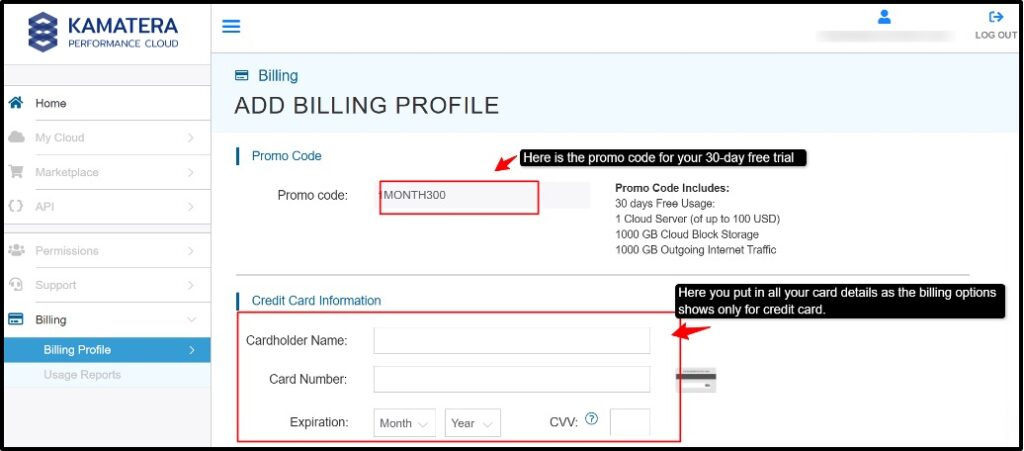
Once it is deployed, you get the server IP, login credentials and you can easily access it through a remote desktop. Log in to your Plesk panel and activate the Plesk license. Choose whatever you have chosen: a free trial or a paid license.
Why Trust Our Recommendations
This list isn’t made randomly or in a hurry. We actually spent 10 continuous days testing and comparing these hosting providers from a real user’s point of view. We didn’t just copy specs from their websites; instead, we checked what really matters in daily use, like performance, simple pricing, ease of use, and how smoothly control panels like Plesk work in real situations.
Our aim is very clear: to help you choose a hosting that works well in the long run, not just something that looks attractive at first. Because in reality, things like consistent performance, easy management, and long-term reliability matter much more than big promises that don’t last.
FAQs:
Can I use Plesk on a VPS or dedicated server?
Yes, you can absolutely use Plesk on both a VPS and a dedicated server. In fact, Plesk is designed to work seamlessly in these environments. It provides an easy interface to manage websites, domains, databases, and emails without needing advanced technical skills.
Can I Manage WordPress On Plesk Hosting?
Yes, Plesk offers a built-in WordPress ToolKit that allows one-click installation, easy updates, and management of multiple WordPress sites from a single dashboard.
What Are The Alternatives To Plesk?
Some of the popular alternatives include cPanel, DirectAdmin, CyberPanel, and Webmin. Each will be offering different features, pricing, and levels of control depending on your needs.
Does Plesk hosting cost more than cPanel hosting?
Plesk hosting can sometimes be slightly more expensive than cPanel, but pricing varies by provider and plans. The extra cost often comes with added flexibility and features.
Is Plesk hosting available on Windows Server?
Yes, Plesk fully supports Windows Server and is a great choice for managing websites built on Microsoft technologies like ASP.NET and MSSQL.
Conclusion
You really need to understand your website’s needs when it comes to selecting the right Plesk hosting provider. Every need is different; some require simplicity while others need more power and flexibility. The best choice would be the one that gives reliable performance, dependable support, and an easy-to-use interface so you can manage everything without hassle.
When you focus on these factors instead of going by just the cost, you will actually end up with a hosting provider or solution that will actually support your growth journey over time.
In the end, we would just recommend that the best Plesk hosting is one that saves your time, keeps your sites running smoothly, and grows with you as your needs change. So take your time, pick wisely, and once you do, managing your hosting will feel a lot less like a task and a lot more like control.
💡 Most Loved Article!