Code is the backbone of every application you’re using. However, typing and fixing them manually takes a lot of time, which reduces the overall productivity.
I’ve heard there’s a tool called Blackbox AI that helps developers to avoid all these issues, and it even helps students and non-coders generate apps from an image.
Honestly, I wanted to try this AI tool because of the constant video ads that kept appearing in my feed.
According to users, the BLACKBOX AI app Builder is excellent at code extraction, creating prototypes, and finding errors.
That’s why I invested my 15 hours on this app to tell you the truth. Meanwhile, I contacted some real users and collected reviews from YouTube, Trustpilot, and Reddit.
So, in this review, I’ve explained each key feature in detail and also listed steps with screenshots to help you use them.
You’ll also learn about its pricing plans and what makes it unique from other similar AI tools like GitHub Copilot and ChatGPT.
Let’s begin with the simple definition of Blackbox AI.
What is Blackbox AI?
Blackbox AI is a coding assistant that uses machine learning technology to generate code.
This AI tool works on behalf of developers to increase their productivity and convert high-level prompts into usable snippets in multiple languages, including Python, Java, C++, and JavaScript.
It uses NLP (Natural Language Processing) for code generation that converts human language to machine language.
Blackbox ai website comes with various features so that developers can perform debugging and rewrite code by using the autocomplete feature.
And now I’m going to explain each feature of this AI assistant one by one.
Advanced Features
Blackbox AI doesn’t offer any individual features; it just provides a simple prompt box with some options where you can type in commands for what you want the agent to do. So it took me a while to get the hang of it and here’s my experience:
Code generator
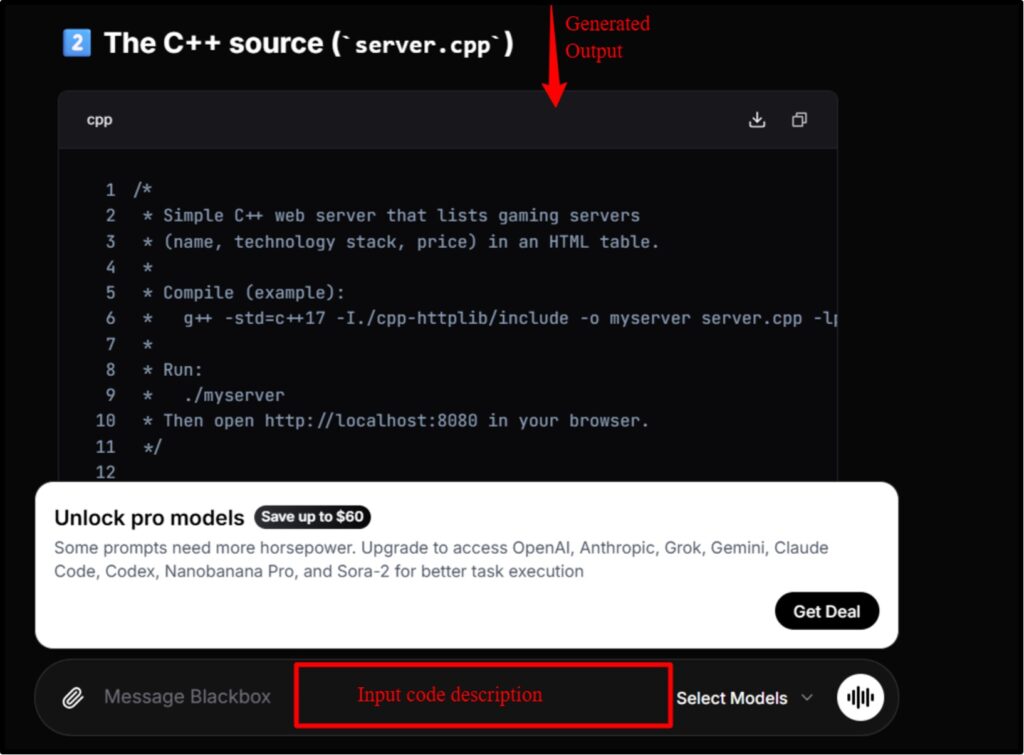
Here’s the first feature. It works even if you don’t sign in to Blackbox AI.
Since I have zero knowledge of coding, I wrote a simple prompt and it generated the complete source code in C++ within seconds.
It provides 12 AI models, so you can choose whichever you want.
In my opinion, this free feature is great for computer science students and startups.
Multi-Agent Remote Execution
Please don’t get confused because of its tricky title.
Just like in the first feature, I generated the entire codebase using a single model, we can do the same here using multiple models.
Now you might be wondering, what’s the advantage?
Well, this technique is used by developers for more complex bug-fixing issues.
It’s great for risk management, which means you can use it when developing Fintech apps that need more security.
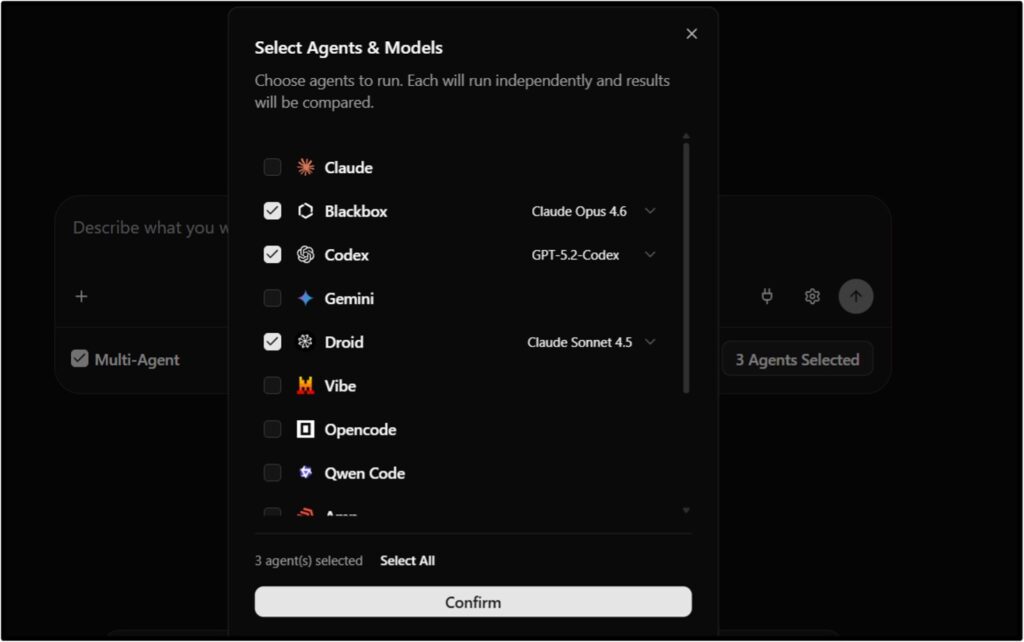
Image to code (frontend development)
I really wanted to try this feature because of too many sponsored ads that I saw on YouTube.
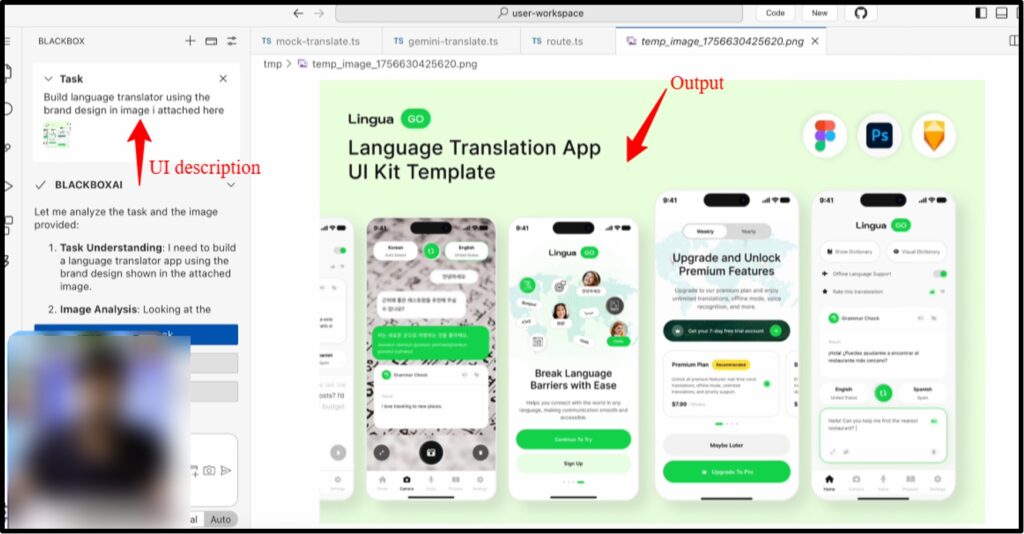
So I came back to Blackbox AI code chat and gave the image of UX and asked it to create a prototype.
It generated the entire frontend code using HTML and Java.
But I didn’t see any logic meaning, there was no output showing how the frontend was interacting with the database.
So, it looks great from the outside, but I don’t think we can use it for native app development.
Autocomplete
I heard about this feature, but I couldn’t use it because it’s available in a paid plan.
And it’s also a bit time-consuming because you have to install extra plugins to access this autocomplete feature.
So I asked some experienced users about it, who told me it uses context-aware ability to suggest the next line of code. Which is great for productivity and debugging.
So, the BLACKBOX AI app Builder has all these features, most of which are available in the paid plan.
Pricing & Billing Scandals
Before we proceed further, I’d like to explain Blackbox AI’s pricing structure.
Most people think it only offers paid plans, but this isn’t true. Although Blackbox doesn’t directly mention a free plan, you can still use some agents without paying a penny or signing in.
Let’s understand all the plans of BLACKBOX AI code in detail with this table:
| Free Forever | Pro | Pro Plus | Pro Max |
|---|---|---|---|
| Cost: $0/month | Cost: $2/month | Cost: $20/month | Cost: $40/month |
| Limited credits | Unlimited credits | Unlimited credits | Unlimited credits |
| Basic models | Minimax-M2.5, Kimi K2.5, and GLM-5 models | Minimax-M2.5, Kimi K2.5, and GLM-5 + 400 extra models | All the model of Pro Plus+ Advanced models |
| Users can access basic chatbot | Users can access image code, voice agents, and screen sharing agents. | Users can access voice and image-to-code feature, remote agent, Slack integration, and an auto-refill option. | Allows team collaboration, centralized billing features and provides advanced security controls, SAML SSO, analytics and reporting |
So, I think the Pro plan is best for those who want to do basic things like code generation and debugging, as it offers more than the free plan.
You can’t even use the image to code feature in free plan, which I think is unfair because first-time users should get some credits for testing.
If your team is large and your workflow is more complex, you might want to consider Pro Plus, as it allows you to use multiple agents simultaneously and integrate Slack to collaborate with others.
Pro Max seems a bit expensive to me, as it only offers extra security features. You should only consider it if you’re working on sensitive code related to banking, government, and fintech apps.
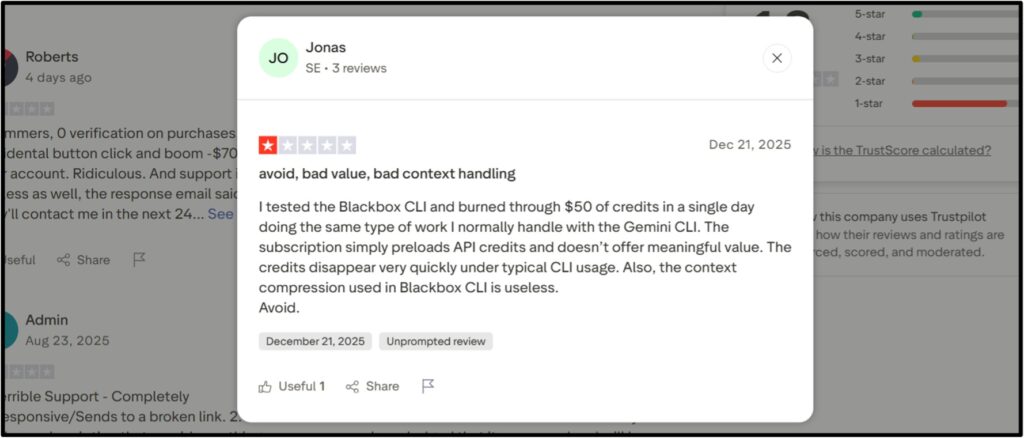
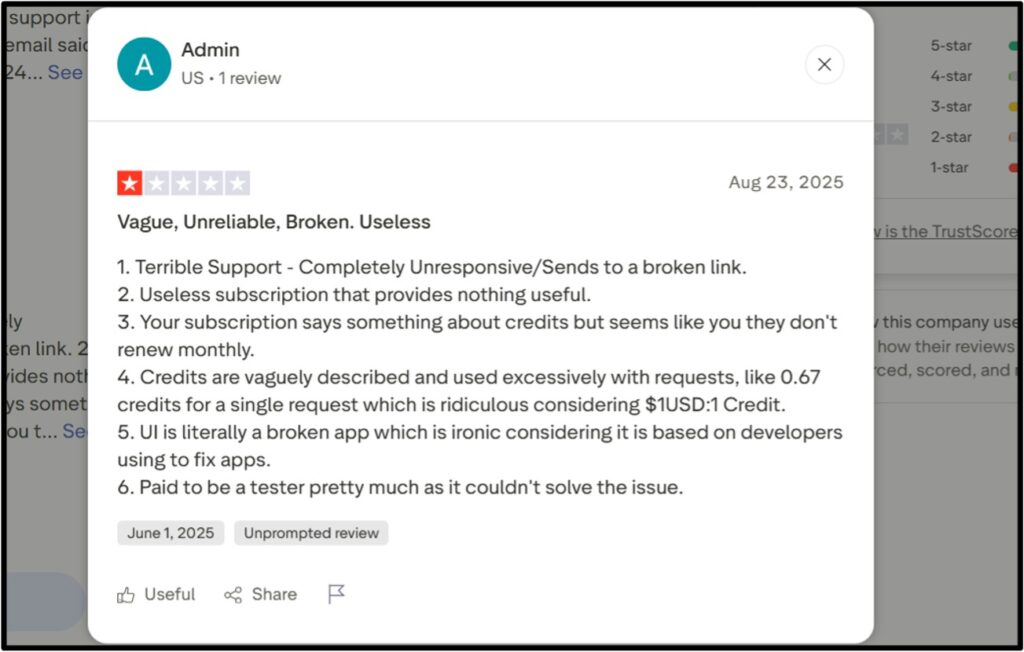
And I want to mention one more thing. While scrolling through Trustpilot, I found some users expressing dissatisfaction with Blackbox’s credit system.
Blackbox AI Review: User Experience
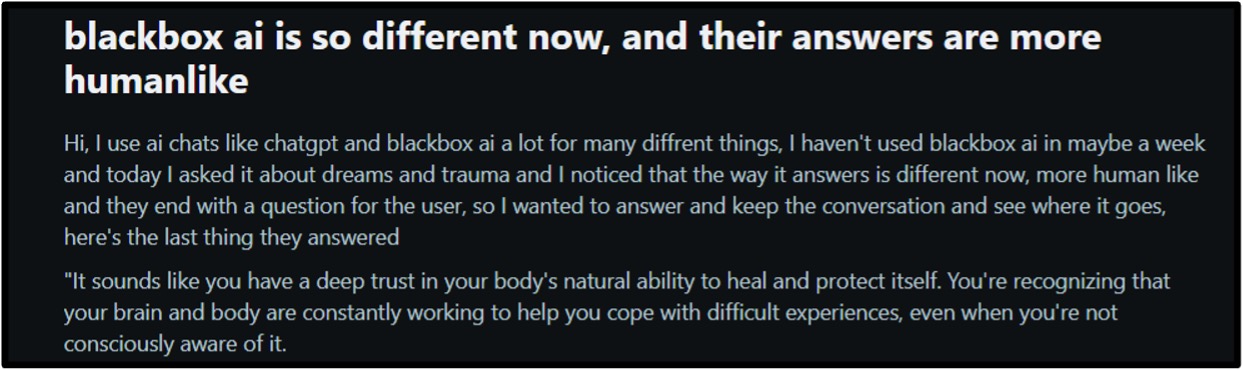
To give you authentic reviews, I visited Trustpilot, YouTube, and Reddit and found some positive and negative comments from real users. So, you can check these screenshots as well to make your decision:
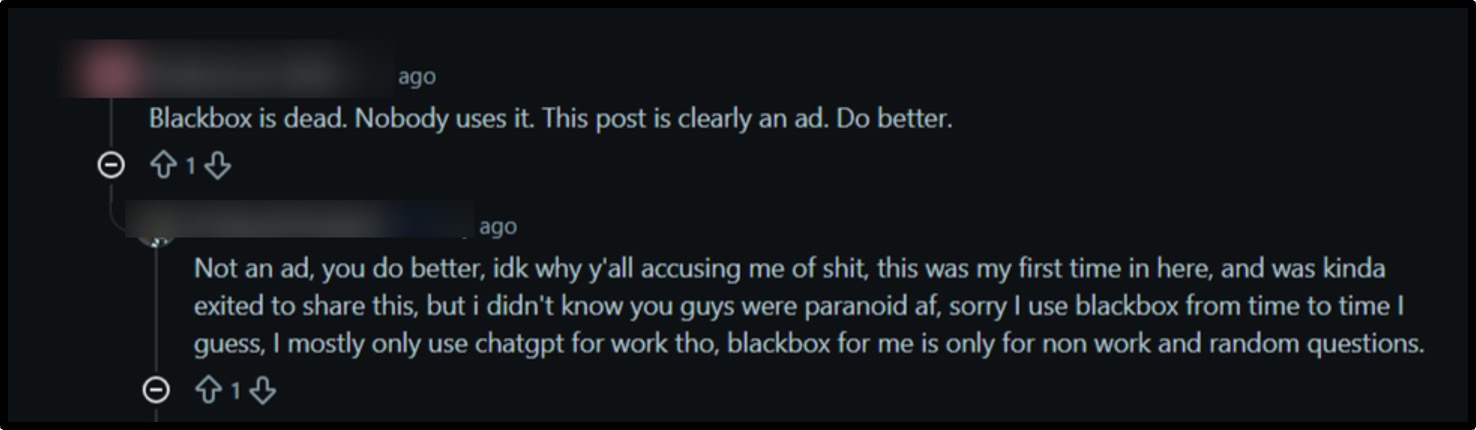

I didn’t find any great reviews on X and YouTube because most of them looked sponsored to me. And this was quite obvious because those ads mentioned all those things that are actually not there in this app.
How to use Blackbox AI? Step-by-Step Procedure
Before going into the steps, I’d like to tell you about the interface of Blackbox AI.
So, after opening the website, you’ll see a Get Started Now option. You have to click on it, and it will open a prompt box where you can type the description and also attach an image (to develop the frontend of a website) by clicking on the clip-like sign.
You can even select the type of model you need to generate code, like Grok 4 or Claude Sonnet.
And if you want to perform more complex tasks or find errors, then you can click on the option called Agent. It’ll take you to another page where you can choose multiple models to perform a single task.
If you don’t like typing, then you can select the voice note feature and speak in your microphone to specify the task
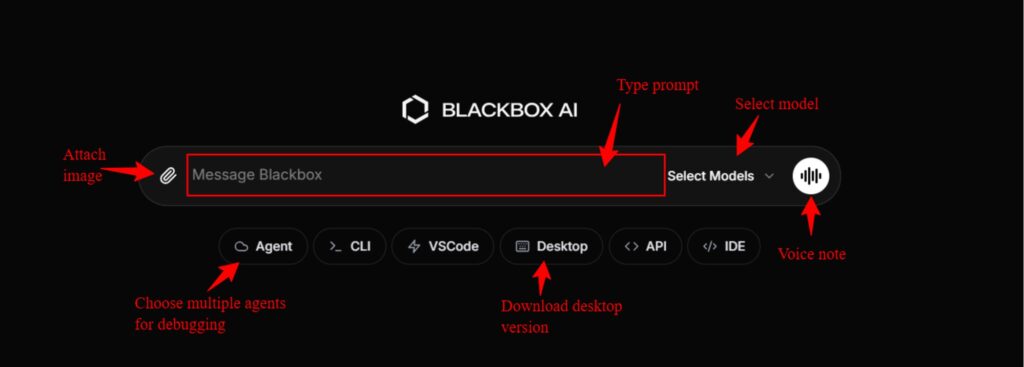
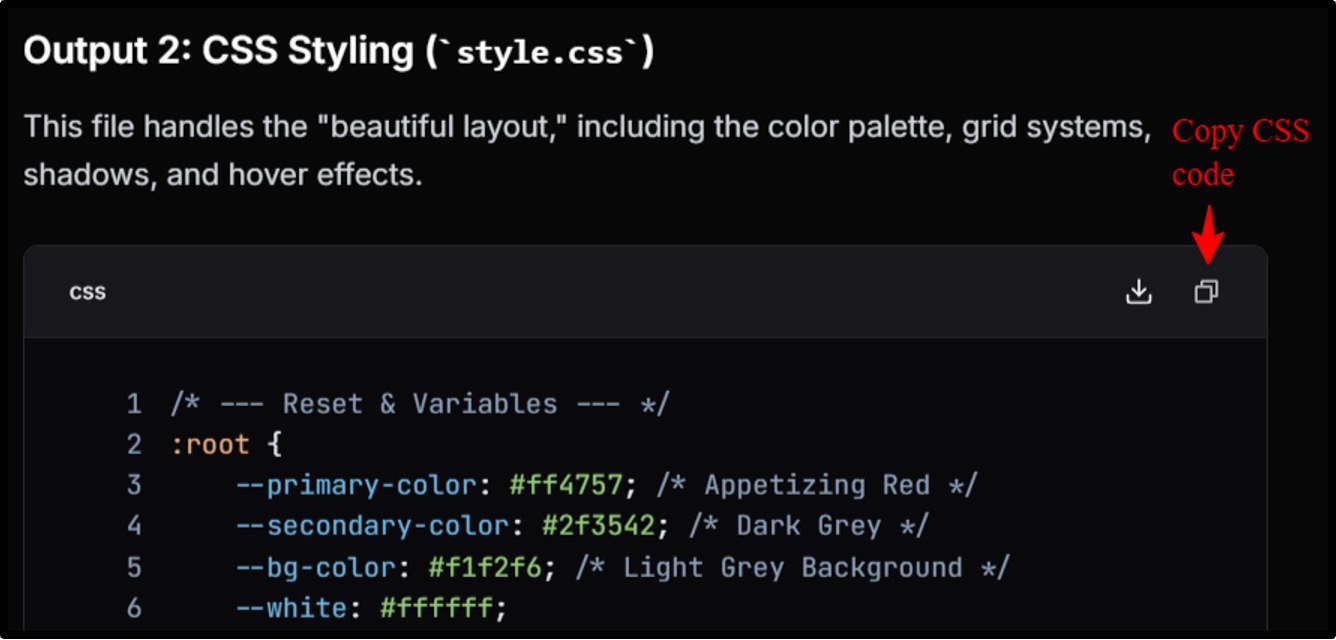
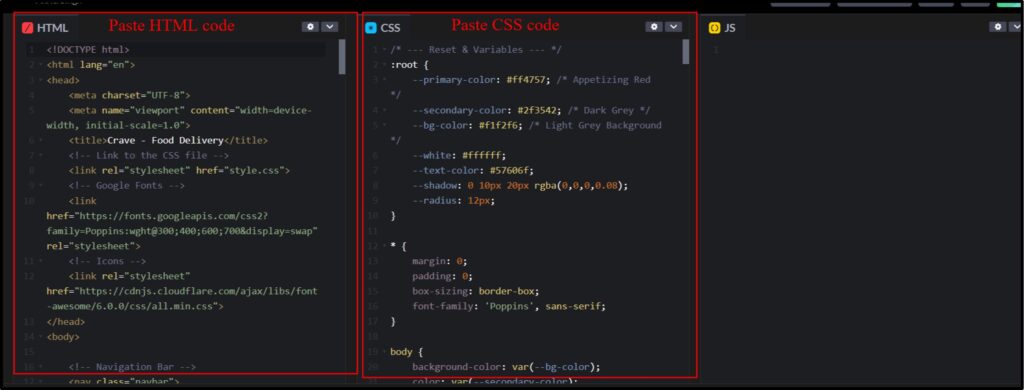
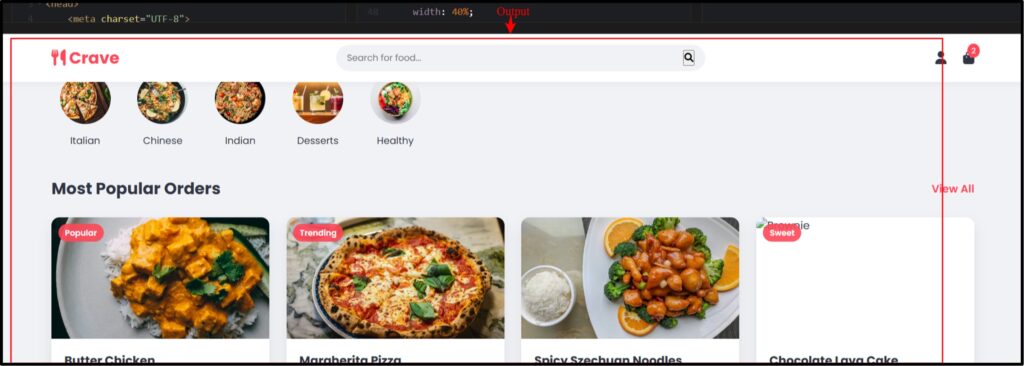
Here are the steps for generating the source code from scratch:
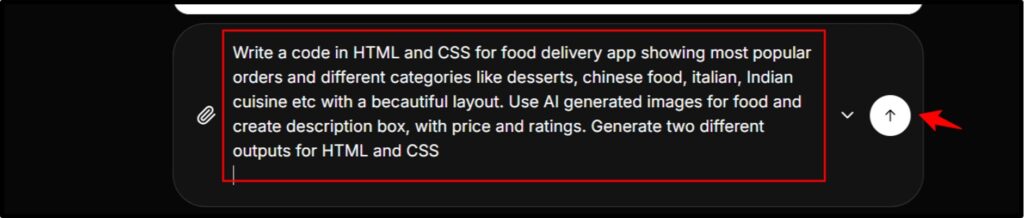
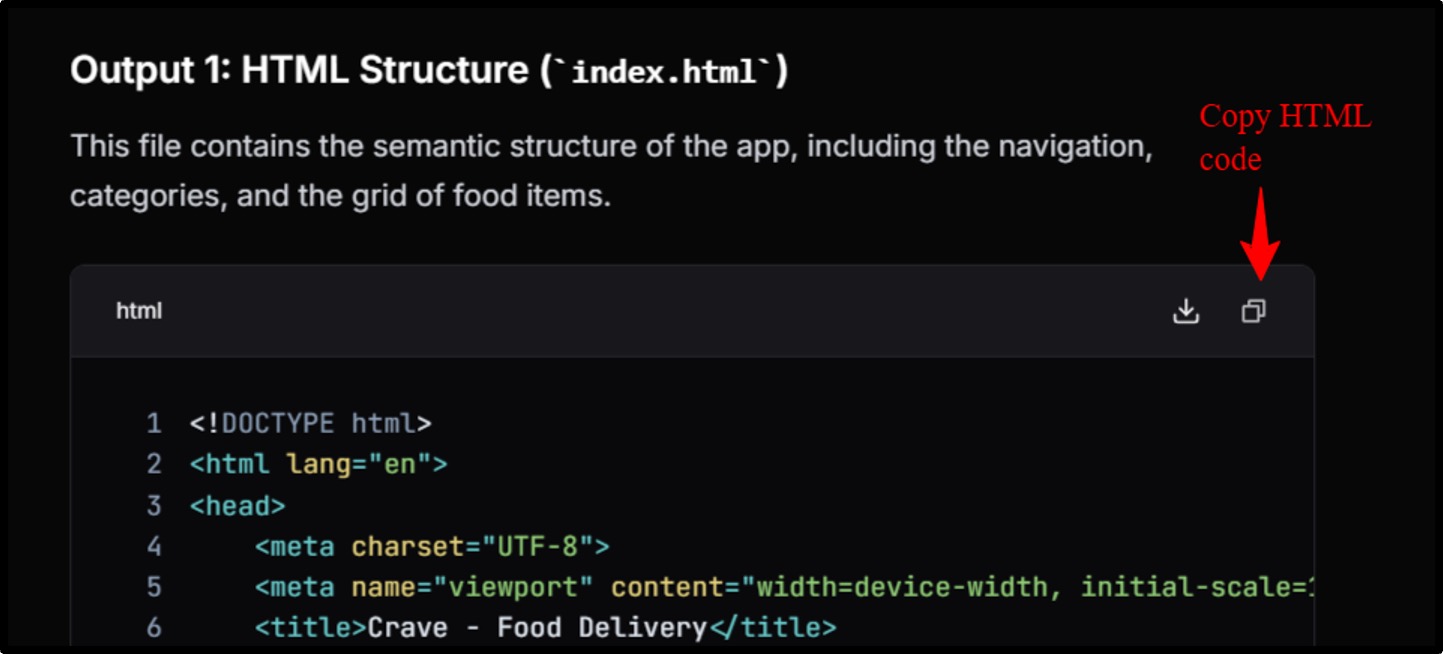
Download Blackbox AI APK
Many users are unable to find authentic links to download Blackbox. And you know that some hackers purposely put wrong website links so that they can insert malware into the user’s system. That’s why I have attached three links from where you can download BlackBox AI:
Just click on the blue links and you’ll be redirected to the download page.
Blackbox AI Alternatives
To make this review 100% reliable, I tested Blackbox with popular tools like GitHub Copilot, Replit, and Qodo so you can make the final decision by yourself.
I’ve made a table comparing the credits, security, code generation feature, and integration support of all the BlackBox AI alternative below:
| Features | Blackbox AI | GitHub Copilot | Qodo | Replit |
|---|---|---|---|---|
| Free Plan | Basic unlimited chat | 2000 requests/month | 250 LLM credits/month | Trial-based |
| Paid Plan | Unlimited requests | 300 requests/month | 2500 requests/month | $25 worth credits/month |
| Models Used | GPT-5.2+ 300 extra models | GPT-4.1, Claude 3.5, Gemini 2.5 Pro | Claude Opus, Qodo model | Claude, GPT & Replit agent |
| Image to Code | Yes | Yes | No | Yes |
| Security | Strong in paid plans | Strong | Strong | Average |
| Integration | JetBrains, VS Code, CLI, Chrome | JetBrains, VS Code, Azure, Visual Studio | JetBrains, VS Code, GitHub, GitLab | GitHub, browser-based IDE |
You can go for any of these AI developer assistants you think are useful.
FAQ
Q1: Can BLACKBOX AI be deployed on-premise?
A: Yes, Blackbox AI can be deployed on premise as it offers zero data retention and full encryption. This means you can run all the models, including GPT-5.2, Grok-4, GLM 5, and Minimax-M2.5 on local, private and cloud servers.
Q2: Can Blackbox AI make apps?
A: Yes, Blackbox AI can make apps. You have to type the description explaining what type of app you want to develop, with its features, layout, and backend architecture (language). Blackbox is good at building simple websites and native apps as well.
Q3: What integrations are available?
A: You can integrate Blackbox with GitHub library, JetBrains, VS Code, CLI, Slack and Chrome.
Q4: Is Blackbox better than ChatGPT?
A: ChatGPT isn’t a coding assistant like Blackbox so it’s unfair to compare both. However, developers can choose Blackbox as it offers multiple benefits like multi execution, prototype development and team collaboration.
Q5: How does BLACKBOX AI ensure code privacy?
A: For code privacy, Blackbox AI uses advanced security controls like zero data retention meaning that the user data isn’t stored on Blackbox servers. It also follows end-to-end data encryption so all the database remains safe from outsiders making it a good choice for banking apps.
Final Verdict: Is Blackbox AI Worth Using?
And here’s my final take on Blackbox AI tool:
I didn’t find BLACKBOX AI code to be very useful for coding students and beginners. I’m saying this because the interface isn’t user-friendly, and the free plan is rubbish.
It claims to be a coding assistant, while it offers all the features provided by general AI tools like ChatGPT, Gemini, and Claud.
And one more thing, I didn’t like Blackbox’s promotion approach. It seems like it’s trying hard to convince users to buy it.
Overall, I’d give it a 2.5 rating. And the final decision is yours, that’s why I’ve mentioned Blackbox’s both positive and negative aspects in this review.
People also search for: