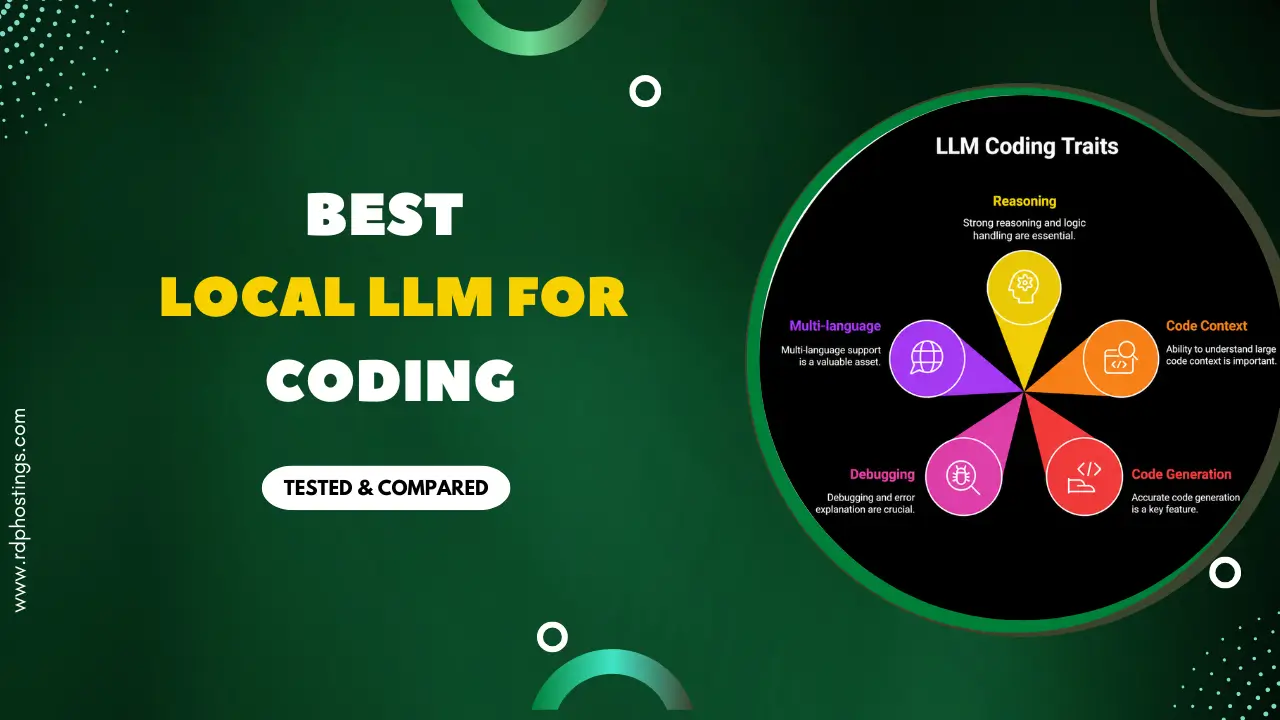
What if your AI coding assistant never sent any of your code to the internet, not even one line? There are zero monthly bills and speed limits. It doesn’t require you to wait on someone else’s servers. It’s just your AI, running fully on your own computer.
That’s exactly what local LLMs for coding offer in 2026, and more developers are using them every day for privacy, saving money, and also to keep their code completely theirs.
The catch is that not every tool works on every computer. Some need powerful hardware, while others run just fine on a regular one. So the best tool for your colleague might be the completely wrong choice for you.
We’ve actually tested each tool ourselves, installing it, running it on different types of hardware, timing responses, and checking the real coding help. After the in-depth research and testing, we have narrowed it down to these many options.
Read on to see the tools and what can fit your machine.
What Is a Local LLM for Coding?
A local LLM for coding is an AI assistant that runs directly on your own computer and not on someone else’s server.
It has software and data that run entirely on your own physical computer, server, or hardware, rather than over the internet on any tech company’s cloud infrastructure.
It is not like cloud-based AI coding tools such as GitHub Copilot or ChatGPT, because a local LLM can work offline, and you are free of subscription fees.
It never sends your code to an external server.
Now this makes it very valuable, especially for developers working with sensitive and confidential databases, giving them full AI-powered assistance free of any privacy trade-offs.
Hardware You Need to Run Local LLMs for Coding
Running a local LLM means your own machine does all the heavy lifting. So, before you download any model, it is important to make sure your hardware can easily handle it.
Let’s see and understand the minimum to recommended hardware requirements you would need:
| Hardware | Minimum | Recommended |
|---|---|---|
| GPU | NVIDIA GTX 1080/8GB VRAM | NVIDIA RTX 3090/24GB VRAM or Apple M2 Pro+ |
| RAM | 16 GB RAM | 32 GB – 64 GB |
| Storage | 50 GB free SSD | 200 GB + NVMe SSD |
| CPU | Intel i5/AMD Ryzen 5 (8th gen +) | Intel i7/i9/AMD Ryzen 7/9 (10th gen+) |
| Internet | Needed once to download the model | Needed once to download the model |
| OS | Windows 10/ Ubuntu 20.04/macOS | Windows 11/Ubuntu 22.04+/macOS 13+ |
Single rule of thumb:
The more VRAM your GPU has, the bigger and smarter the model you can run, and everything else is secondary.
Best Tools to Run Local LLMs for Coding on Your PC
It doesn’t matter if you are a complete beginner or an experienced developer; there is always a tool that will fit your setup.
The right tool makes the difference between a frustrating experience and a smooth, powerful local AI coding assistant running on your own machine.
Ollama — Best for Developers
Ollama is known as the default local LLM runner for developers.
We have listed this tool first because it is a go-to local LLM runner; it lets you run AI models on your own PC for free, and does not require any internet, and your data stays with you.
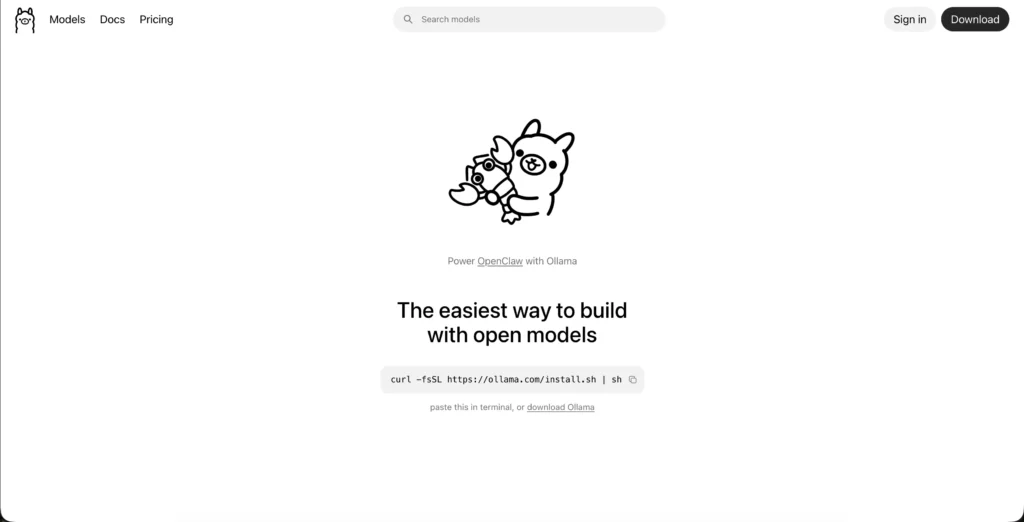
You just install it, type one command to download a model, and it starts running instantly. It plugs straight into VS Code, and so it works like GitHub Copilot, except it’s completely local.
You can run Open WebUI, Claude Code, and more in just minutes using open models by Ollama.
Key Features
Let us see the core features of this tool:
Pros & Cons
Here is a breakdown of the tool’s pros and cons:
Pros
- Total Data Privacy.
- 100% offline capability.
- No extra token costs.
- Instant response for code completion.
- Ecosystem integration.
Cons
- Heavy hardware requirements.
- Maintenance overhead.
Best For
Ollama is best for:
System Requirements
Running your local LLMs for coding with Ollama demands a decent amount of hardware requirements; here is what you should consider before you get started.
| Components | Requirements |
|---|---|
| GPU | NVIDIA GPU 8GB+VRAM for GPU acceleration; 24GB VRAM for larger models |
| RAM | A minimum of 16GB is required; 32GB is recommended for smooth multitasking. |
| CPU | Modern multi-core processor (Intel i7/Ryzen 7 or better). |
| Storage | 50 GB+ of available SSD storage for downloading and switching between models. |
| OS | Windows 10+, macOS 12+, or Linux (Ubuntu 22.04+) |
You should meet these basic requirements for your Ollama to run reliably and understand each requirement better so that you can run your coding smoothly.
Note:
Remember, the better your GPU is, the faster and more capable your local coding assistant becomes.
LM Studio — Best for Beginners
LM Studio is GitHub Copilot’s biggest free rival.
It’s a desktop app that lets you browse, download, and run local LLMs on an actual GPU, and it doesn’t require a terminal.
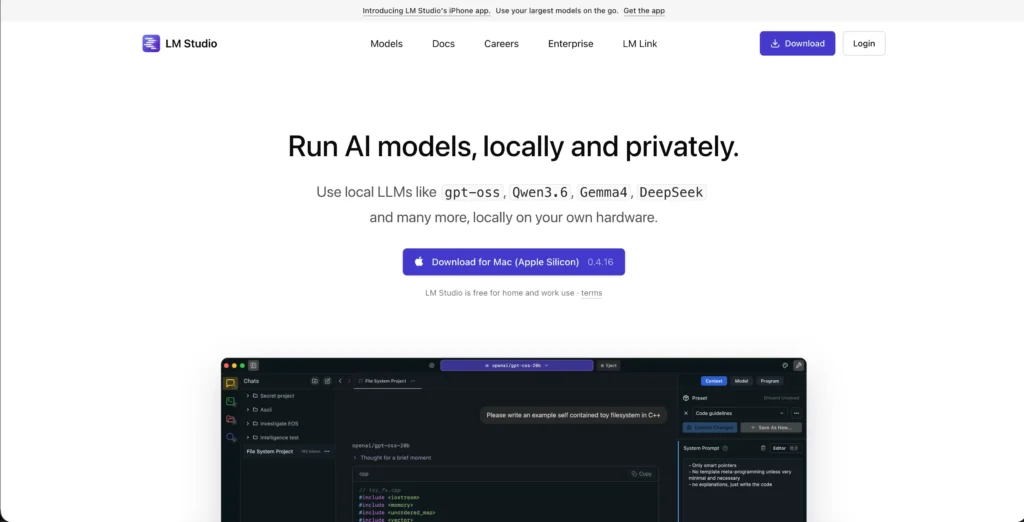
It pulls models directly from HuggingFace (the largest AI model library in the world) and lets you compare two models side-by-side to pick the best one for you. LM Studio coding even runs a local server on your VS Code, and other tools can plug into it, just like Copilot, completely offline and free.
You can use local LLMs like Local LLM Qwen 3.5, Gemma 4, DeepSeek, and many more locally on your own hardware.
Key Features
Here are the LM Studios core features for you:
Pros & Cons
Here are some pros and cons:
Pros
- Infinite Usage, Zero Cost.
- OpenAI-compatible API server.
- Model freedom.
- Offline functionality.
- Good hardware control
Cons
- Setup & Maintenance.
- Power consumption.
Best For
LM Studios is best for:
System Requirements
Here is a concise breakdown of the major system requirements you would need to run your local LLMs:
| Components | Requirements |
|---|---|
| GPU | NVIDIA (CUDA) or AMD (ROCm) GPU with 8GB+ VRAM. |
| RAM | Minimum 16 GB; 32 GB recommended for larger models and running heavy IDEs like VS Code. |
| CPU | Modern multi-core processor |
| Storage | 10-50 GB free SSD space & 1 TB+ NVMe SSD are recommended. |
| OS | Windows 10+, macOS 13+, or Linux (Beta). |
Do consider these requirements, as they are very important, so that you can have an efficient performance experience.
Llama.cpp — Best Budget Pick
Llama.cpp is the engine running underneath most of the local LLM tools, like Ollama and LM Studio. It is written in pure C++, and it is the reason a 7B model can run on a laptop at all. It allows you to run efficient large language models in pure C/C++.
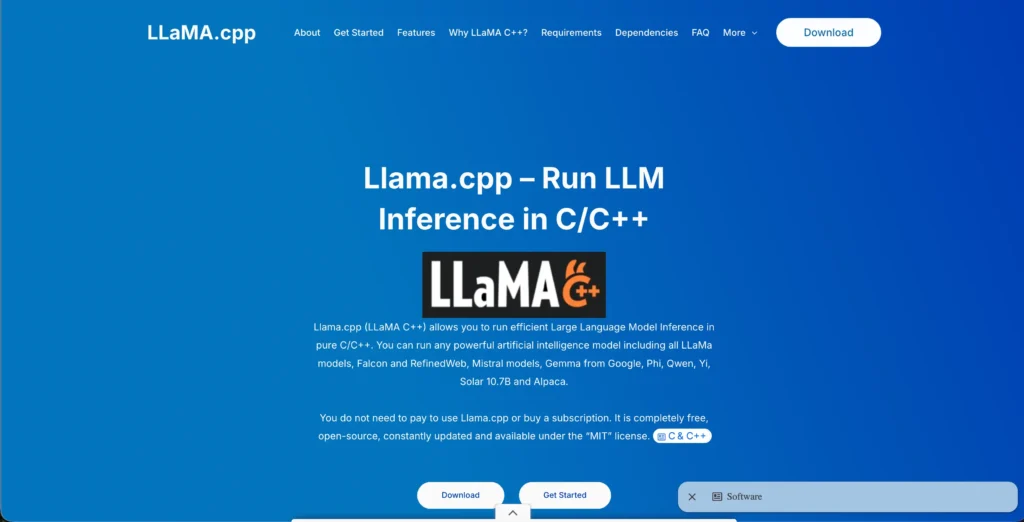
You can even run any powerful AI models, including all LLAMA models like Falcon, RefinedWeb, Mistral models, Gemma from Google, and Alpaca. This tool is completely free, and it is open-source.
If you are a power user and you want maximum speed and full control, run it directly only.
Key Features
Here are the core features of this tool:
Pros & Cons
Some pros and cons of this tool:
Pros
- Maximum hardware efficiency.
- Absolute code privacy.
- Excellent model support.
- Advanced developer features.
- Zero usage costs.
Cons
- Complex configurations.
- Manual IDE integration setup.
Best For
Llama.cpp is best for
System Requirements
Llama.cpp is the engine powering most local LLMs; running it directly gives you maximum control and performance, but it does require a bit of technical setup, so understand these requirements better.
| Components | Requirements |
|---|---|
| GPU | 6 GB – 8 GB dedicated VRAM (e.g., NVIDIA RTX 3060 Laptop / RTX 4060). |
| RAM | Minimum 8 GB for small models; 32 GB+ recommended for larger models. |
| CPU | Any modern 6-core processor supporting AVX2 instructions. |
| Storage | 5-50 GB free space. |
| OS | Windows, local LLM, macOS, and Linux (all supported). |
Llama.cpp is best for developers who want raw speed and full hardware control. This tool will give you zero abstraction, as it is the foundation for everything else that is built on.
Jan — Best for Teams
Jan is an open-source alternative to ChatGPT that runs open-source coding models entirely offline on your computer or connects to cloud models like GPT and Claude when you want them.
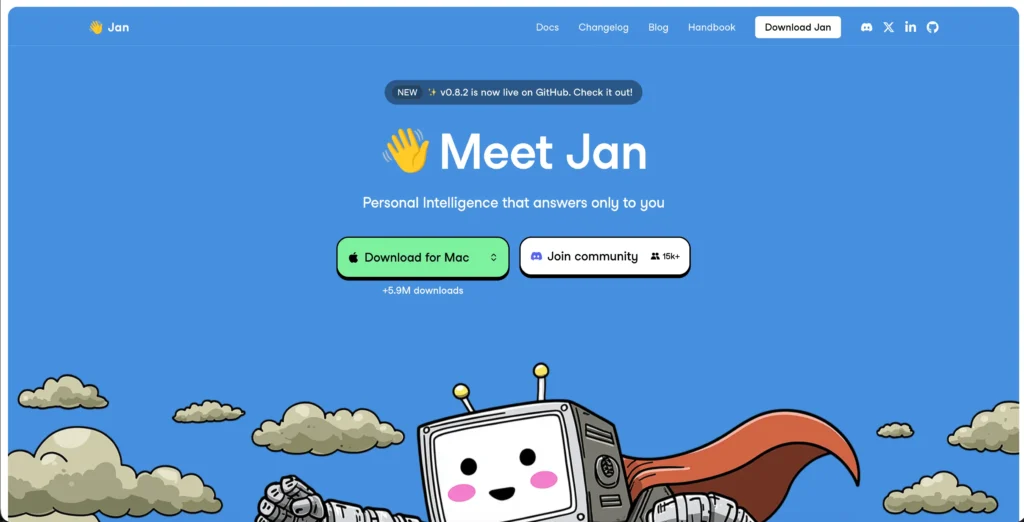
It is built on Llama.cpp and supports models like Llama, Mistral, and DeepSeek. It is specifically for coding; it has the OpenAI-compatible API at localhost:1337, which lets you plug it into tools like ContinueDev or Cursor.
Jan even supports MCP for agentic workflows and RAG through LocalDocs and connects to cloud APIs whenever it is needed.
Key Features
Given below are the main features of Jan that are widely praised:
Pros & Cons
Here are some pros and cons:
Pros
- 100% Privacy & Security.
- No subscription costs.
- Offline Access.
- Open Source Flexibility.
- Developer extensions & API.
Cons
- Hardware heavy.
- UI/UX & App Bugs.
Best For
Jan is best for:
System Requirements
Jan wraps Llama.cpp in a clean desktop interface, making your local LLM very approachable, but the hardware requirements remain the same.
| Components | Requirements |
|---|---|
| GPU | A minimum of 6 GB of VRAM is required to automatically activate its GPU acceleration. |
| RAM | 16 GB System, 32 GB (recommended for debugging and multi-file context) |
| CPU | Must support the AVX2 instruction set. Intel Haswell (2013 or newer), AMD Excavator (2015 or newer). |
| Storage | 20 GB to 50 GB of free space (SSDs are highly recommended when switching models). |
| OS | Windows 10/11 (64-bit with AVX2 support), macOS (Apple Silicon recommended), or Linux. |
Jan is the best pick if you want a privacy-first, GUI-based local setup. It is considered good across all platforms, especially Linux, where it outshines most of the alternatives.
Devstral Small 2 — Best for Software Engineering Workflows
Devstral Small 2 is a Mistral open-source coding model that is built specifically for software engineering tasks and not for general chat.
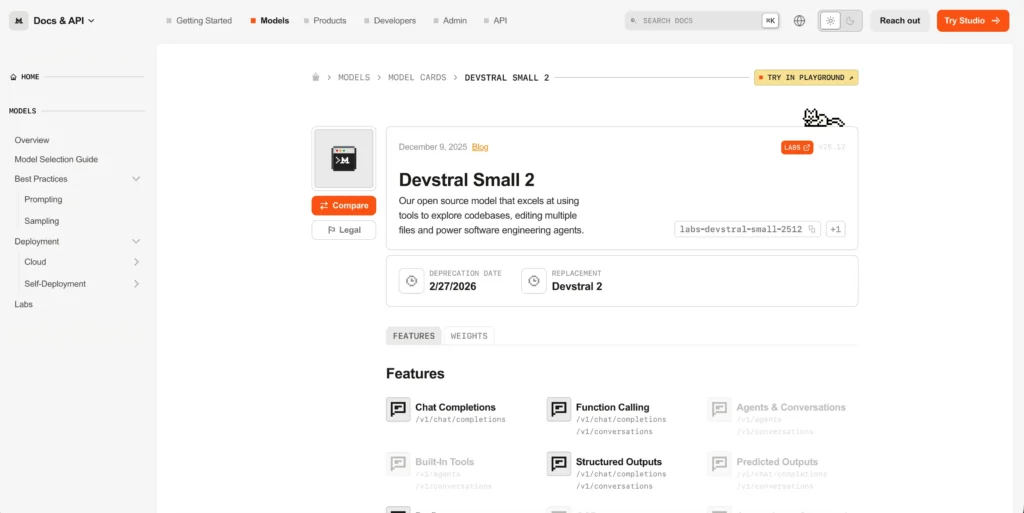
It is not like the other AI models that are built for everything, as this one is purely fixed for writing, fixing, and understanding code. It is small enough to run a single gaming GPU (24GB VRAM), but it will still deliver better performance than other large models built for coding tasks.
It can easily understand multiple programming languages and can easily work across entire codebases, and can even handle multi-step coding jobs just like an agent. It’s completely free to use and deploy locally through Jan or Ollama.
Key Features
Understand this tool with its core features:
Pros & Cons
Let’s see its pros and cons:
Pros
- Hardware-friendly.
- Excellent agentic performance.
- Open & Permissive.
- Massive context window, up to 128k tokens.
- Most capable for software engineering tasks.
Cons
- Complexity to some level.
- Niche stack struggles.
Best For
Devstral Small 2 is best for:
System Requirements
This is a coding-specific model, so its hardware demands are more particular than general-purpose models. Here is what you need to run it properly.
| Components | Requirements |
|---|---|
| GPU | 24 GB VRAM (e.g., NVIDIA RTX 3090, RTX 4090, or AMD 7900 XTX). [1] |
| RAM | 24 GB. |
| CPU | Modern multicore processor (e.g., Intel Core i7/i9 13th Gen+, AMD Ryzen 7/9, or Apple Silicon M2/M3). |
| Storage | At least 20 GB of free space |
| OS | macOS, Linux, or Windows (Windows requires WSL2 enabled). |
Devstral Small 2 sits at the demanding end of consumer hardware but has the right specs, and you get a very dedicated coding model that can easily rival cloud-based assistants privately and for free.
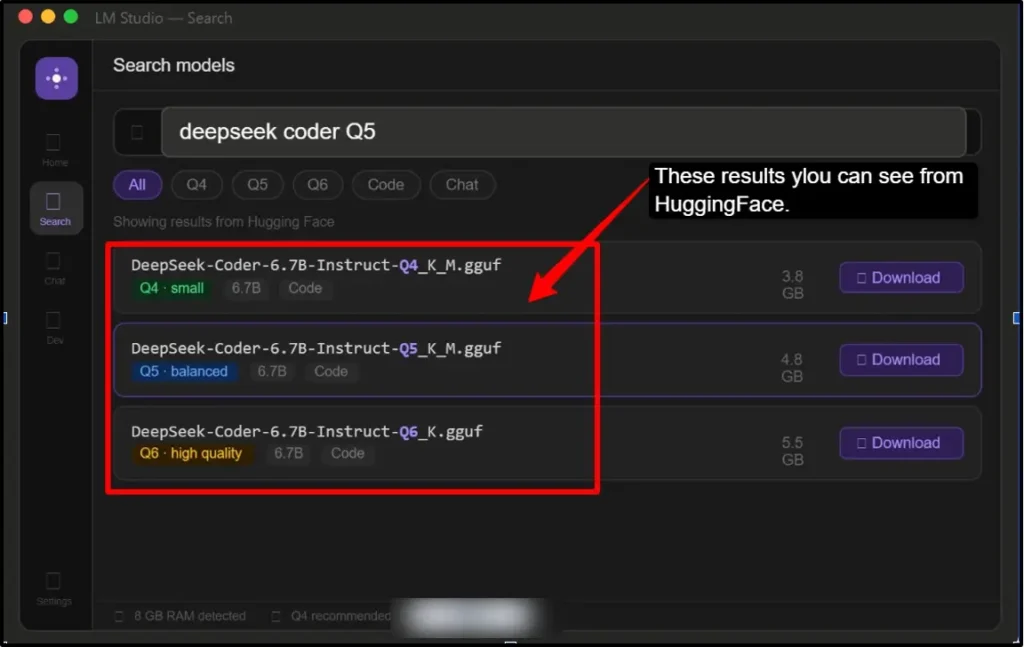
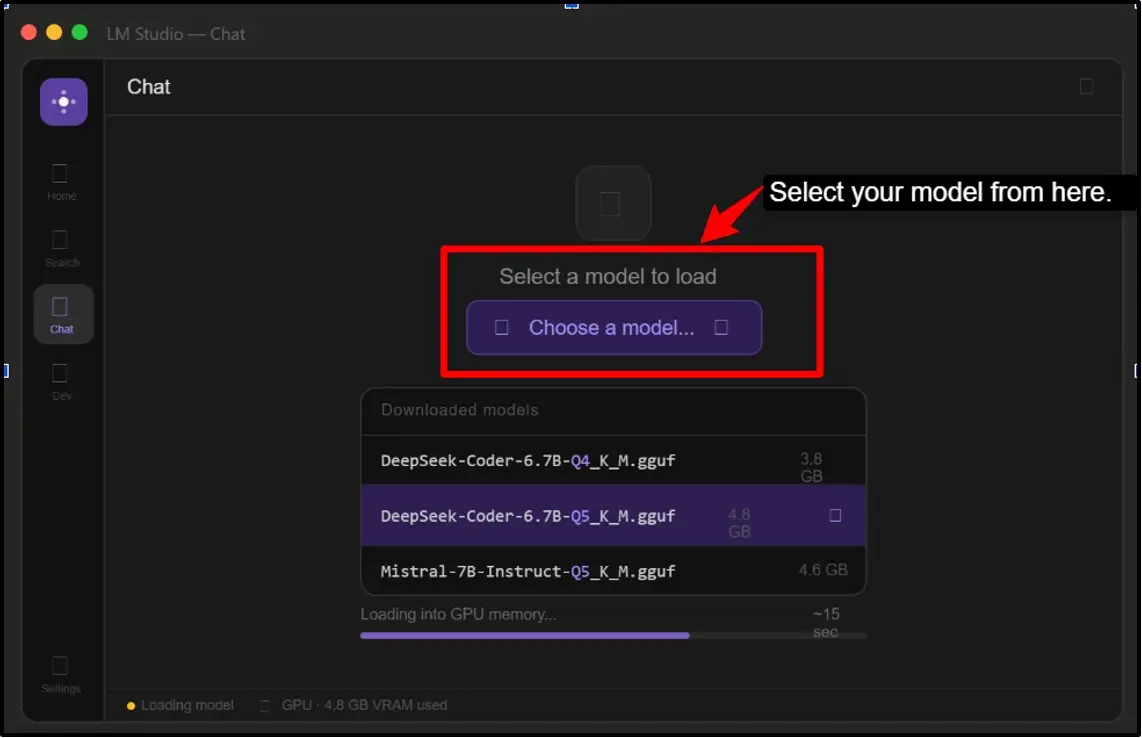
How to Set Up Your First Local LLM for Coding (Step-by-Step)
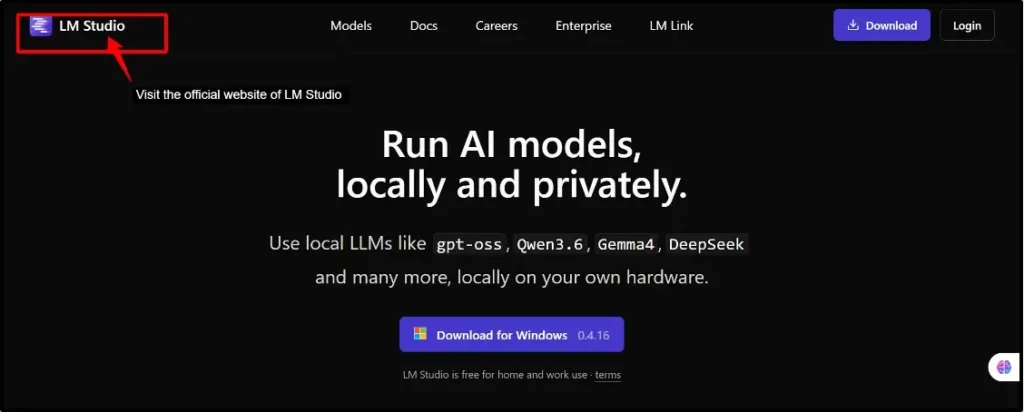
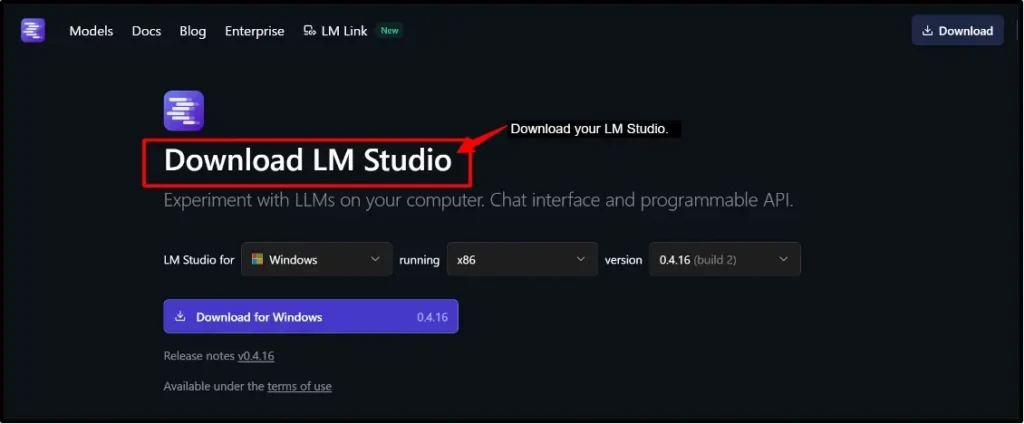
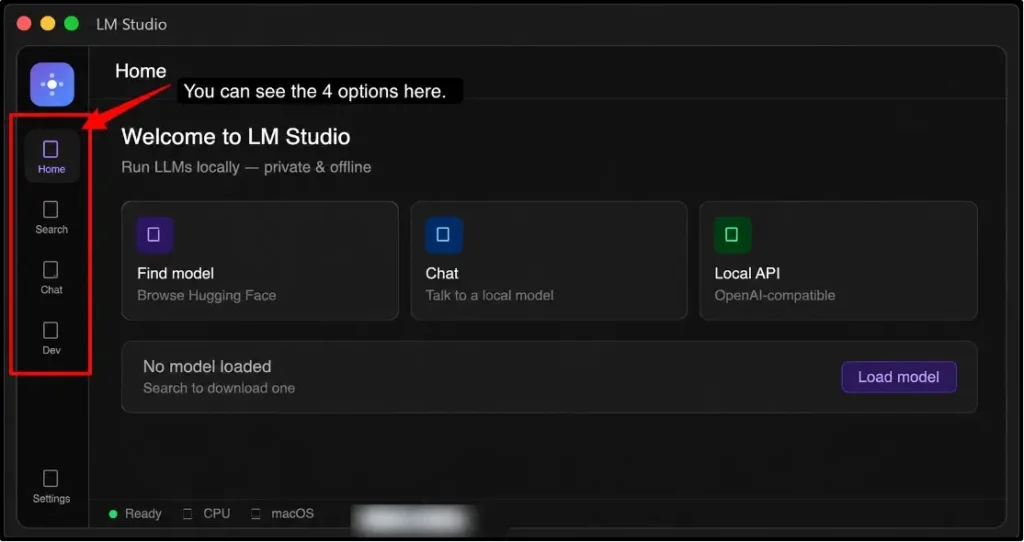
Let’s start now. After you understand each of these models mentioned above, we come to the most interesting part of setting up your first local LLM for coding:
Note:
You can try something simple like “Write a Python function that checks if a number is prime.” Watch the response generated entirely on your machine, without internet or API key. This is your local AI working in real-time.
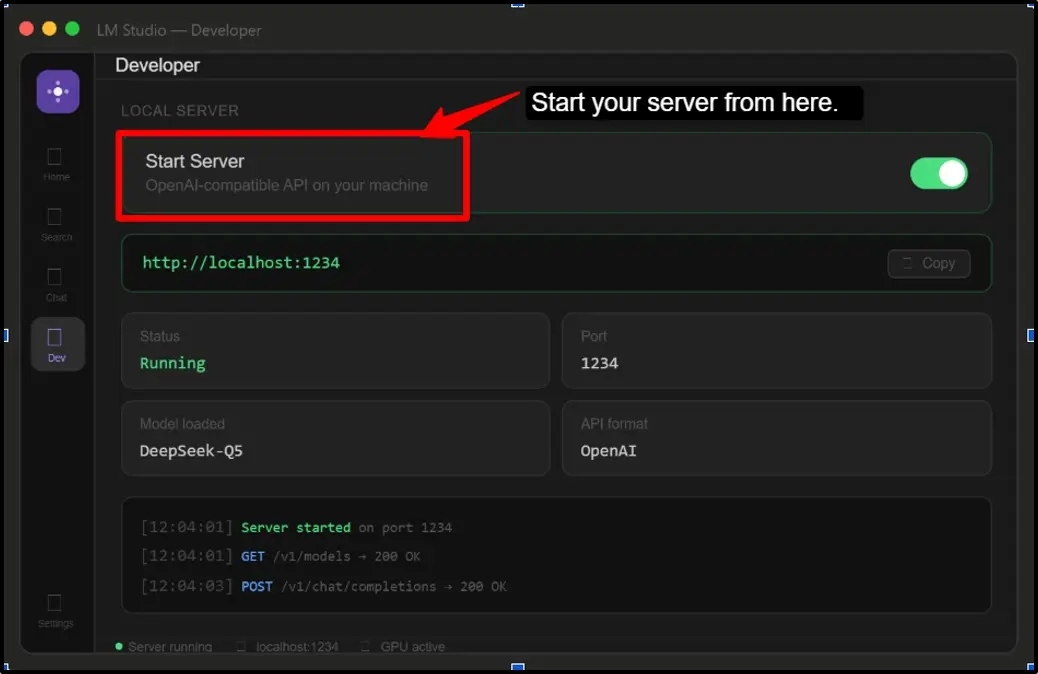
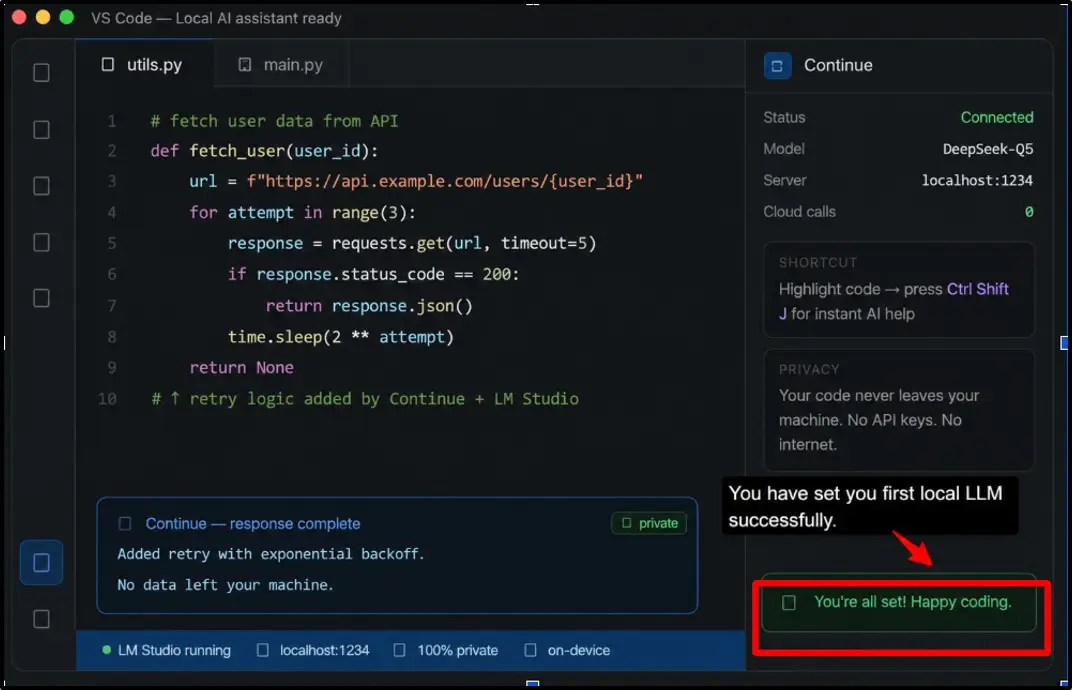
You are all set now. Your local AI coding assistant is now running privately inside VS Code. It’s just fast, private coding help on your own hardware.
Local LLM vs ChatGPT vs Claude
This competition between your local LLM, ChatGPT, or Claude is going to be your key decision, especially for developers who are balancing privacy, cost, and coding performance. Here is clearly stated how they can choose.
| Feature | Local LLM | ChatGPT | Claude |
|---|---|---|---|
| Privacy | Full data never leaves your machine | Data sent to OpenAI servers | Data is sent to Anthropic servers |
| Coding quality | Good (Devstral/Qwen Level) | Strong (GPT-4o) | Excellent (best for complex code) |
| Cost | Free after hardware | $20-$200/month | $20-$200/month |
| Offline support | Fully offline | Requires internet | Requires internet |
| Large codebase support | Limited by the context window | 128K context | 200K context (Best in class) |
If you want pure privacy and zero ongoing costs, then local LLMs win the game, but if you require the strongest coding reasoning on large and complex projects, Claude remains the most capable option available today.
FAQs:
Which Local Coding LLM Is Best for Different Programming Languages?
Devstral Small 2 for Python, JavaScript, and multi-file projects. Qwen 3.5-Coder is for general-purpose coding across most of the languages, and CodeLLama is for C/C++ and lower-level work.
Can a local coding LLM replace ChatGPT?
Yes, it can replace ChatGPT for routine coding tasks, but when it comes to complex reasoning and large contexts with multi-model tasks, then it cannot be replaced. You can use local for private and repetitive work.
Which is better, Ollama or LM Studio?
Ollama is better if you prefer CLI, scripting, and API integration, but you can choose LM Studios if you want a GUI and easier model management.
What Can You Actually Do With a Local Coding LLM?
You can easily write, debug, and refactor code by explaining unfamiliar codebases. You can generate docs and texts. Autocomplete in your editor through Continue.dev. And run agentic tasks across multiple files.
Can these models work offline completely?
Yes, once these models are downloaded, after this you don’t require any internet connection. Everything can run locally on your hardware permanently.
What are the 4 types of LLM?
- The four types are:
- Autoregressive Models (decoder only).
- Masked-Language Models (Encoder-only)
- Sequence-to-Sequence Models (Encoder-Decoder Models).
- Retrieval-Augmented Generation (RAG) Models.
Conclusion
A local LLM for coding setup is not a complex, hardware-intensive experiment anymore. It has now become more practical-based and delivers an accessible workflow for everyday developers.
Tools like Jan, Ollama, and LM Studio have made the setup straightforward, while models like Qwen 3.5-Coder deliver genuine coding capability that even rivals cloud alternatives for most of the everyday tasks.
The real advantage of using a local LLM for coding is not just privacy or cost, but it’s actually the ownership. It’s your models, your data, and your hardware that run on your rules. There are zero rate limits, with your data always staying with you.
Building this will give you a more private, fast, and fully customizable AI assistant that works entirely on your terms.
So, now you have the knowledge, and the tools are ready. The models are capable; the only thing left is for you to get started.
💡 Most Loved Article!