Your Discord server is only as good as the bot running it.
Too many messages, repeated questions, roles not assigned, spam slipping through, managing an active server manually is a losing battle. A well-built Discord bot fixes all of that. It welcomes new members, kills spams, runs polls, manages roles, and keeps conversations from turning into chaos, all without you lifting a finger.
But here’s what most server owners get wrong: they become obsessed over building the perfect bot, then host it on a free platform that crashes at peak hours. A great bot on bad hosting is just an expensive disappointment.
The hosting provider you choose ultimately determines everything: how reliably your bot stays online at 3 am, how quickly it responds, and how smoothly it handles sudden traffic spikes as your server grows overnight.
That’s why we’ve done testing for you. From a small, tight-knit gaming community to a study group or even a full-scale business server, there is a hosting provider designed to match your specific needs and budget.
Here are the 5 best Discord bot hosting providers that actually deliver uptime, performance, and value.
What Is Discord Bot Hosting?
Discord Bot Hosting is simply the place where your bot “lives” so it can stay online and work 24/7. When you create a bot, it is just the code, but to run that code and respond to messages automatically in your server, it needs to be hosted on a server or cloud service.
Think of it like this: if your bot is an app, hosting is the device that keeps it running all the time. If you run on your laptop, it will only work when your laptop is working and connected to the internet. But combined with the proper hosting, your bot is going to stay active even when you are offline.
Good Discord bot hosting ensures that your bot is fast, reliable, and always available. It also helps to handle multiple users at once without crashing, which is needed as your server grows. Most of the hosting services also provide features like easy deployment, automatic restarts, and monitoring, so you don’t have to worry about technical issues.
Who needs Discord bot hosting?
If you want your Discord bot to run 24/7 without interruption, you need Discord bot hosting. If you are only testing your bot on your laptop, you might not need it. But if you want it to stay online all the time, hosting becomes very important.
Discord Bot Hosting Provider Overview
Now we will start talking about the 5 best Discord bot hosting providers. If you want your bot to run smoothly without downtime. There are plenty of options out there, each offering a different level of performance and pricing.
| Provider | DDoS Protection | Global Server Locations | 30-day money-back guarantee | Starting price |
|---|---|---|---|---|
| SparkedHost | Yes ( Basic protection) | Limited ( US, EU) | 24-hour refund | $1/month |
| Kamatera | Yes ( Advanced protection) | 18+ global data centers | 30-day free trial ( no refund) | $4/month |
| Hostinger | Yes( Built-in protection) | Multiple ( incl. India, US,EU, Asia ) | Multiple ( incl. India, US, EU, Asia ) | $6.35/month |
| BisectHosting | Yes ( Enterprise-level) | Multiple ( US, EU, AU) | 3- day refund window | $1.49/month |
| pebblehost | Yes ( Standard protection) | Limited (mainly EU, NA) | 48- hour refund | $3/month |
Top 5 Best Discord Bot Hosting Providers (2026)
Selecting the right Discord bot hosting provider in 2026 is the key to keeping your bots fast, stable, and always online. With several good options available, each of the providers offers different benefits; some are beginner-friendly, while others are built for performance and scalability.
So now we will look at the top 5 best Discord bot hosting providers in 2026 and what makes each one worth considering.
SparkedHost
SparkedHost is a popular Discord bot hosting provider known for being affordable, beginner-friendly, and reliable. It provides simple plans and even comes with a 1-day free trial, making it a great choice for small bots or beginners who do not want to spend much.
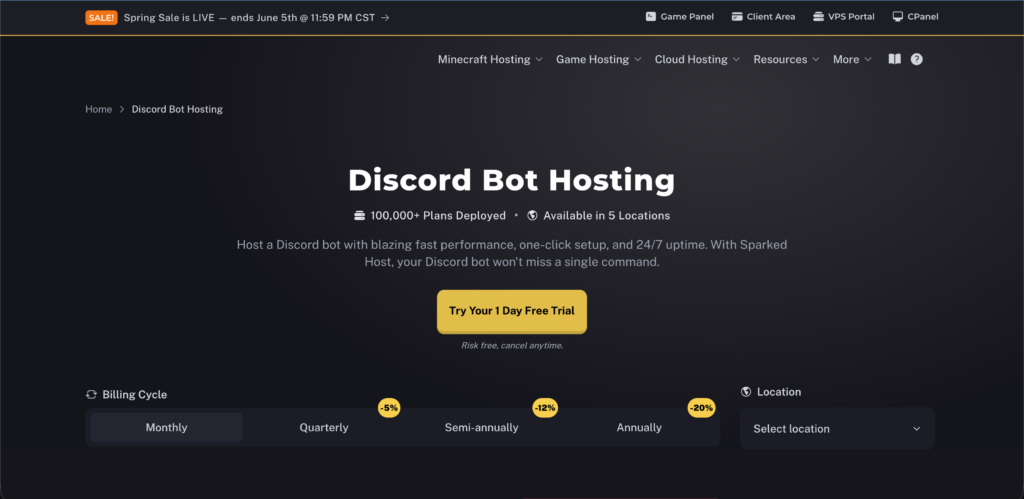
The platform provides one-click setup, 24/7 uptime, and support for languages like Node.js, Python, and Java, so you can run your bot smoothly without many technical issues.
The facts that make this platform stand out are its easy control panel, automatic backups, and decent performance for the price, along with features like database support and Git integration. SparketHost is a solid option if you want something budget-friendly, easy to use, and reliable enough to keep your Discord bot running without pause.
Key Features
Now, let’s move to the key features in detail:
Pros & Cons
Pros
- Affordable pricing
- Easy to manage even without technical skills.
- Quick deployment saves a lot of time.
- Strong security features
- Responsive support experience
Cons
- Limited advanced customization.
- May struggle with very high-traffic bots.
Pricing/Rating
Let’s figure out the pricing plans of SparkedHost:
| Plan | Price | Rating | Best Use |
|---|---|---|---|
| Basic | $1.00/month | 3/5 | Great for very small or testing bots that need budget hosting with basic resources. |
| Advanced | $4.00/month | 3/5 | Ideal for multiple bots or bots needing more space/CPU.Great value plan. |
| Ultimate | $10.00/month | 4/5 | Best for larger bots or many bots (up to 13) with heavy usage. |
Kamatera
Kamatera is a powerful cloud-based hosting provider that is well-suited for Discord bots, especially if you need high performance and flexibility. It is very different from the basic bot hosting provider, as it gives you a custom VPS (virtual server) where you control everything, like the CPU, RAM, storage, and setup, making it best for growing or heavy bots. Kamatera offers a 30-day trial and is best for users who want full control, strong performance, and scalability, but may feel a bit technical for complete beginners.
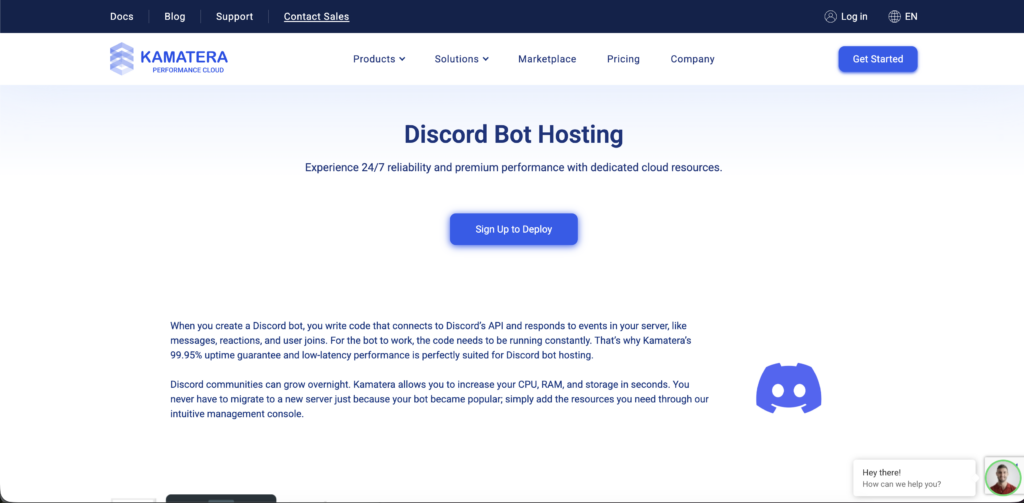
It offers reliable uptime; you can scale resources anytime and get fast performance. However, it is more technical, so it is more suited to the kind of users who are comfortable managing the servers. It is an optimal choice if you want flexibility and performance over simplicity.
Key Features
Let’s dive into the major features of Kamatera and understand how it is becoming a choice in Discord bot providers:
Pros & Cons
Pros
- Flexible pricing, so you only pay for what you use.
- Easy to scale as your bot grows.
- Suitable for serious projects.
- Strong performance for heavy or growing bots.
- Good choice for developers who want full control.
Cons
- Not beginner-friendly.
- Complex Configurations.
Pricing/Rating
Let’s break down the pricing plans of Kamatera:
| Plan | Price | Rating | Best Use |
|---|---|---|---|
| Basic | $4.00/month | 3/5 | Very small discord bots, testing, demo projects. Great if you are just starting it. |
| Recommended | $12.00/month | 4/5 | Mid-size bots with moderate activity and database use. Good balance of RAM/CPU. |
| Ultimate | $19.00/month | 5/5 | Bots with heavier worloads, music features, or many active servers/ users. More memory helps performance. |
BisectHosting
BisectHosting is a beginner-friendly and reliable hosting provider when it comes to Discord bot hosting. It has been designed to make things simple, so even if you are new, you can still get your bot up and running within minutes without much technical effort.
The platform offers an easy control panel where you can manage your bots, access files, and monitor performance without any confusion.
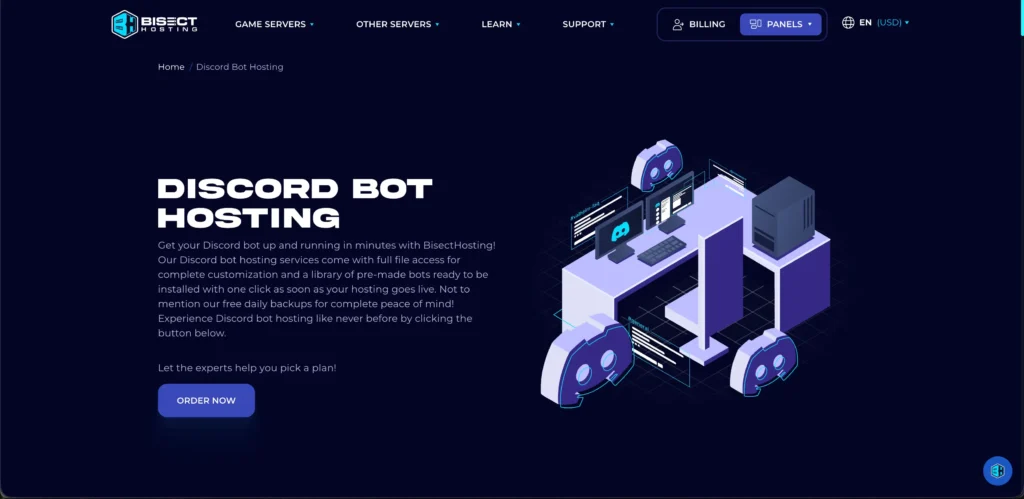
The best thing about BisectHosting is how flexible and convenient it is. You can get all of its features with just one-click bot installation, full file access for customization and support for multiple languages, so either you are using a ready-made bot or building your own, both of them will work smoothly.
Key Features
Let’s figure out the key features of BisectHosting and understand more about it:
Pros & Cons
Pros
- Easy-to-use, beginner -friendly interface.
- Quick setup with minimal technical effort.
- Reliable performance for small to medium bots.
- Good customer support availability.
- Flexible enough for basic customization.
Cons
- Not ideal for very large or high-traffic bots.
- Limited advanced control compared to VPS/cloud hosting.
Pricing/Rating
Let’s see how the pricing of discord bot of Bisect Hosting is:
| Plan | Price | Rating | Best Use |
|---|---|---|---|
| Starter | $1.49/month | 4/5 | Ideal for small bots or personal projects,supports basic discord bot hosting with SSD storage & 24/7 uptime. |
| Recommended | $4.99/month | 5/5 | Best for growing bots with moderate traffic.Offers high RAM, unlimited slots and better performance. |
| Enterprise | $7.49/month | 5/5 | Designed for large bots or professional developers. Maximum resources with full DDoS protection. |
Pebblehost
Pebblehost is a popular and beginner-friendly Discord bot hosting provider, especially known for offering good performance at a low price. It has been designed for users who want a simple and reliable way to keep their bot online 24/7 without spending too much.
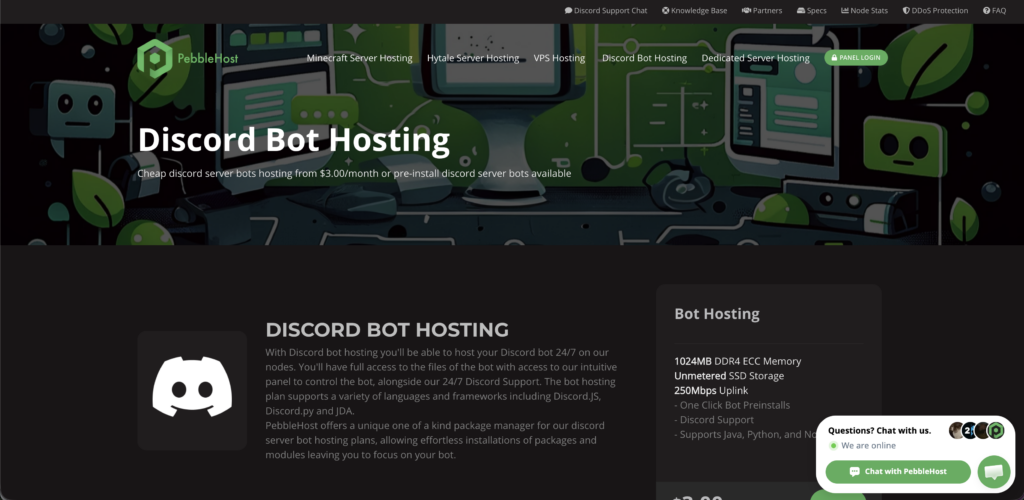
With their plans starting at very affordable rates, it is a great option if you are a beginner. What truly makes Pebblehost stand out is its balance between ease of use and useful features.
With Pebblehost, you get a clean and simple dashboard, an easy control panel, and one-click bot setup. Supporting different languages like Python, Java, and Node.js, along with the ability to run multiple bots on one plan. It also includes the essentials like the backups, database support, and file access so you can easily manage and customize your bot.
Key Features
Let’s find out Pebblehost’s features in detail:
Pros & Cons
Pros
- Affordable hosting plans.
- Supports multi-programming languages.
- 24/7 Discord support.
- Automatic back-ups.
- Git management support for version control of your bot code.
Cons
- Limited server locations.
- User experience varies.
Pricing/Rating
Let’s see how PebbleHost has given their Discord bot hosting plans:
| Plan | Price | Rating | Best Use |
|---|---|---|---|
| Basic bot hosting | $3.00/month | 4/5 | Best entry-level option for small Discord bots or personal projects. Includes support for Java, Python and Node.js |
| Multi-Bot/Upgrades | $3+/month (scale resources) | 4/5 | Suitable if you are running multiple bots or need slightly more performance. |
| Custom/VPS | $10/+month | 5/5 | For developers needing more control, use a VPS or higher-tier service from PebbleHost. |
Hostinger
Hostinger is a very well-known provider that offers VPS ( Virtual Private Server) solutions, making it a solid option for running Discord bots 24/7. While it will not be a dedicated bot hosting platform, it is the VPS plans that give users full control over the server, allowing them to install environments like Python or Node.js to run the custom bots smoothly.
With features like NVMe SSD storage, decent RAM options, and global data centers, Hostinger ensures good performance and low latency, which are important for fast bot responses.
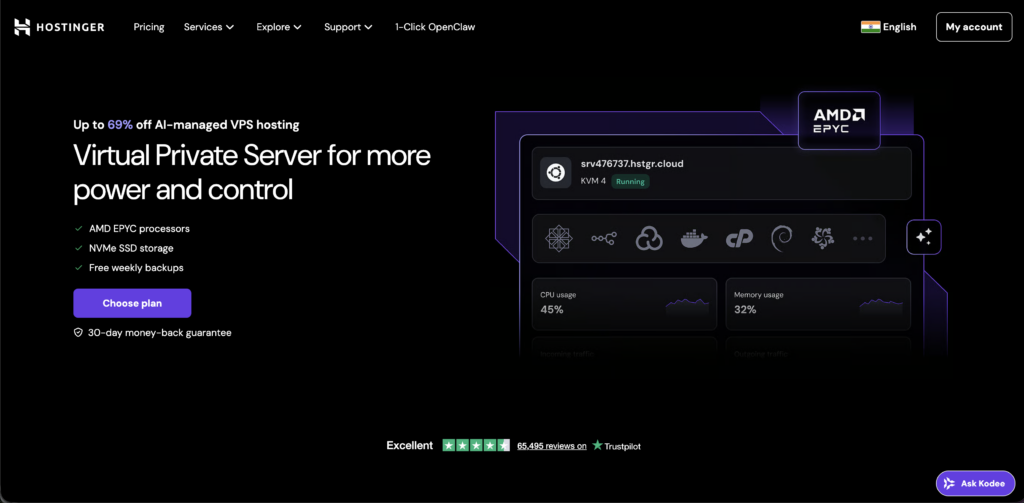
Hostinger is especially appealing because of its affordability and scalability, making it suitable for beginners and small to mid-sized Discord communities. It even offers strong uptime reliability and basic security features like DDoS protection and backups.
Overall, it is a great choice for those who want a balance between cost, control, and performance in Discord bot hosting with their 30-day money-back guarantee.
Key Features
Now lets figure out the key features of Hostinger:
Pros & Cons
Pros
- Global Servers.
- No downtime like free hosting.
- Easy to scale as you grow.
- Full control over your bot.
- Reliable for long-term use.
Cons
- Needs technical setup.
- Basic plans have limits.
Pricing/Rating
Let’s break down the pricing plans for Hostinger:
| Plan | Price | Rating | Best Use |
|---|---|---|---|
| KVM 1 (Starter) | $6.35/month | 4/5 | Small bots/ beginners |
| KVM 2 ( Recommended) | $$8.47/month | 4/5 | Growing bots/ medium servers |
| KVM 8 ( High-end) | $21.76 – $26.74/month | 5/5 | Heavy bots/production use |
How to Deploy a Discord Bot on a Hosting Provider: Step-by-Step Guide
Now we will explain the easy steps of how you can deploy a Discord bot on a Hostinger provider:
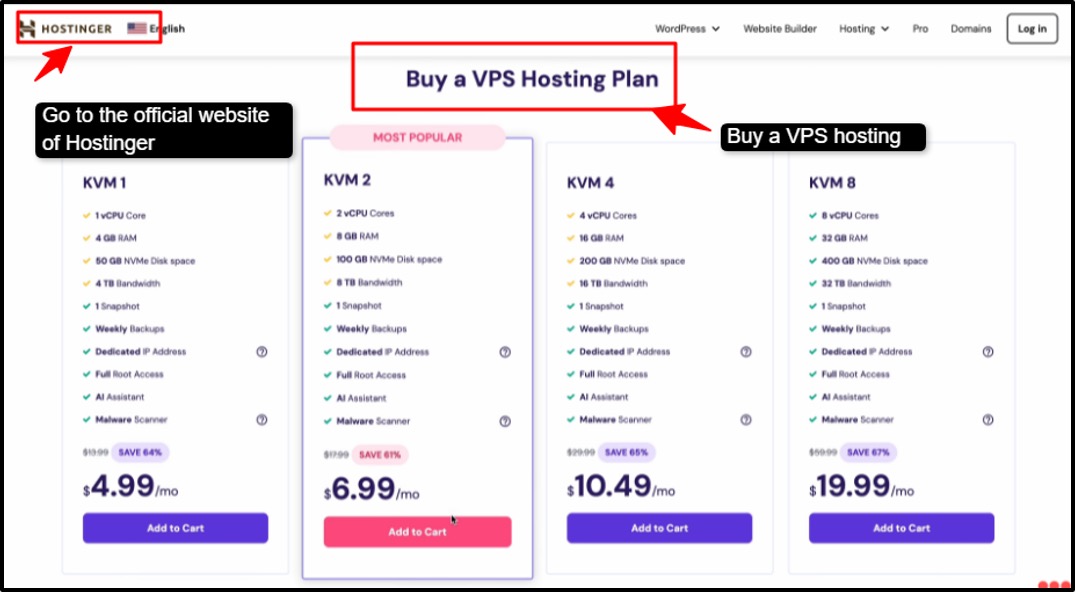
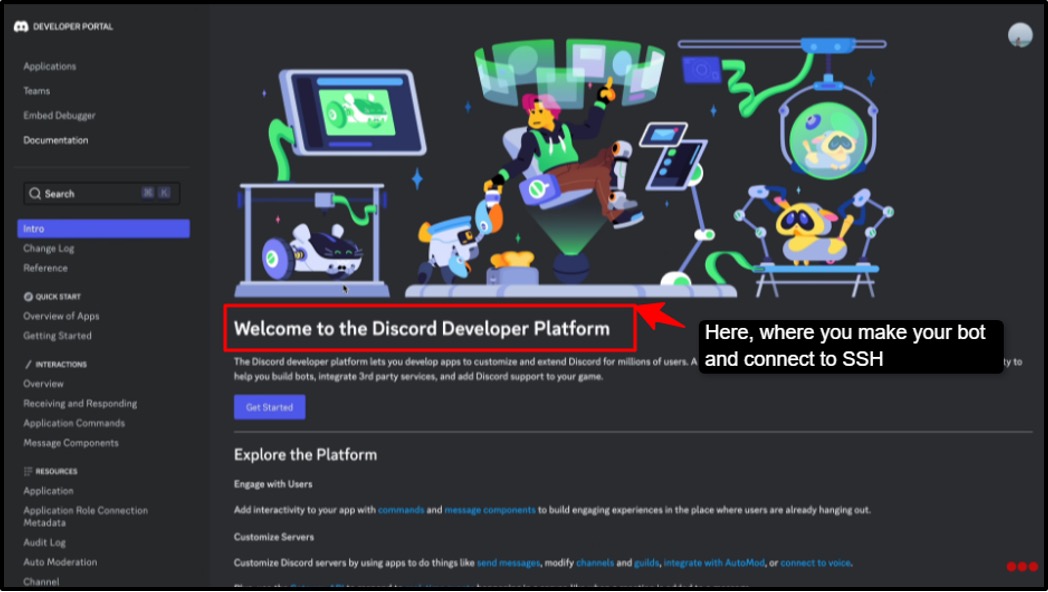
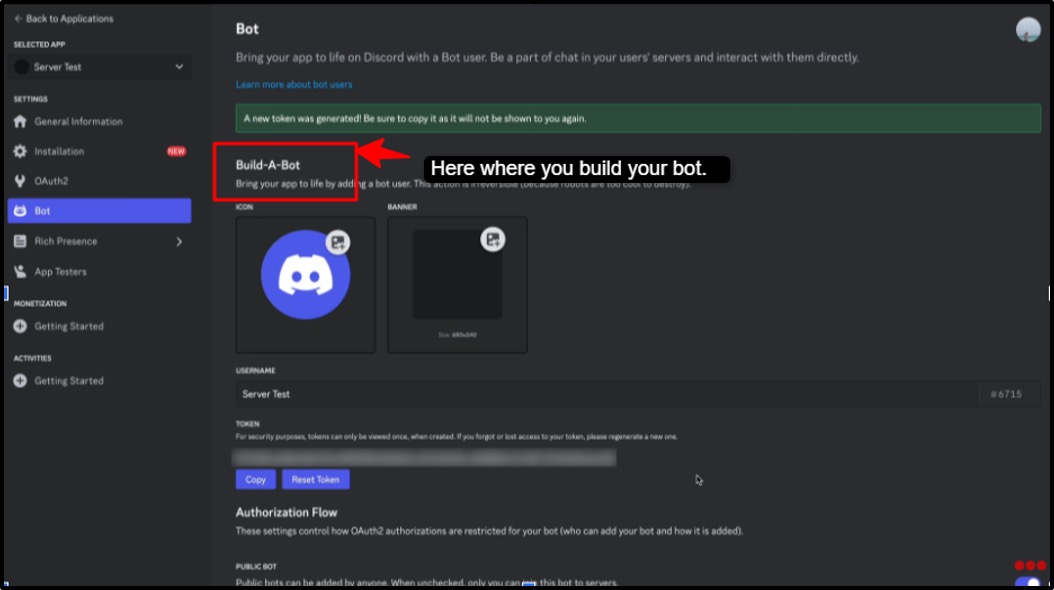

By following the steps that we have mentioned above, you can easily deploy your Discord bot on your favourite Hostinger provider and enjoy managing tasks with ease and comfort.
How to Fix ‘Discord Installation Has Failed’ in 5 Minutes
Sometimes, Discord fails to install due to leftover files, temporary conflicts, or permission issues. The good news is that you can fix it quickly with a few simple steps. Just follow them:
Why Trust Our Recommendations
There are tons of Discord bot hosting providers; selecting the right one can feel like a minefield. That’s why we did the heavy lifting for you. We have tested each provider ourselves, checked the uptime, speed, customer support, and real user reviews, so you don’t have to. Our recommendations are not just based on flashy promises; they are backed by real performance, reliability and value. When you follow our list, you can be confident that your bot will stay online, run smoothly and get the support you need.
There is no guesswork, no risk, just the best picks for serious Discord creators.
FAQs:
What should I look for when buying Discord Bot hosting?
Look for stable uptime, fast server speeds, and good customer support, as these ensure your bot stays online 24/7. Make sure the host supports the programming language your bot uses (NodeJS, Python, Java), provides easy deployment, FTP or file access, and automatic backups. Pricing is important too; try to balance cost with features, so you don’t overpay for unused resources.
What is the best hosting service for a Discord bot?
The best hosting service for a Discord bot depends on your needs. Pebblehost, Kamatera, BisectHosting and SparkedHost are popular for their uptime, performance and ease of use. Select a hosting provider that offers low latency, global server locations and responsive support, especially if your bot has a large user base. Free or the budget hosts can work for small bots, but serious bots benefit from premium features.
Is Discord bot hosting free?
Yes, Discord bot hosting can be free, but with limits. Some platforms offer free tiers where your bot runs 24/7, which is great. However, free hosting usually comes with lower performance and limited RAM/CPU. For reliable uptime, better speed and full control as your bot grows, most creators upgrade to a paid plan.
How much does it cost to host a Discord bot?
Costs vary widely: budget plans start around $3-$5/month, while the premium plans with more RAM, storage or multiple bots can range from $10-$20/month or even more. Some cloud VPS providers may charge hourly rates, giving flexibility if your bot scales or has variable usage.
Is Discord bot hosting different from web hosting?
Yes, Discord bot hosting is optimized for running bot scripts 24/7 and usually supports NodeJS, Java, Python or other bot frameworks, whereas web hosting focuses on serving websites (HTML, PHP, databases) and may not provide a persistent runtime for bots. Essentially, bot hosting is like a mini-server designed for bot performance, not for website traffic.
Can I run multiple Discord bots on one hosting plan?
In most of the cases, yes, if your plan has enough RAM and CPU resources. Some of the hosts allow multiple bots on the same server, while others limit to one per plan. Always check resource limits and server capacity, because running too many bots on a small plan can cause lag or crashes.
Final Words
Running a Discord bot should be fun, not stressful. It can come with multiple challenges like downtime, slow performance and limited features that can hold you back. At the end of the day, a great Discord host is only as good as the host behind it.
Selecting the best Discord bot hosting provider ensures your bot stays online, runs smoothly, and grows with your community. If you are planning to start managing small or multiple bots, the right host makes your life much easier and bot more reliable.
Pick wisely, and watch your Discord server thrive like never before!
💡 Most Loved Article!