Want to experience the best gaming performance in Atlas? In this game, you can build your own ship, collect various weapons, and assemble your crew by joining other players as well.
It sounds really interesting, doesn’t it? But using your home laptop to play this game may interrupt your gaming experience, because Atlas is a massive multiplayer online game, and in this game, you get to add new players, mods, and weapons to enhance your gameplay.
But heavy modding needs a stable environment to handle all the game configurations. Using a poor gaming server may result in sudden lags during high traffic.
To resolve these issues, you require the best Atlas server hosting. These gaming servers are built with the latest hardware tools like Ryzen and Intel CPUs, DDR4/R5 RAM, and SSD drives for storage to provide zero lagging and a back-to-back good gaming UX.
Our team of technical experts has selected the Best Atlas Hosting providers so that players can have a smooth gameplay. You can compare these servers based on their features, availability, and pricing plans. And by the end of this blog, you will have a clear idea of what type of server you need.
- What is Atlas and Why Do You Need a Dedicated Server?
- Top 7 Atlas Hosting Providers for Lag-Free Piracy in 2025 ( Top Picked )
- Server Requirements for Atlas Game server?
- How to Set Up Your Atlas Server Step-by-Step?
- How to Customize Your Atlas Server for an Engaging Experience?
- Frequently Asked Questions (FAQ)
- Conclusion
Budget Pick
Ultahost

Best Value
GTXGaming

Premium Pick
Nitrado

See 7 more Best Atlas Server Hosting Providers ↓
What is Atlas and Why Do You Need a Dedicated Server?
Atlas is a multiplayer pirate survival game where players need to build a ship from scratch, create weapons, assemble the crew and travel to the islands in search of treasure.
Being a massive multiplayer game, it requires strong hardware tools with high-speed CPUs, sufficient RAM, up to 250 GB storage, and strong network connectivity.
A dedicated atlas hosting server not only helps the players run the game but also offers uninterrupted gaming performance.
Here are some points to understand why a player needs a dedicated game server:
To handle large environment
Games like Atlas are built with a large environment that is divided as per the name. Each environment has a different map and props as per the task of the player. To run this game, Atlas creates individual grids that need separate servers.
A dedicated game server hosts all the grids and allows the users to play the game smoothly while switching between different maps. The absence of a dedicated atlas hosting server will create inconsistency during gameplay.
For great performance
Dedicated gaming servers are equipped with high-speed processors and RAM to handle the vast database. Processors like Nvidia, AMD Ryzen, and Intel Xeon manage all the actions triggered by the player. While playing an open-world 3d game, you might have noticed how the visuals change with time.
Processors handle the character’s posture, action, speed, as well as the whole environment without any halt. Thus, it delivers a high gaming performance.
To install plugins
Mods or plugins are the tools for modifying the game. These mods help the players to enhance the quality of the game. As a player, you can increase your power by adding a new character and a weapon to fight enemies.
Dedicated gaming atlas servers allow gamers to change the themes or expand the database. To handle the increasing number of players, these servers help the users expand the CPU and RAM.
To reduce latency
Latency is measured as per the distance the data to travel. Long distance increases the latency, and short distance decreases it. Gaming servers have a global presence so that gamers can choose a server close to their location. This global availability decreases the cost of servers as the distance decreases.
Most of the popular server providers operate in more than twenty regions across
Top 7 Atlas Hosting Providers for Lag-Free Piracy in 2025 ( Top Picked )
To help gamers get a clear picture of Atlas gaming servers, our team has tested different hosting providers. Based on the price, CPU, RAM, and storage configurations, we have picked the top 7 Atlas game servers.
Before moving to the details, check out the table given below:
| Provider | Player Slot Flexibility | Global Servers | Mode & Plugin Supports | Visit Site |
|---|---|---|---|---|
| Ultahost | 10-100 | Multiple regions | Steam Workshop | Visit Site |
| Survival Servers | 10-255 | Multiple regions | Steam Workshop | Visit Site |
| GTXGaming | 10-100+ | Multiple regions | Steam Workshop | Visit Site |
| LOW.MS | 15-150 | Multiple regions | Steam Workshop | Visit Site |
| Nitrado | 10-100 | Multiple regions | Steam Workshop | Visit Site |
| PingPerfect | 10-100 | Multiple regions | Steam Workshop | Visit Site |
| My blackbox hosting | 10-120 | Multiple regions | Steam Workshop | Visit Site |
Now, we are going to explain each of the game hosting providers separately. Interested readers can go through the unique technical features and pricing plans to get a clear idea and select a suitable option.
Ultahost
Ultahost’s atlas game servers are made for a smooth gaming experience. These dedicated gaming servers are equipped with the latest CPUs for fast processing, NVMe SSD drives to reduce loading times and DDoS protection to prevent crashes during high traffic hours.
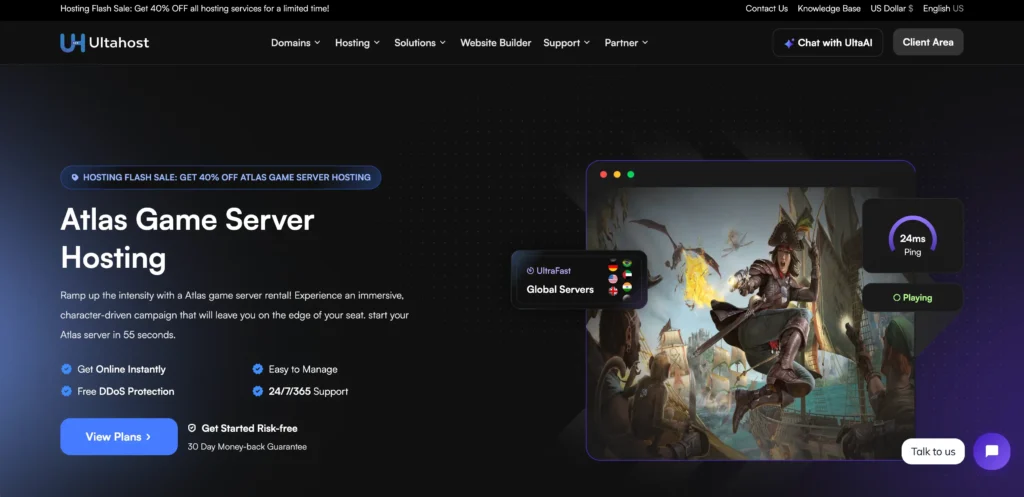
To make gaming easier for the players, servers offer an automatic update feature that notifies the player about new Mods. On the other hand, the easy-to-use game panel with FTP access helps with manual plugin installation.
By operating in various regions across the globe, these servers reduce latency and the overall pricing. Thus, making it easy for the players to choose an option within their budget.
Some unique features of Ultahost:
Pricing Plan
| Plan Name | No. of player | RAM | Storage | Price/month |
|---|---|---|---|---|
| Atlas 10 | 10 | Unspecified | Unspecified | $7.50 |
| Atlas 33 | 33 | Unspecified | Unspecified | $24.80 |
| Atlas 55 | 55 | Unspecified | Unspecified | $41.25 |
Interested gamers can contact the sales team by visiting the website. You can directly make a phone call on the given phone numbers or send an email to understand the allocated RAM and storage configurations of each plan.
Pros and Cons
Pros
- Easy setup
- Strong hardware tools and high-speed processors.
- Convenient pricing plans.
- Extensive plugin support.
- Robust security tools.
- Instant customer support
Cons
- RAM and CPU are not mentioned in the plans.
- High renewal prices.
Survival Servers
Next, we have Survival Servers, a known Atlas game server provider. During quality testing, we found that these servers use modern processors like Intel Xeon Gold for high tick rates and stable gameplay.

The control panel is user-friendly and comes with Steam Workshop integration so that players can download updates quickly. Along with this, the game swapping feature helps the player switch between games and control other settings as well.
By utilizing DDoS protection and UDP scrubbing, the server prevents downtime, so that the server never goes offline and gamers can play the game seamlessly.
Key features of Survival Servers:
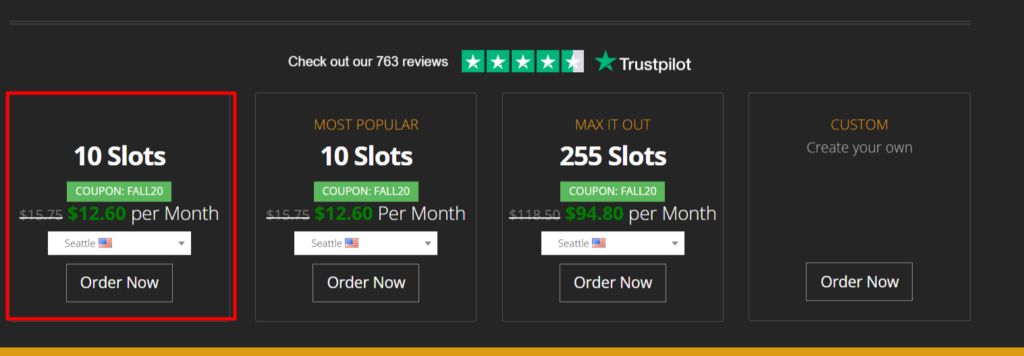
Pricing Plan
| Plan Name | No. of player | RAM | Storage | Price/month |
|---|---|---|---|---|
| 10 | 10 | Unspecified | Unspecified | $112.60 |
| 255 | 255 | Unspecified | Unspecified | $94.80 |
| Custom | Chosen by the user | Unspecified | Unspecified | Unspecified |
To get clear-cut information about the pricing plans and their offerings, gamers can create an account by visiting the website. The prices are also altered based on the player’s location (due to currency conversions)
Pros and Cons
Pros
- High-speed CPUs and SSD drives.
- Global data centers to reduce latency
- Instant client support with 99.9% uptime.
- Interactive control panel for customization.
- Offers timely discounts
Cons
- Hardware specs are not specified.
- Users claim late response from the technical team
GTXGaming
Playing a multiplayer adventure game is only possible when you have a suitable gaming server. This is why we have selected GTXGaming in our list of the best Atlas hosting server providers.
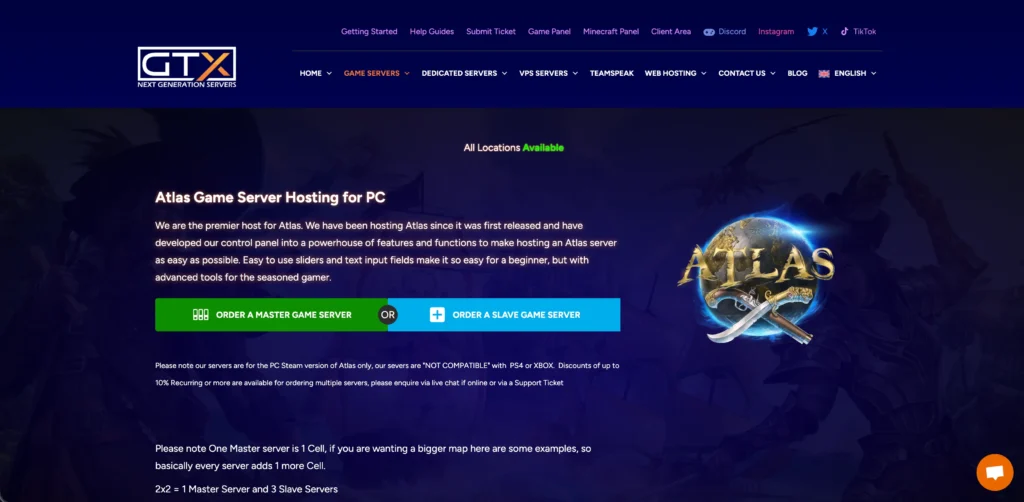
These servers are equipped with an automatic mod updater so that players can access new mods and plugins easily. Other hardware tools like Ryzen 99950 processors, 64GB RAM, and 1 Gbps bandwidth enable fast data processing during peak action hours.
For data restoration, there is a cloning feature where players can maintain the backup files.
And if you get bored while playing, you can use the Game Switching feature and swap between multiple games.
Let us discuss some other features of GTXGaming:
Pricing Plan
| Plan Name | No. of player | RAM | Storage | Price/month |
|---|---|---|---|---|
| Monthly | 10 | Unspecified | 100GB free | $12.66 |
| 3 months (5% discount) | 20+ | Unspecified | Unspecified | $50.69 |
| 6 months(10% discount) | 60+ | Unspecified | Unspecified | $232.64 |
| Yearly(15% discount) | 100+ | Unspecified | Unspecified | $529.93 |
For Atlas game server, GTXGaming offers 10 to 250 slots and multiple payment methods (Debit/Credit Card, Google Pay, Android Pay and Apple Pay). The overall prices are determined as per the number of slots selected by the user.
Pros and Cons
Pros
- Global coverage
- Allows game switching
- Automatic updates
- Robust hardware tools
- Steam workshop integration
- 24-hour refund guaranteed
Cons
- High prices
- Mixed reviews from the clients
LOW. MS
For Atlas hosting, we found another great provider called LOW.MS. The servers are equipped with Intel i9 and Ryzen 9950X processors and up to 64 GB RAM for lag-free gameplay. 512 NVMe SSD drives support faster data access and offer scalability to the server to store new data.
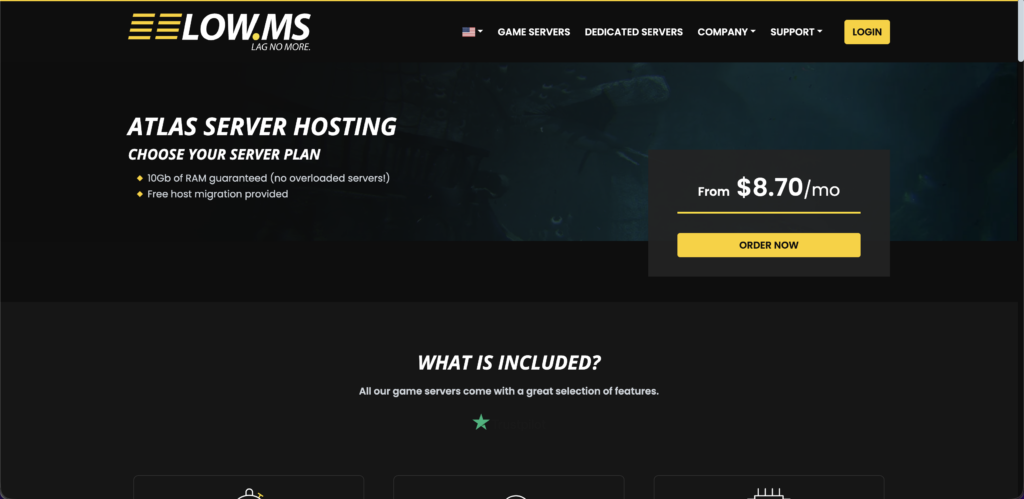
The hardware is upgraded at an interval of every 2 years so that players can stay ahead in the gaming community. As LOW.MS has multiple data centers across the globe, the data transfer becomes quick between the server and client.
Deep-packet inspection with DDoS protection is the default security tool in Atlas game servers to safeguard the players from UDP floods.
Here are some other unique features of LOW.MS:
Pricing Plan
| Plan Name | No. of player | RAM | Storage | Price/month |
|---|---|---|---|---|
| Monthly | 15 | 10GB | Unspecified | $12.75 |
| Quarterly | 50+ | 10-30GB | Unspecified | $64.81 |
| Semi-annually | 90+ | 10-30GB | Unspecified | $98.81 |
| Annually | 150 | 10-30GB | Unspecified | $149.81 |
Prices may differ based on the server location, CPU thread ( up to $26.24), SSD type ($6.56 for NVMe), RAM ($15 to 30.18 for 30GB) and slots chosen by the user.
Pros and Cons
Pros
- Latest Intel and AMD processors
- Easy installation and automated setup.
- Active customer support team
- Refund guaranteed within 5 days
- 10 Gbps DDoS protection
Cons
- May incur cost for server location switching.
- Less experienced than other game hosting firms
Nitrado
While searching for the Best Atlas Hosting provider, we found Nitrado! Nitrado has made gaming easier for players who can’t wait to enjoy the game, as the servers are launched instantly after the purchase
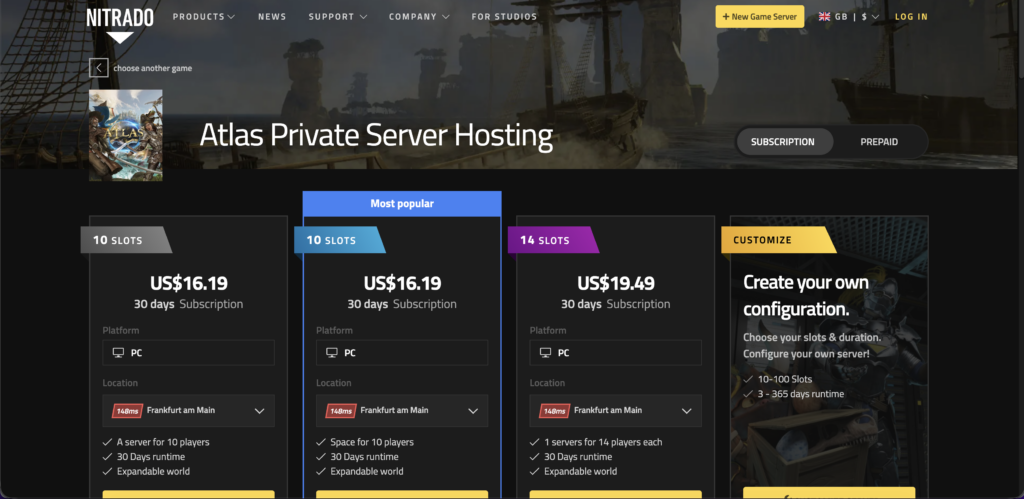
Apart from the latest hardware tools and SSD drives for fast data processing in real-time, it also comes with other server administration tools. These tools allow easy management of mods and resources for enhanced gameplay quality.
For changing the map configurations, players can use the Steam Workshop option found in the atlas hosting server. With this, users can create a custom open world just by uploading the image of a map.
Unique features of Nitrado:
Pricing Plan
| Plan Name | No. of player | RAM | Storage | Price/month |
|---|---|---|---|---|
| Custom | 10-100 | Unspecified | Unspecified | $ |
| 10 Slots | 10 | Unspecified | Unspecified | $11.59 |
| 14 Slots | 14 | Unspecified | Unspecified | $13.98 |
For a clear understanding of RAM and the storage configuration of each plan, players can contact the support team or connect with the gaming community on Discord.
Pros and Cons
Pros
- Subscription-based plans
- Custom control panel
- Versatile plugin support
- Easy game switching
- Multiple server support
Cons
- Delays in client support
- Expensive server prices
PingPerfect
If you want to add more players to your Atlas game but are concerned about the gaming performance, then you should switch to PingPerfect. The quality of the server is unmatched due to the presence of the latest hardware tools ( AMD Ryzen, DDR5 RAM).

For atlas hosting, PingPerfect offers high-performance gaming servers with low latency rates. This encourages the gamers to increase the player count and add extra plugins without interrupting the default speed of the gameplay.
To take a preview of the Atlas server before actual purchase, users can access the game panel by registering an account on the official website of PingPerfect.
Features of PingPerfect:
Pricing Plan
| Plan Name | No. of player | RAM | Storage | Price/month( |
|---|---|---|---|---|
| Custom | 10-100 | Unspecified | NVMe SSD | Contact the sales team |
| 1 month | 10 | 9GB | NVMe SSD | $23.35 |
The prices mentioned above are based on our selections. 10 to 100 slots can cost upto $70.83, 12 to 30GB RAM costs $10.99 – $30.99, $2.43 for twice as much storage. The location of the server also plays a huge role in determining the overall price.
Pros and Cons
Pros
- Powerful gaming performance
- Instant client support
- Low-latency rates
- Flexible game server configuration.
- Advanced hosting features
Cons
- Limited server locations
- Unclear refund policy
My blackbox hosting
The last atlas hosting provider in our list is My Blackbox hosting, which is also called BlackBoxServers. For a seamless and smooth gaming experience, you can definitely rely on Blackbox due to the quality of its servers.
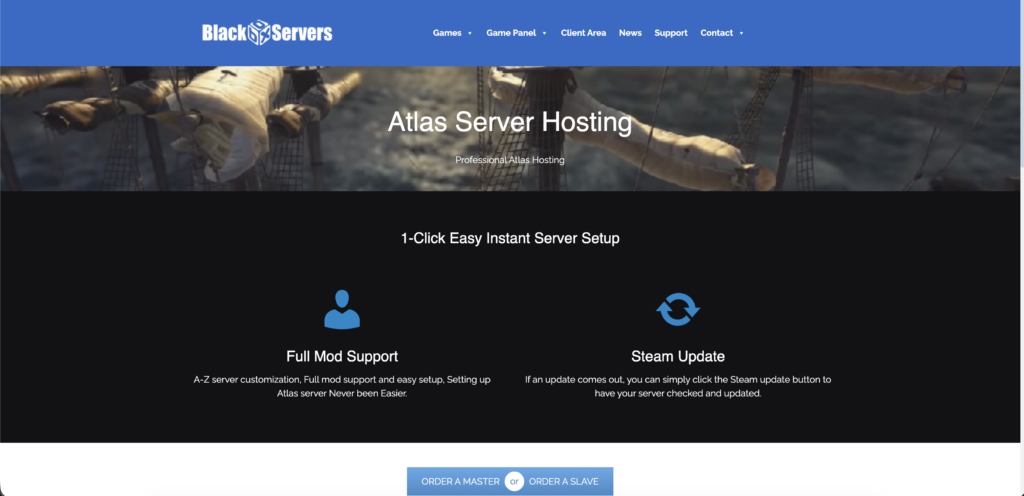
All the servers contain high-frequency CPUs and Xeon processors to deliver a smooth gameplay. With instant deployment and upfront DDoS protection, the other core features, like a game panel make the game handling easier.
To upgrade the gaming performance, you can utilize Steam Workshop as well. The atlas game server guarantees 99.99% uptime so that gamers can play Atlas non stop without interruption.
Here are some of the unique features of My Blackbox hosting:
Pricing Plan
| Plan Name | No. of player | RAM | Storage | Price/month |
|---|---|---|---|---|
| Master server | 10-120 | Visit website | 5GB free | $12.06-58.95 |
| Slave server | 10 | 9GB | NVMe SSD | $23.35 |
To get a clear blueprint of atlas hosting pricing plan, readers can visit the BlackBox website and check other configurations. Apart from player count, RAM and storage, server location, memory allocation, disk space, CPU priority and clock speed also determine the price.
Pros and Cons
Pros
- Multiple data centres around the globe
- No issues in installation and setup
- Interactive control panel features.
- Budget-friendly pricing plans
Cons
- Delays in client support
- Limited server location
Server Requirements for Atlas Game server?
The performance of your game directly depends on the configurations of your server. Hence, it is important to choose an Atlas game server that uses a minimum specs.
We have mentioned these server requirements below:
| Component | Minimum | Recommended |
|---|---|---|
| CPU | Intel Core i5-2400 | AMD FX-8320 |
| RAM | 4 GB RAM | 8GB-16GB |
| Storage | 120GB | 250GB |
| Bandwidth | 10Mbps | 1Gbps |
| OS | Windows 7/8 | Windows 10/11 |
How to Set Up Your Atlas Server Step-by-Step?
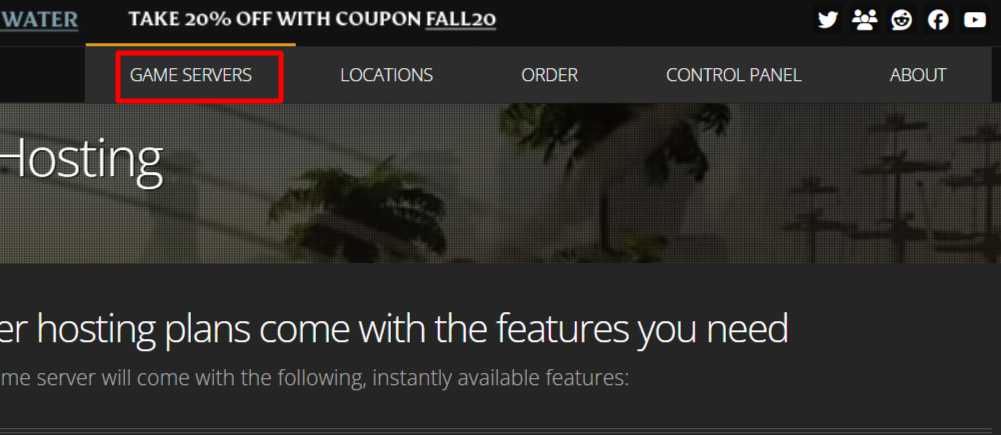
Till now, you have learned the automatic setup feature of atlas game server. But there are some other steps that you need to follow to purchase the server.
To make the process simple for you, we have mentioned step-by-step guidelines along with the screenshots.
Here you go:

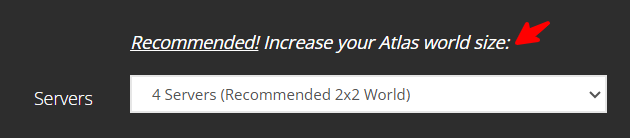
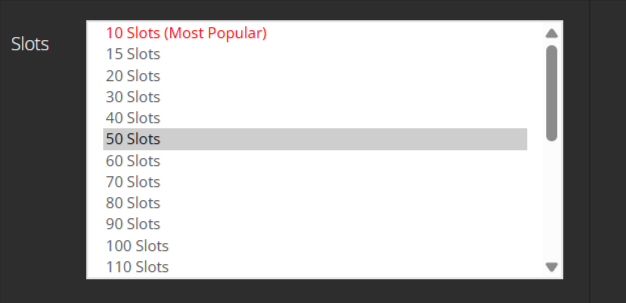

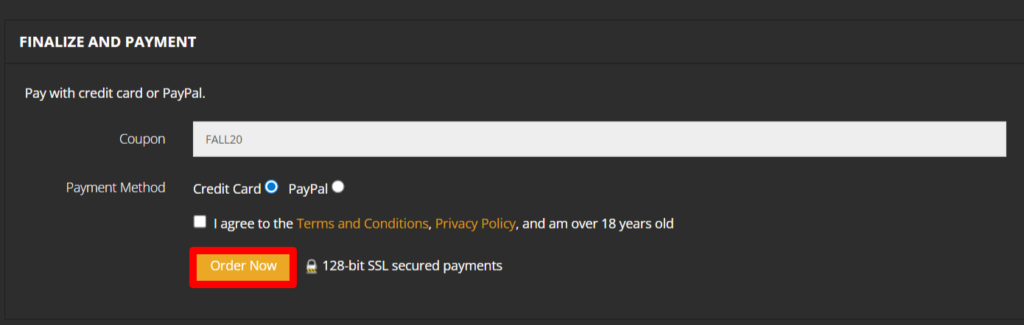
Notice Title
The recommendations we provide are based on our own research. Our team of technical experts has analyzed each hosting server personally to finalize this blog.
How to Customize Your Atlas Server for an Engaging Experience?
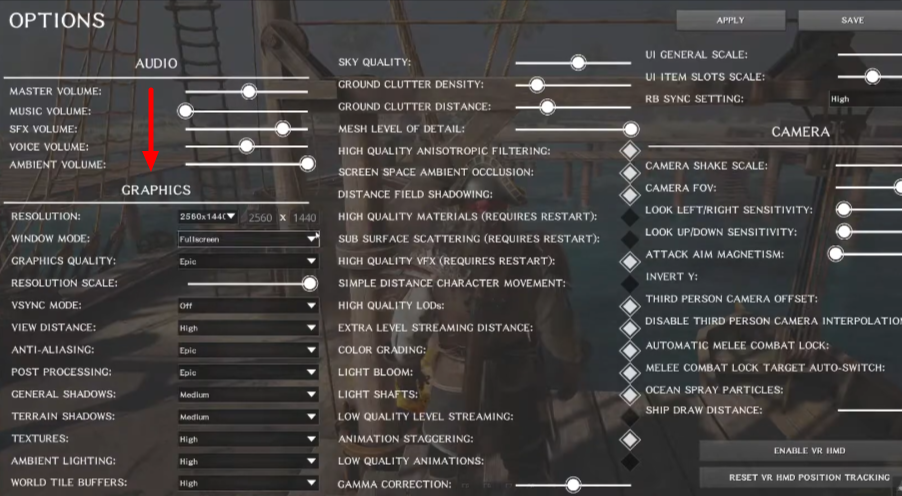
Customization of the server allows the players to enhance the gaming quality and its overall performance. Here is a step-by-step guideline to customize your Atlas game server
Change graphic settings
Edit the GameUserSettings.ini and Game.ini files
You can adjust the XP rates, day and night cycle, PvP rules and taming etc. After making these changes you can restart the server.
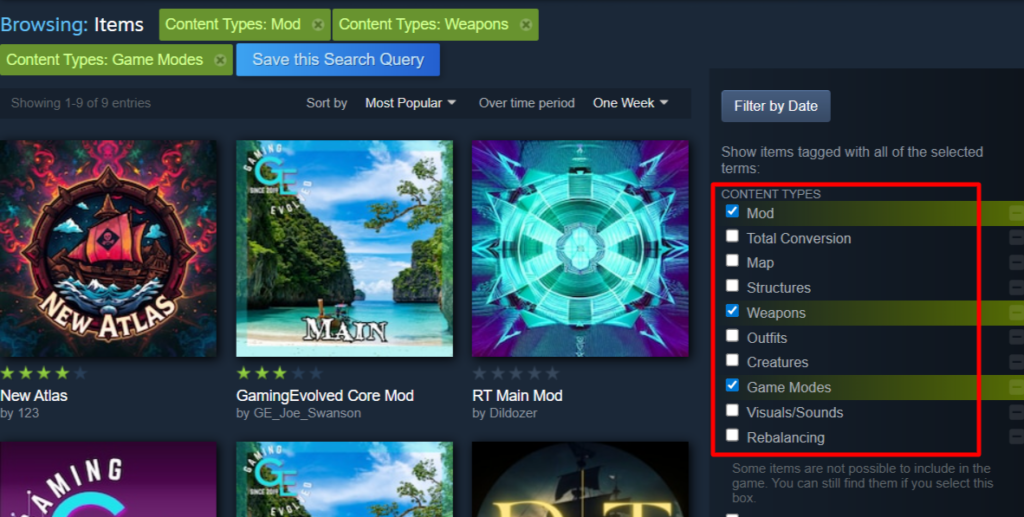
Steam Workshop to install mods/plugins
Frequently Asked Questions (FAQ)
Q1:Why Mod Support is Critical for Atlas Servers?
A: Mod support allows gamers to enhance their gaming performance by adding new weapons or features. As Atlas is a multiplayer online game, it requires timely updates so that gamers can try new challenges.
Q2: How Much Does It Cost to Host an Atlas Server?
A: Atlas hosting server can charge between $12 to $500. The overall price depends on the player count, RAM, CPU and location configurations.
Q3: How Many Players Can an Atlas Server Support?
A: Atlasgame server supports 10 to 150 players. Each Atlas server provider offers different slots.
Q4: What Makes Atlas Hosting Different from Other Game Servers?
A: Atlas is a massive multiplayer game with a large open-world environment. Unlike other games that require a dedicated server, Atlas needs a cluster of servers to handle each grid.
Q5: What is the process of transferring to Atlas server?
A. The transfer or migration between the atlas hosting happens automatically when the player reaches the edge of the grid. The files of the previous server or grid are saved in the database and are transferred to a new server/ island.
Conclusion
Atlas, being a massive multiplayer game, needs dedicated server support. The top 7 Best Atlas Hosting providers that we have mentioned are to help the booming gamers experience maximum gaming thrill.
An inappropriate gaming server not only degrades the performance but also frustrates the mood of gamers. This is why we have created this detailed blog. While reading it, you will understand different providers and their pricing plans, pros and cons, server setup, and customization guidelines.
You can compare each of the providers individually and choose the best atlas servers as per your needs and budget.
💡 Recommended Game Server Hosting