Many players love Days to Die 7 for its open world, zombies, building, crafting, and survival action. But one big problem most users face is that their own PC cannot handle the heavy multiplayer mode. The game needs strong graphics, a fast CPU, powerful RAM, and stable storage to run smoothly.
When these resources are missing, the system may lag or freeze. This makes it hard to enjoy the real fun of the game.
That’s why gamers should rent a dedicated server for 7 Days to Die. A server gives you all the power your PC cannot provide, like better graphics performance, stable processor support, large RAM, strong storage, and many more features.
With a good server, you get smooth gameplay, 100% control, and the freedom to add mods and customize your world.
In this blog, we will explain why you really need a server to enjoy Days to Die 7, and we will guide you through the Best 7 Days to Die Server Hosting providers. We’ll also show you what mods you can use and how to set up your own 7 Days to Die server hosting step-by-step.
- Why Every 7 Days to Die Fan Needs Solid Server Hosting Right Now?
- Quick Comparison Table: Which 7 Days to Die Server Host Fits Your Squad?
- In-Depth Reviews of the 9 Best 7 Days to Die Hosting Picks In 2026
- Top Popular 7 Days to Die Mods in 2026
- Why is Dedicated Hardware Needed for Mods?
- Simple Steps to Launch Your Own 7 Days to Die Server Today
- Frequently Asked Questions (FAQ)
- Conclusion
So let’s not waste time and let’s explore everything you need to know!
Budget Pick
Ultahost

Best Value
GravelHost

Premium Pick
DatHost

See 9 Best 7 Days to Die Server Hosting Providers↓
Why Every 7 Days to Die Fan Needs Solid Server Hosting Right Now?
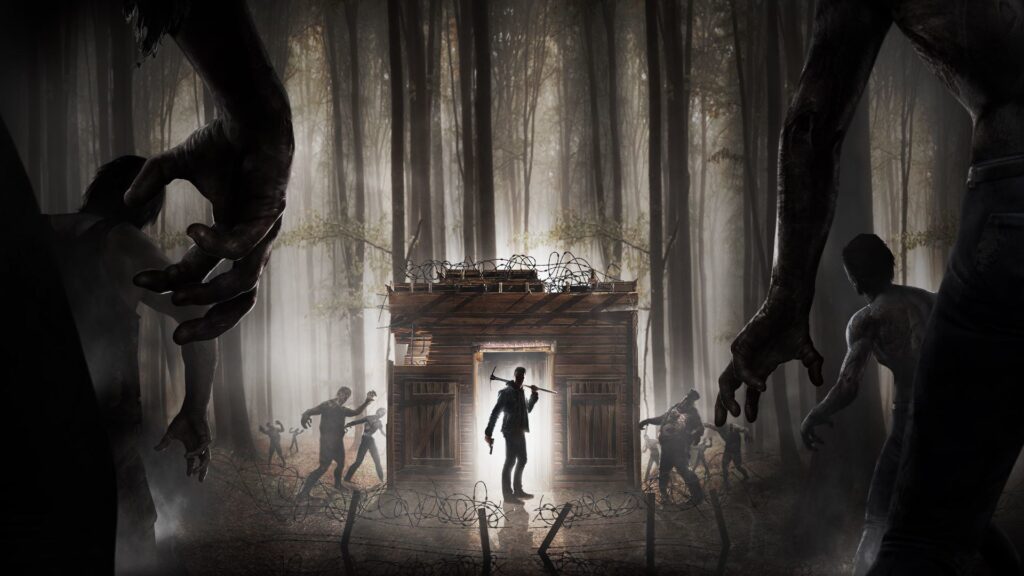
If you’re a true fan of the video game 7 Days to Die, you already know how high-graphic requirement the gameplay has for zombie hordes, massive builds, heavy mods, huge 7 Days to Die server map loads, and constant world updates.
All this requires serious computing power that your home laptop or PC simply can’t handle without lag or crashing.
That’s exactly why you need a solid 7 days to die modded server hosting solution, because only a rented server contains the high-end RAM, CPU, bandwidth, and reliability needed to run the game smoothly, especially with 7D2D mods or big multiplayer worlds.
Quick Comparison Table: Which 7 Days to Die Server Host Fits Your Squad?
Here we’ve put all the important information regarding the best 7 Days to Die server providers so you can compare them at a glance. There’s no need to open multiple tabs or check every website again and again. This single view helps you quickly decide which host matches your budget, performance needs, or modding preferences.
| Provider | Mode & Plugin Supports | 30-day Money Back | Player Slot Flexibility | Automatic Backups | Visit all plans |
|---|---|---|---|---|---|
| UltaHost | Full mod & plugin support | 30-day Money Back | Unlimited player slots | Yes (automated backups) | Visit now |
| GravelHost | Supports both mods and plugins, with 1-click install of modpacks. | 72 Hours Money Back | Unlimited slots | Backups retained for at least 3 months | Visit now |
| DatHost | Mod & plugin support, 1-click mod installers | 7 days Money Back | Flexible (GamePanel is “super simple”) | Yes. | Visit now |
| ApexHosting | Very good mod + plugin support | Not clearly stated | Unlimited slots | Yes | Visit now |
| RocketNode | Supports mods and plugins (very flexible) | Not clearly given | Flexible slot configuration | Yes! (Automatic backups (they offer scheduled backups) | Visit now |
| Shockbyte | Supports plugins, custom modpacks | 3 days Money Back | Unlimited Slots | Yes! Automatic backups (Shockbyte offers daily backups) | Visit now |
| BisectHosting | Full mod- and plugin-support & 1-click modpack install | 30-day Money Back | Unlimited slots. | Yes! 7 days of backups retained. | Visit now |
| Godlike Host | Excellent modpack support | Within 72 hours, Money Back | Depends upon the server you’ve purchased | Yes | Visit Now |
| Hosthavoc | Supports mods and plugins for 7 Days to Die (Java + modded) | Within 72 hours, Money Back | Flexible slots | Yes. | Visit Now |
In-Depth Reviews of the 9 Best 7 Days to Die Hosting Picks In 2026
Now, many of you may be complete beginners, unsure which host offers the best hardware, mod support, pricing, 7 days to die server hosting free trials, and customer help.
That’s why below we’ve done a detailed analysis of all top providers of what they offer, their performance levels, pricing, availability of Discord support, and mod compatibility (like 7 days to die, darkness falls server setups), so you can make an informed decision without confusion.
1. UltaHost – Fast NVMe Servers With Auto Mod Support
If you want to experience the best 7 Days To Die gameplay, you should go for Ultahost! It offers ultrafast NVMe SSD hardware, global low-latency locations, and instant server deployment in under 55 seconds. Gamers can enjoy seamless multiplayer sessions, smooth progression, and mod-friendly environments that elevate every moment of their days to die 7 adventure.
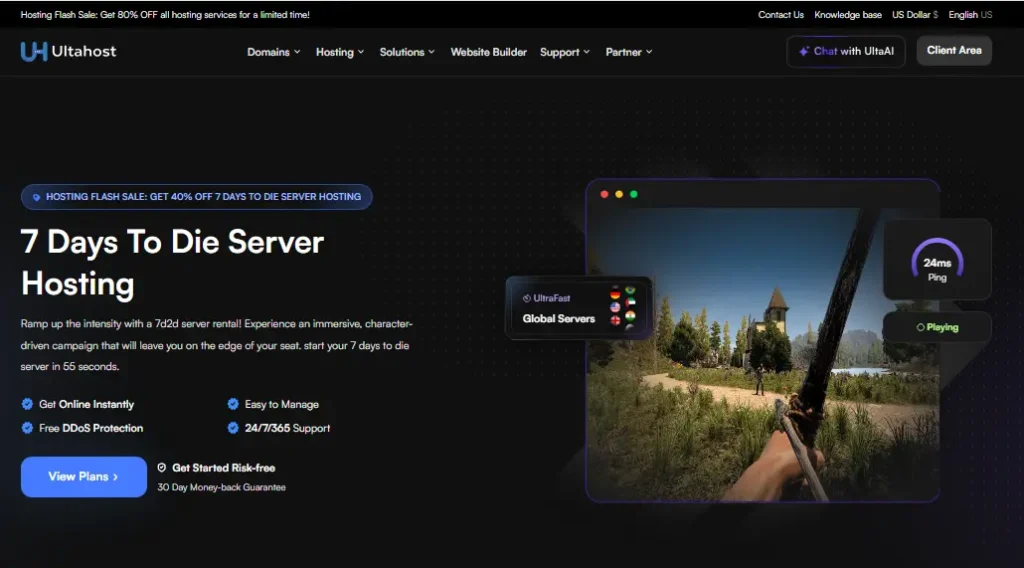
With powerful Intel Xeon processors and a 99.9% uptime guarantee, players experience consistent performance even during massive hordes and multiplayer action. It’s built for those who want a reliable, stable, and high-performance dedicated server 7 days to die solution.
UltaHost also empowers players with easy management tools, auto-install mods, and complete FTP access for customizing gameplay effortlessly. Plus, a 30-day money-back guarantee provides a completely risk-free start for new players setting up their perfect 7d2d world.
Key Features
Plans
| Price per month | Slots | Mods Support |
|---|---|---|
| $4.50 per month | 8 | Auto Install Mods |
| $30.80 per month | 56 | Auto Install Mods |
Best For
2. GravelHost – Multi-Region Low-Ping Hosting With 3-Year Backups
After UltaHost, we’ve GravelHost, which delivers a powerful 7 Days To Die server hosting experience built for players who want smooth performance, instant setup, and easy customization. With global data centers across NA, EU, AU, and AS, players enjoy low latency and stable gameplay from anywhere in the world.
Its custom control panel, plugin installer, and support for 7D2D mods make it ideal for building both casual and heavily modded servers. Let’s say you’re playing with your friends, in that case, GravelHost makes your multiplayer world seamless.
The platform supports 7 Days to Die modded server hosting, allowing players to install overhaul mods and custom packs with ease. Full FTP access, a free MySQL database, and 24/7 Discord support empower players to fine-tune every part of their server.
Key Features
Plans
| Price per month | Slots | Mods Support |
|---|---|---|
| $10.49 per month | 4 | Full Mod Support |
| $15.49 per month | 10 | Yes |
Best For
3. DatHost – Automated Updates & High-Speed Global Network
Next option, we’ve DatHost, delivers a premium and effortless hosting experience for 7 Days to Die, giving players a smooth, high-performance environment for both casual play and advanced modded adventures.
With a simple, intuitive control panel, automated updates, and daily backups, gamers can focus entirely on surviving the apocalypse while DatHost handles everything behind the scenes.
Their global server locations and powerful CPU infrastructure ensure low-latency gameplay, making multiplayer sessions more immersive and consistent. Gamers also enjoy full support for 7D2D mods, making DatHost OK for running overhaul packs like 7 Days to Die Darkness Falls server setups or any 7 Days to Die modded server hosting configuration.
Key Features
Plans
| Price per month | Slots | Mods Support |
|---|---|---|
| $12.90 per month | Unlimited | Yes |
| $10.32 per month | Unlimited | Yes |
Best For
4. ApexHosting – Mod-Heavy Servers on a Budget
Now, after DatHost, Apex Hosting gives a pro-level 7 Days to Die hosting multiplayer experience with fast setup, enterprise hardware, and worldwide server locations that ensure smooth gameplay for every survivor.
With automatic updates and full FTP access, players can customize their worlds and dive deeper into the game’s evolving features, including those surrounding the anticipated 7 Days to Die 2.0 release date.
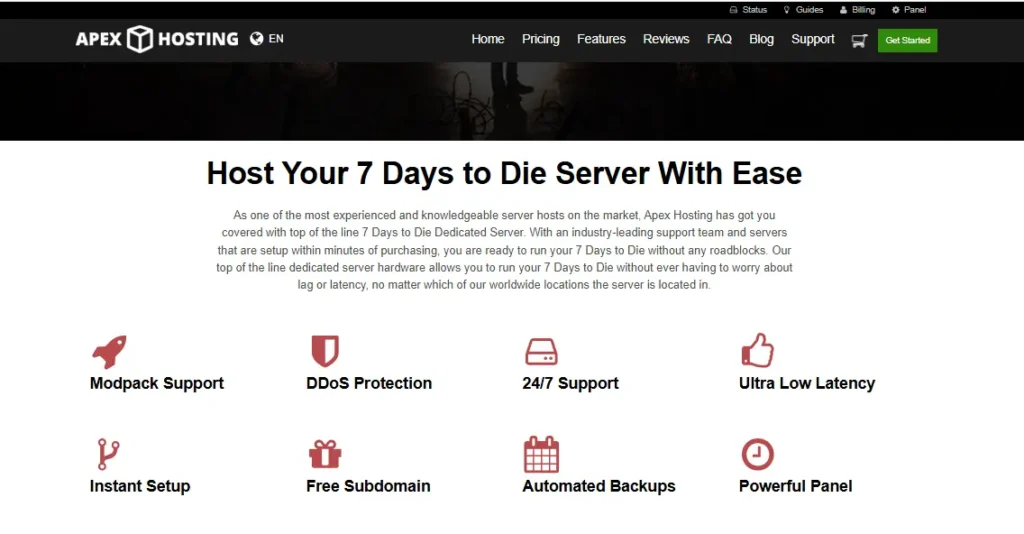
Their intuitive control panel makes managing your 7 Days to Die server map, mods, passwords, and backups simple, even for beginners. Gamers also benefit from low-latency global nodes, instant provisioning, and a reliable environment that keeps servers online 24/7.
Key Features
Plans
| Price per month | Slots | RAM |
|---|---|---|
| $5.99 per month | Unlimited | 2GB |
| $8.99 per month | Unlimited | 3GB |
Best For
5. RocketNode – Customizable for Mod Lovers
RocketNode offers a premium hosting experience for the video game 7 Days to Die, giving gamers full control, high performance, and an incredibly smooth multiplayer environment. With powerful hardware, NVMe storage, and global server locations, players enjoy lag-free gameplay, fast loading times, and uninterrupted survival sessions.
In addition to stable servers, RocketNode offers 24/7 support, Discord assistance, and an intuitive custom control panel designed for easy management even if you’ve never hosted before. For players looking for a dependable and customizable hosting experience without hassle, RocketNode creates an ideal platform comparable to 7 Days to Die server hosting free trials, but backed by enterprise infrastructure and premium service.
Key Features
Plans
| Price per month | Slots | RAM |
|---|---|---|
| $10.80 per month | 12 | 6GB DDR4 |
| $19.20 per month | 24 | 8GB DDR4 |
Best For
6. Shockbyte – Powerful & Affordable Game Hosting
Shockbyte’s 7 Days to Die dedicated servers give gamers a powerful, mod-friendly platform to survive the zombie apocalypse with friends. You’ll get instant server setup, global locations, low latency, and full control over settings, good for seamless multiplayer sessions without frustrating lag or downtime.
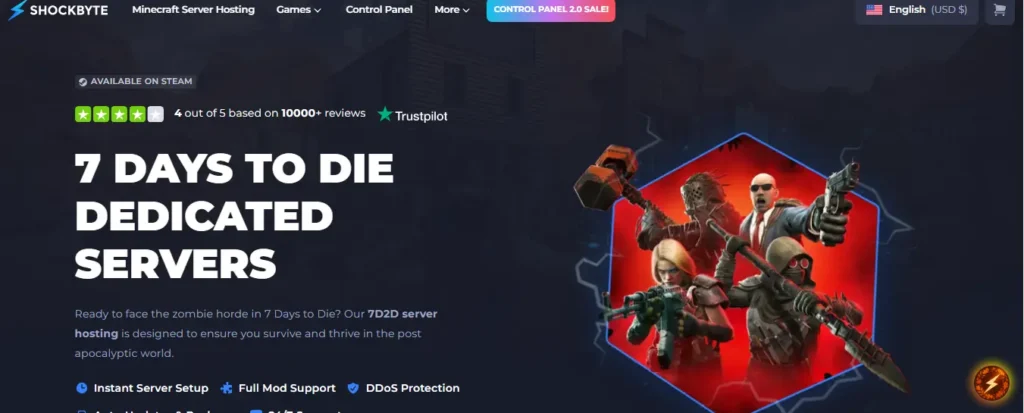
With full mod support (including compatibility with tools like Mod Launcher and Darkness Falls), you can personalise your world, add new weapons, tweak mechanics, and take your gameplay beyond vanilla survival. They offer a 72-hour self-serve refund option, so you can try it risk-free. The flexibility and support make it a strong choice for serious 7 D2D fans.
Key Features
Plans
| Price per month | Slots | RAM |
|---|---|---|
| $11.99 per month | 8 | 5GB |
| $19.98 per month | 20 | 6GB |
Best For
7. BisectHosting – Budget-Friendly 7 Days to Die Server Hosting
What’s good with BisectHosting? It delivers a beginner-friendly and fully mod-supported environment for hosting 7 Days to Die servers. With instant setup, free DDoS protection, and easy installation for overhaul mods like Darkness Falls and Undead Legacy, players can jump straight into surviving the zombie apocalypse without worrying about technical complexity.
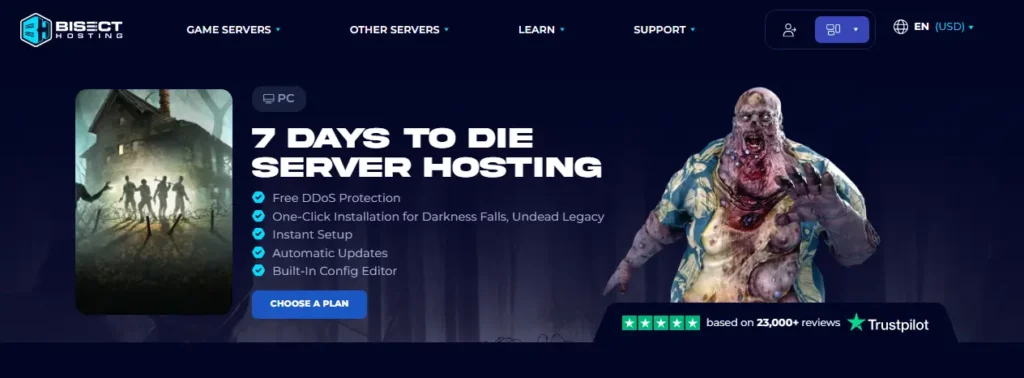
Gamers benefit from 20 worldwide locations, low-latency performance, and the ability to switch server regions at no extra cost. Multiplayer sessions are smooth, stable, and fully customizable, with support for up to 48GB server sizes, BisectHosting dramatically enhances the overall gameplay experience for both solo hosts and large survival groups.
Key Features
Plans
| Price per month | Slots | RAM |
|---|---|---|
| $11.99 per month | 1 to 5 Players | 4GB |
| $23.99 per month | 6 to 11 Players | 8GB |
Best For
8. Godlike Host – High-Performance 7 Days to Die Server Hosting
In the 8th number, we’ve none other than GodLike Host, which offers a modern 7 Days to Die server hosting experience built for multiplayer groups, modded gameplay, and players who want seamless performance.
With instant setup, scheduled tasks, automatic backups, and highly optimized hardware, it gives gamers a smooth, low-latency world where they can explore, build, and survive without interruptions.
The platform is designed to enhance gameplay, offering flexible slot options, strong performance, and full control over mods, plugins, and game versions. Gamers also benefit from advanced security features like personal firewalls and DDoS protection, along with a unique admin panel that simplifies configuration sharing and server management.
Key Features
Plans
| Price per month | Slots | RAM |
|---|---|---|
| $22.39 per month | 10 | 8GB |
| $33.59 per month | 15 | 12GB |
Best For
9. HostHavoc – HostHavoc Seamless and Lag-Free Server
HostHavoc’s 7 Days to Die server hosting gives players a powerful, mod-friendly, and stable environment to build, survive, and conquer the apocalypse. With high-performance hardware, a refined control panel, and global server locations, players enjoy smoother gameplay, reduced lag, and uninterrupted uptime for every horde night.
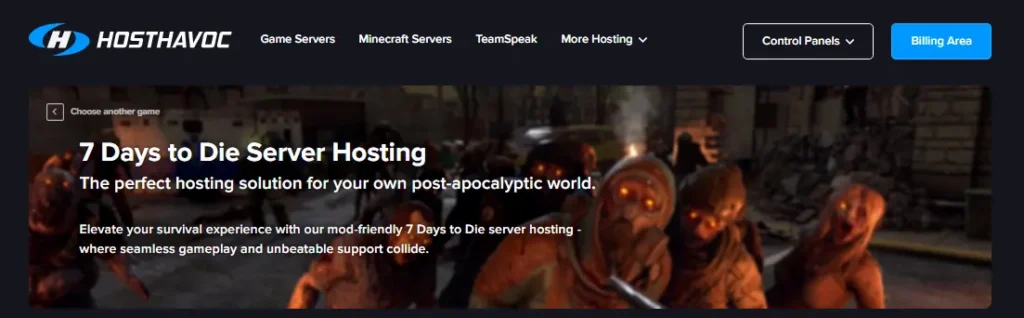
Gamers benefit from complete mod support, easy configuration, and rapid technical assistance available around the clock. The platform supports multiplayer survival, base-building communities, and long-term progression without downtime. Backed by DDoS protection, full FTP access, and a 72-hour money-back guarantee, HostHavoc gives players the confidence and flexibility to tailor their experience.
Key Features
Plans
| Price per month | Slots | Storage |
|---|---|---|
| $10 per month | 8 | Unlimited |
| $13 per month | 16 | Unlimited |
Best For
Top Popular 7 Days to Die Mods in 2026
To help you gamers improve your gameplay experience even more, we’ve listed the top 7 most popular 7D2D mods used worldwide in 2025.
These mods add better weapons, new zombies, upgraded skill trees, bigger map resources, and dozens of quality-of-life improvements that make surviving easier and more enjoyable. They are:
Why is Dedicated Hardware Needed for Mods?
Mods often contain large textures, scripts, custom spawns, and new world assets that require much more RAM and CPU than the vanilla game. Dedicated hardware ensures your server can load, save, and process all these files smoothly.
Additionally, when multiple players join and use weapons, spells, or vehicles from mods, the server must compute everything in real time.
A dedicated server ensures these calculations happen instantly, keeping the gameplay stable for everyone and preventing broken worlds.
Lastly, dedicated hardware gives modded servers room to grow. As you add more 7D2D mods, expand your base, or increase map size, your server can handle it without slowing down.
This is why serious players always go for stronger hosting instead of relying on a home PC.
Simple Steps to Launch Your Own 7 Days to Die Server Today
Now we’re going to help newbie gamers set up a 7 Days to Die server easily, and we’ll also provide screenshots along with the steps so you don’t get stuck during installation. We’ve chosen UltaHost because it offers powerful hardware and unbeatable performance for game servers at a beginner-friendly price.
Why UltaHost?
It’s fast, secure, and optimized for gaming workloads. Plus, it supports mods, backups, and full server control out of the box.
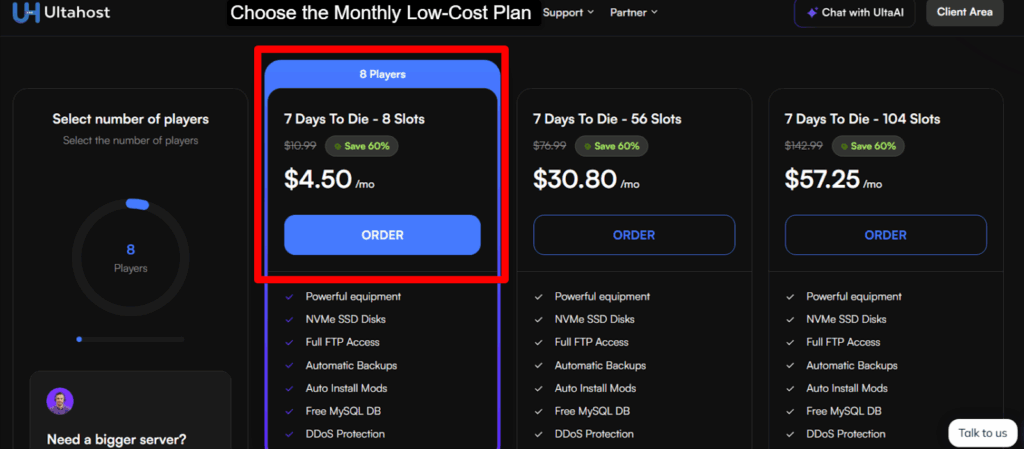
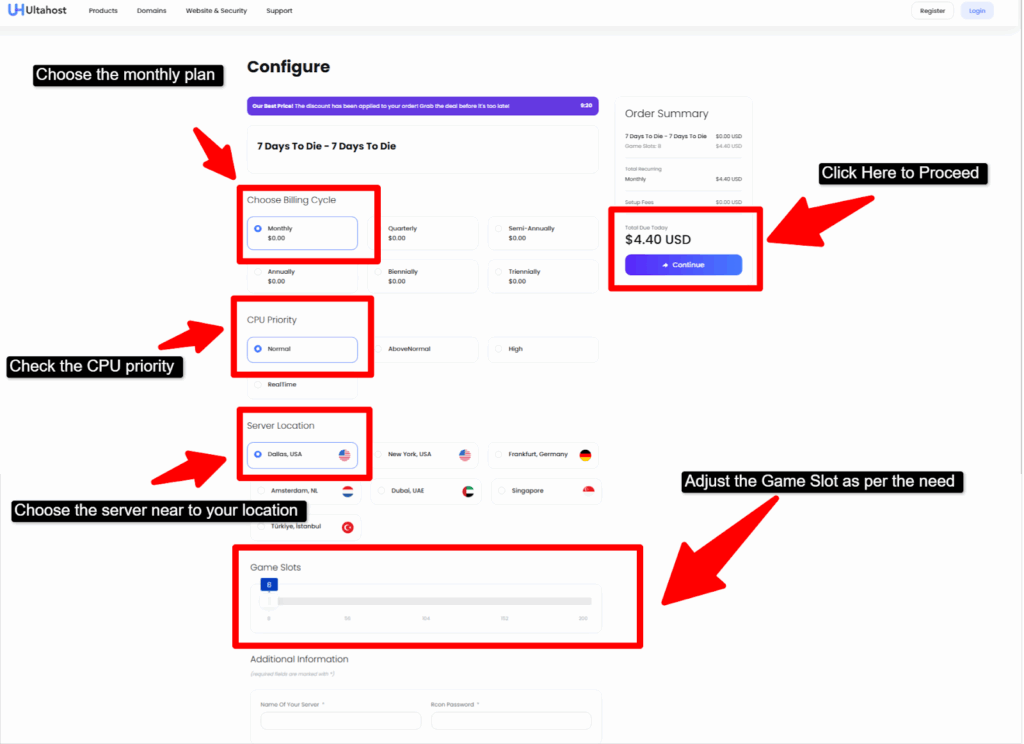
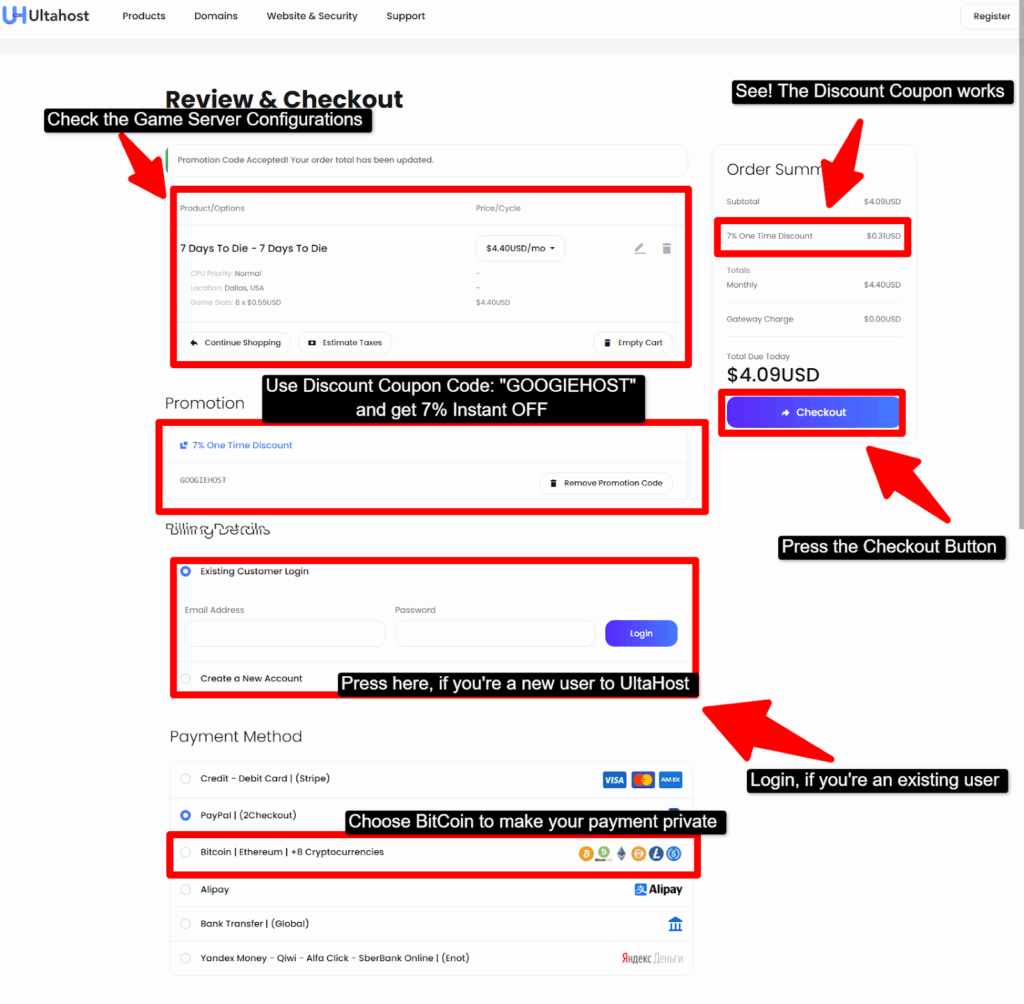
This way, your server will be live within seconds of installation…
Frequently Asked Questions (FAQ)
What's the Minimum RAM for a Smooth 7 Days to Die Server?
For a smooth and stable experience, it’s best to have at least 4 to 6 GB of RAM for a small 7 Days to Die server. While the game can technically run on less, it becomes slow very quickly. More RAM means fewer crashes, smoother gameplay, and faster loading.
Does 7 Days to Die run better on dedicated servers?
Yes! 7 Days to Die runs much better on dedicated servers compared to hosting it yourself. Dedicated servers stay online 24/7, have stronger hardware, and don’t slow down when you are using your computer for other things.
How Many Players Can a Typical 7 Days to Die Server Handle?
A typical hosted server can easily handle 8 to 16 players without lag. With better hardware, it can even support more than 20 players smoothly. On a personal computer, you might struggle with even a few players when zombies and big bases start loading.
Is there a money-back guarantee on 7 Days to Die hosting trials?
Most good hosting providers do offer a money-back guarantee, usually for the first 24 to 72 hours. This means you can try the server, test the performance, and see if you like the control panel. If it’s not for you, you can easily get a refund.
How can I ensure the security of my server?
You can keep your server safe by using strong passwords, updating your mods and game versions, and only giving admin access to people you trust. Most hosting companies also add extra security tools, backups, and DDoS protection.
What are the advantages of hosting a 7 Days to Die server?
Hosting a server gives you many benefits: your world stays online 24/7, players can join anytime, performance is much better, and the server can handle more zombies, bigger bases, and more players. You also get easy control panels, automated backups, mod support, and strong security.
Conclusion
Now you know the Best 7 Days To Die Server Hosting providers, so choosing the right one will be much easier for you. We also walked you through the full setup process of creating your own dedicated server for 7 Days to Die, even if you had zero knowledge before.
With the screenshots and steps, you can now follow along and set up your game server without stress.
You have also seen why using a server is so important for a gamer. Playing, exploring, building, crafting, fighting, creating, and rebuilding in Days to Die 7 requires huge resources. A normal PC cannot handle all these tasks smoothly, which is why a strong 7 Days to Die server hosting solution is needed.
If you’re still confused about which option to choose, you can go with UltaHost. It offers a 30-day money-back guarantee, powerful web resources, live chat support, Discord help, and more, making it the best pick for newbie gamers.
💡 Recommended Game Server Hosting