When do you usually make a video call? To speak with someone who is not with you, right? But today, these apps are also used for online education and healthcare purposes to help patients consult with doctors without leaving home.
The time and money-saving ability of this Video Conferencing Software has helped many people to set up virtual offices to save on rent, transportation, and electricity costs. And as the use of these tools continues to grow, a simple video call is not enough.
Keeping this in mind, we’ve compiled this blog where you’ll get to know about 11 Best Video Conferencing Software with advanced features. Along with high video and audio quality, these apps offer advanced features such as automatic noise removal, AI summarizers, and camera intelligence for gesture tracing.
To help you find the top video conferencing software, we have also discussed their free & paid plans, specific use case, and created a table for quick comparison.
- What is Video Conferencing Software?
- Comparison Table: Best Video Conferencing Software
- Best Video Conferencing Software in 2026
- Security & Privacy in Video Conferencing Software
- Free vs Paid Video Conferencing Software
- Key Features to Look for in Video Conferencing Software
- Frequently Asked Questions (FAQ)
- Conclusion
What is Video Conferencing Software?
Video conferencing software is a platform that connects people who are living remotely. These apps allow face-to-face conversation through a screen (desktop, tablet, mobile device) and also offer features like screen sharing, chat, and in-meeting polls so that you can share the live screen of your laptop to show your projects.
Nowadays, many modern video conferencing software contain AI tools that can trace your gestures, move the frame according to your facial movements, and translate your native language into multiple languages.
Due to these features, large enterprises use this software for meetings, remote jobs, exams, and even for court trials.
Comparison Table: Best Video Conferencing Software
For your convenience, we have created this comparison table so that you can quickly examine each video conferencing software based on the AI feature, participant limit, specific use case, and pricing.
| Software | Best For | Max Participants | AI Companion | Free Plans | Starting Price |
|---|---|---|---|---|---|
| Zoom | Large Webinars | 1000 | AI meeting summarizer | 100 participants/40 mins | $13.33/month |
| Google Meet | 14-day free trial | 1000 | Gemini | 100 participants/60 mins | $5.60/month |
| Microsoft Teams | Copilot 365 users | 10000 | Copilot | 100 participants/60 mins | $4/month |
| WebEX | Secure meetings | 1000 | AI camera intelligence | 100 participants/50 mins | $144/month |
| Zoho | Small startups | 3,000 | AI keynotes | 100 participants/60 mins | $1/month |
| Skype | Business | 100 | Bing AI | No limit | Free |
| Jitsi Meet | Web/app Integration | unlimited | No AI feature | free | $99/month(JaaS only) |
| Whereby | Real-time meeting, calls, and chats | 200 | AI noise reduction | 100 participants/45 mins | $8.99/month |
| RingCentral | Real-time meeting, calls and chats | 200 | AI noise removal | 100 participants/50 mins | $20/month |
| GoTo Meeting | Mobile video conferences | 250 | Meeting assistant | 14 day free trial | $12/month |
| Dialpad | Sales team | 150 | Ai Voice Intelligence | 10 participants/45 mins | $27/month |
Best Video Conferencing Software in 2026
You might have used some popular video conferencing software like Zoom or Skype, but there are many more apps with advanced features that you’re still unaware of. That’s why we’ve listed 11 Best Video Conferencing Software below that offer advanced features with free and paid pricing plans for users.
You can go through each of them one by one:
Zoom: Best Overall Video Conferencing Software
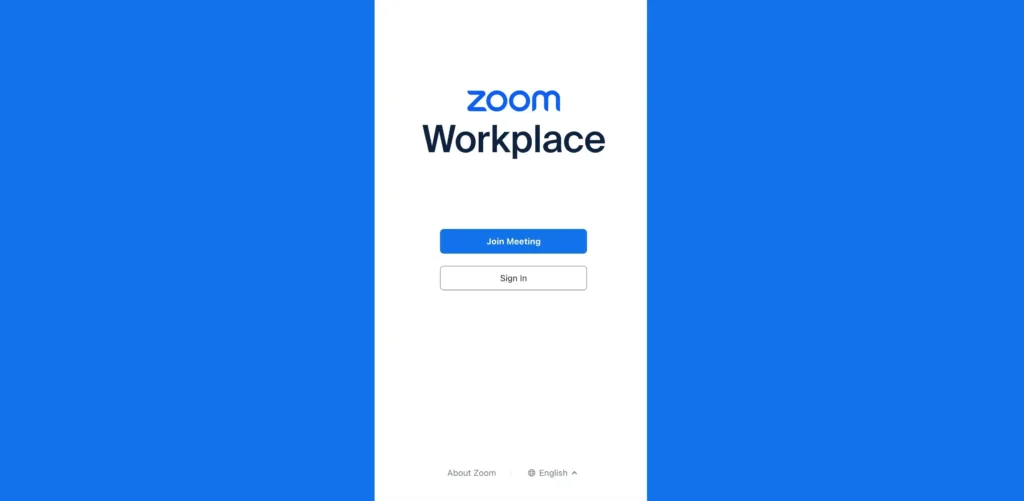
Y’all must have heard of the Zoom app. It’s a quite popular Video Conferencing Software mainly used by companies to schedule meetings. Its multi-device compatibility and the high quality of video, audio, and chat features have made it one of the most reliable video conferencing software.
It offers hybrid classrooms so that students can maximize their learning experience, and for frontline workers, it provides the PTT (push-to-talk) feature, allowing them to record audio in one click.
Along with meetings, Zoom enhances customer experience through AI-driven contact centers and boosts sales using the revenue accelerator that helps users to analyze deal progress.
Key features of Zoom
Plans
| Basic | Pro | Business |
|---|---|---|
| Free | $13.33/month | $18.33/month |
| 100 participants | 100 participants | 300 participants |
Pros & cons
Pros
- Unlimited doc sharing
- Whiteboard
- Meeting summarizer
Cons
- Limited meeting hours
Best for
Zoom Meeting is best for large-scale webinars and marketing projects because it supports 4K video quality and allows you to connect with multiple participants in one go without scheduling a second meeting.
Google Meet: Best for Google Workspace Users
Just paste the code and start your convo! To be honest, we all have used Google Meet at some point, be it to attend our online classes or to give an interview.
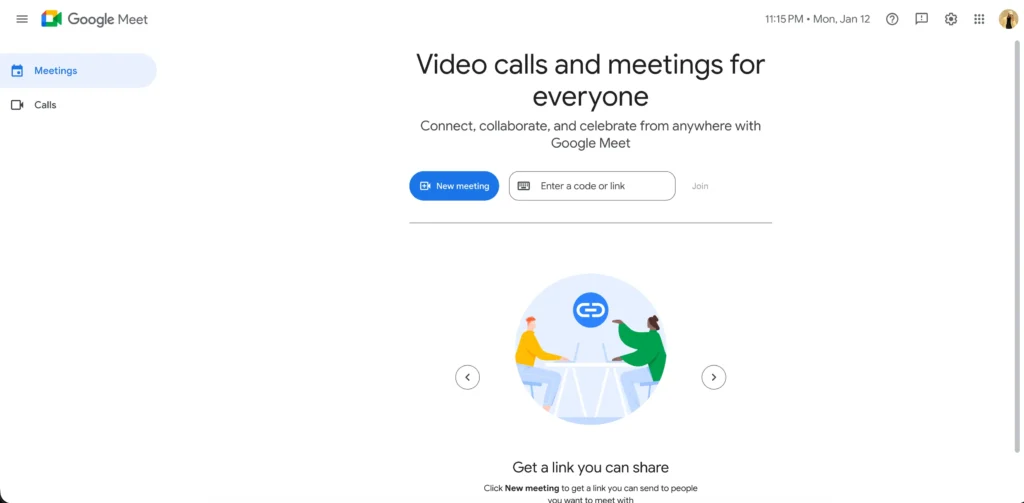
Google Meet is a simple video calling service started by the one and only Google, which is very easy to use because it runs directly in your browser.
You can join a meeting with just a single click through a link and even integrate software like Google Drive for sharing files. Furthermore, it helps teachers to host virtual classrooms and provides secure, encrypted spaces for IT employees to collaborate.
Key features of Google Meets
Plans
| Free | Starter | Standard |
|---|---|---|
| $0/month | $5.60/month | $17.60/month |
| 100 participants | 150 participants | 500 participants |
Pros & cons
Pros
- Screen split
- Noise filter
- Google app integration
- Live captions
Cons
- Paid tools
Best for
Google Meet is best for users who already work with Google Workspace ( Google Docs, Calendar, Sheets) as it helps you to easily integrate these software to simplify business workflow.
Microsoft Teams: Best for Enterprises & Microsoft Users
And the third Video Conferencing Software we have is Microsoft Teams. It offers a unified platform to streamline communication by combining chat, video meetings, and file sharing into one app.

It simplifies teamwork by organizing conversations into channels where you can integrate Office 365 Copilot so that multiple people can work on the same document. Furthermore, this video conferencing app offers other features like AI-powered noise suppression and live captions to make virtual calls feel more natural.
Along with this, the Phone solution provides a complete cloud-based business phone system (VoIP), allowing users to make and receive professional calls from any device.
Key features of Microsoft Team
Plans
| Free | Business | Individuals |
|---|---|---|
| $0/month | $4/month | $99.99/month |
| 100 participants | unspecified | 300 participants |
Pros & cons
Pros
- Microsoft app integration
- VoIP support
- Topic-based channels
Cons
- Complex for beginners
Best for
Microsoft Teams is best for large enterprises that require frequent video communication with their employees and clients. People who are already using Microsoft services can use Teams for secure data management.
Cisco WebEx: Best for Security & Compliance
After Microsoft Teams, it’s time to discuss another Best Video Conferencing Software called Webex. Launched by Cisco, this AI-powered platform is designed for high-quality professional conversations.

It combines crystal-clear video with camera intelligence that automatically frames joiners and tracks speakers. Its Workspace Management tools help IT teams optimize office layouts using real-time data.
Furthermore, the AV over IP simplifies meeting setups by connecting microphones and cameras through a single network if multiple people have joined. Everything is managed via Control Hub, a centralized dashboard for security and analytics.
Key features of Cisco Webex
Plans
| Webex Free | Webex Meet | Webex Suit |
|---|---|---|
| $0/month | $144/month | $270/month |
| 100 participants | 200 participants | Unlimited participants |
Pros & cons
Pros
- Admin control panel
- Touch screen support
- Custom plans
Cons
- Expensive prices
Best for
Webex is best for banking, finance, and government organizations that require a secure platform for data sharing. It gives a private encryption key to users so that their important files, conversations, and documents remain safe from fraudsters.
Zoho Meeting: Best Budget-Friendly Solution
Zoho Meeting is a cloud-based video conferencing platform that offers a complete UCaaS solution to streamline communication for work groups of any size.
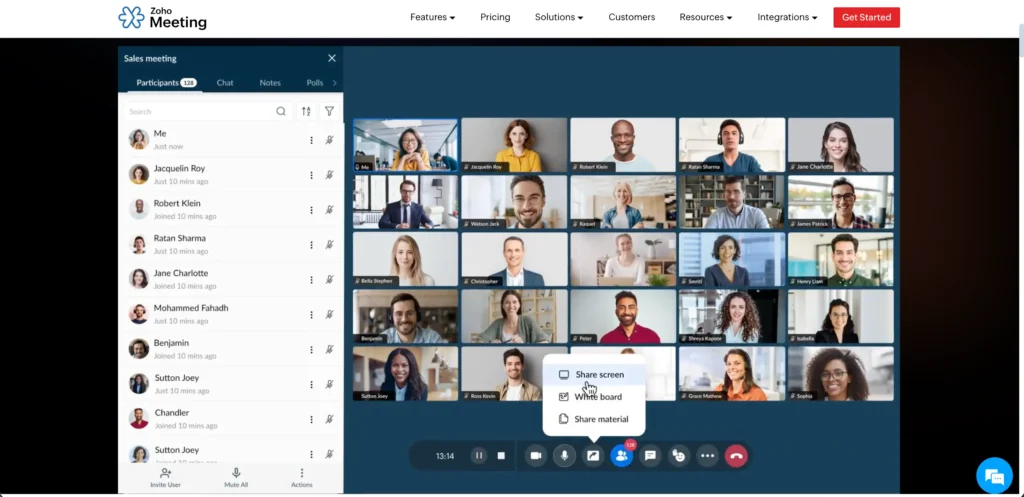
Being the Best Video Conferencing Software, it supports remote work by allowing employees to join video meetings from any device, be it smartphones or laptops. The software features session recording to save important discussions and live transcriptions to help everyone follow along in real-time.
Zoho provides flexible solutions for small and big enterprises, ensuring that team collaboration stays simple, professional, and affordable across all global locations.
Key features of Zoho
Plans
| Free | Standard | Professional |
|---|---|---|
| $0/month | $1/month | $3/month |
| 100 participants | 250 participants | 250 participants |
Pros & cons
Pros
- Meeting highlights
- Topic wise sessions
- Local dial-in numbers
Cons
- Limited participants
Best for
Zoho Meeting is best for small startups and businesses with limited budgets because it offers convenient video conferencing pricing options starting from just $1/month.
Skype – Best Simple Video Calling Tool
Even though Microsoft closed Skype in 2025, it still provides an Android version to help businesses communicate easily via smartphones. While the online service and consumer app have shut down, the Android version remains available for organizations still running on-premises Skype for Business.
It helps businesses that require high-security, private infrastructure rather than cloud-based solutions to share information and data.
You can communicate in your native language with people having different regional backgrounds, as Skype has a real-time voice translation feature. The enterprise-grade security ensures that businesses with specific needs can still communicate securely on mobile devices.
Key features of Skype
Plans
Completely free
Pros & cons
Pros
- Secure conversations
- Built-in voice translator
- Phone call support
- Easy link access
Cons
- Very outdated
Best for
Skype’s Android version is best for easy video and phone calls because it automatically syncs the contacts present on the smartphone and identifies international numbers so you can make calls without costly roaming rates.
Jitsi Meet – Best Open-Source Video Conferencing Software
Our list continues with Jitsi Meet, one of the best video conferencing software for small business. It works directly in your browser so you don’t have to download any software or create an account to use it.
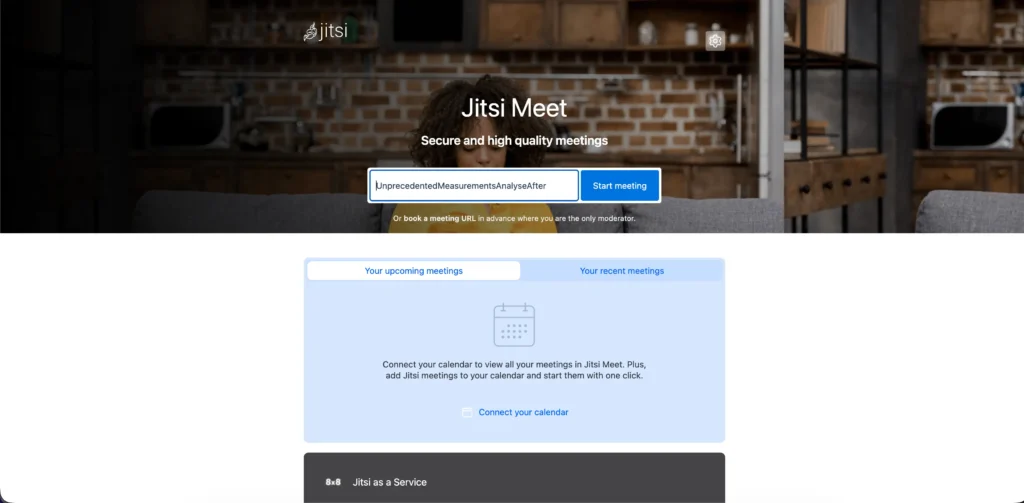
And the best part is that it is open-source, meaning that anyone can look into the source code (Lib-jitsi) available on GitHub and customize it based on their unique needs.
It also features Jitsi Videobridge, which manages high-quality video streams, Jicofo for meetings, Jigasi for voice calls, and Jibri to record or stream meetings.
Key features of Jitsi Meet
Plans
| Free | Basic Plan (JaaS only) | Growth Plan (JaaS only) |
|---|---|---|
| $0/month | $99/month | $499/month |
| Unlimited participants | 300 participants | 1500 participants |
Pros & cons
Pros
- Full security
- Free source code
- Premium add-ons
Cons
- No customer support
Best for
Jitsi Meet is best for developers and organizations with specific video calling needs because its open-source ability allows users to customize and host this app on local servers for full data privacy.
Whereby – Best for Browser-Based Meetings
And now we have Whereby, a simple, browser-based video conferencing web software designed for easy communication without any installation process. Being one of the best video conferencing software for small businesses, it allows you to add video calls directly to your websites or apps.
If you’re a developer who wants to program a custom video calling room in a web page, then you can take help of API references and flexible SDKs, as it will make integration fast.
Overall, Whereby focuses on privacy and ease of use, making it perfect for businesses that want a professional video experience.
Key features of Whereby
Plans
| Free | Pro | Business |
|---|---|---|
| $0/month | $8.99/month | $11.99/month |
| 4 participants | 100 participants | 200 participants |
Pros & cons
Pros
- AI noise filter
- Easy customization
- API and SDK availability
- Tutorials
Cons
- Limited plans
Best for
Whereby is best for instant video communications. Participants can connect easily by pasting the meeting link on the website without downloading an app or waiting for updates that delay them from joining.
RingCentral Video: Best Video Conferencing Tool for your Business
RingCentral has combined cloud infrastructure with AI-driven video meetings to enhance communications. Its AI agents, virtual assistants, and conversation experts help manufacturing, healthcare, and real estate firms to speed up their workload.
By using AI to automate meeting notes and background noise remover, it allows small startups and global enterprises to have a clear conversation with large number of people on a single platform.
This cloud-based Video Conferencing Software ensures high security and compliance so that you can share important files and documents during live meetings, even if you’re using a mobile device or a laptop.
Key features of RingCentral
Plans
| Free | RingEX Core | RingEX Ultra |
|---|---|---|
| $0/month | $20/month | $35/month |
| 100 participants | 100 participants | 200 participants |
Pros & cons
Pros
- One-click access
- AI summaries
- Browser support
- Noise reduction
Cons
- Less features in free plan
Best for
RingCentral is best for business video conferences and large seminars. Its multi-device compatibility allows guests to join meetings instantly, and its central management system helps admins accept and allow only invited members.
GoTo Meeting: Engaging and collaborative web conferencing
While searching for the Best Video Conferencing Software, we found GoTo Meeting! It’s a great video conferencing software for professional business communication as it offers clear video and audio quality on any device.
You can host large online conferences and events with the GoTo Webinar tool and use GoTo Training to access features like breakout sessions. Along with this, the GoTo Connect phone system integrates cloud-based VOIP, allowing users to handle business calls and meetings in one place.
Overall, GoTo Meeting simplifies how companies can communicate and grow their business, irrespective of their size.
Key features of GoTo Meeting
Plans
| Free | Professional | Business |
|---|---|---|
| $0/month | $12/month | $16/month |
| 100 participants | 150 participants | 250 participants |
Pros & cons
Pros
- Highlighting tools
- Phone support
- AI assistant
Cons
- Paid cloud recordings
Best for
GoTo Meeting is best for interactive video sessions from desktop and mobile devices because its commuter mode makes the screen distraction-free and also provides more features to highlight important points.
Dialpad: Unlimited Video Conferences in HD Video
It’s time to discuss the tenth Video Conferencing Software of our list which is Dialpad. This AI-powered communication platform simplifies business collaboration through a unified workspace experience.
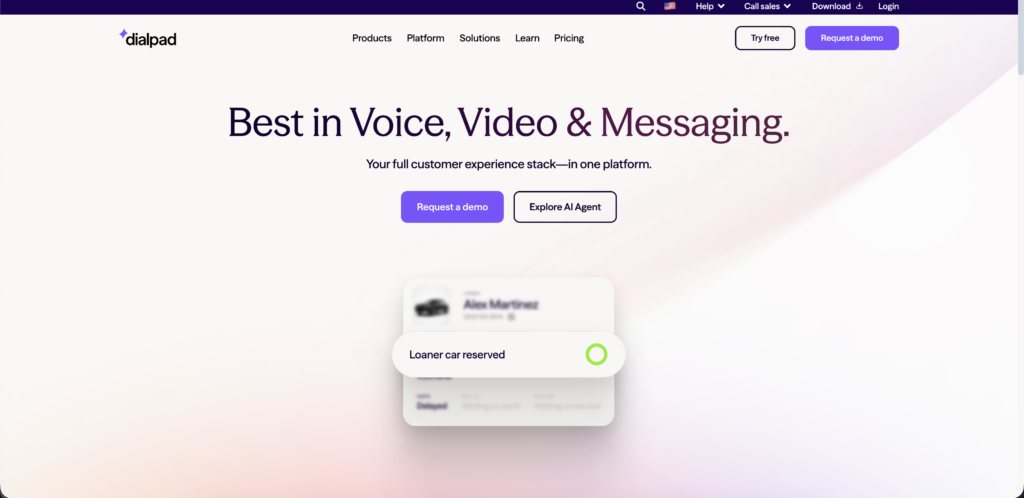
By using Dialpad Self and Connect, users can merge their phone calls, chats, and video meetings into one app. This helps industries like healthcare and retail by providing instant access to customer data and expert help during live calls.
Dialpad is specially designed for frontline and office workers to stay connected on any device. With AI intelligence, it automates manual tasks to make sure that you can handle multiple tasks without switching between different tools.
Key features of Dialpad
Plans
| Free | Dialpad Connect | Dialpad Support |
|---|---|---|
| $0/month | $27/month | $95/month |
| Talk to sales | Talk to sales | Talk to sales |
Pros & cons
Pros
- AI recommendations
- Background effects
- AI keynotes
Cons
- Extra cost for add-ons
Best for
Dialpad is best for sales teams and large seminars that require more time to connect with clients. Even the basic, low-cost plans have unlimited time duration and allow you to combine video meetings, calls, chats, and AI suggestions.
Security & Privacy in Video Conferencing Software
Video conferencing software has become very important today as engineers, scientists, and even presidents rely on it to communicate with large crowds. This is why security becomes an important factor, because companies share important data and information through these platforms.
There are some security standards that every video conferencing platform should maintain that we have listed below.
End-to-end encryption
With end-to-end encryption, the software generates a unique key that is only stored on your device. This encryption key keeps conversations between you and the participants private, so that no outsiders can see or hear them. Even the platform provider cannot access your conversation.
Data compliance (GDPR, HIPAA)
European data protection laws such as GDPR (General Data Protection Regulation) and HIPAA (Health Insurance Portability and Accountability) give options like delete and right to be forgotten so that users can remove their information from the platform, and software providers are obligated to protect their customers’ data.
Admin controls
A host can mute anyone in the meeting, but an administrator can remove this feature. This means that the admin can save the recordings of the meetings, either in the cloud or on their local computer, and can even set a password so that no random person can join the conversation.
Meeting locks & passwords
Meeting locks and passwords work similarly to locking the gates of your home after everyone is in. The password is shared among participants who have to join a video call, and once everyone has joined, the host can lock the meeting.
Free vs Paid Video Conferencing Software
You’ve probably used the free version of video conferencing software, but did you know that there’s a significant difference between the paid and free versions? We’ve compared some of the features below so that you can understand the difference.
| Feature | Free Tool | Paid Tools |
|---|---|---|
| Participants | 100 | 1000+ |
| Duration | Max 60 mins | Unlimited |
| AI tools | Real-time captions | Noise reduction, gesture and face tracking |
| Screen recording | Local computer | Cloud storage |
| Translation | Not available | Real-time translation in multiple languages |
Apart from these, paid AI plans have many more advanced features like virtual backgrounds and AI recommendations that are not available in free plans.
If you’re a freelancer or a student who isn’t entirely dependent on remote connections, then you can use the free plan. Otherwise, if you work fully remotely and have to connect with a large number of people and clients daily, then you should use paid options.
Key Features to Look for in Video Conferencing Software
Lack of important features can create issues during important video conferences, meetings, and interviews. This is why you should always check the mandatory features of these apps.
Below, we have mentioned some key features that can help you choose a suitable video conferencing software:
Video & audio quality
A reliable video conferencing software supports high-definition video (1080p) and clear audio quality. Nowadays, AI tools are also used to automatically trace active speakers and translate their language into other languages in real time.
Participant limits
The large and unlimited participant support allows users, especially enterprises to host webinars easily so that they don’t have to schedule meetings again and again. This simplifies communication and reduces workload.
Screen sharing
Always choose avideo conferencing software that allows you to share your projects along with the live meetings. Screen sharing also helps you to show presentations, documents, conduct interviews, and exams as well.
Recording
The recording feature helps users to record and save live meetings for future use. Therefore, anyone who missed the meeting or could not join due to some problem ( weak internet or network issue) can stay updated.
Chat & file sharing
Chat and file sharing feature allows you to share important links, messages, or files (pdf, txt, html, or images) with your teammates during a live meeting. This is very important for remote job holders who have to frequently update their projects.
Integrations
To make your video conferencing experience even easier, choose software that offers third-party app or integration support. This means you can use multiple apps like Google Drive, MS Word, Excel, etc., simultaneously without switching tabs.
Mobile support
To join a meeting on a desktop, you need a fixed location and a Wi-Fi connection, which isn’t possible while travelling. Therefore, always choose video conferencing software that you can access on your mobile phone, either through an app or a browser.
Frequently Asked Questions (FAQ)
Q1: How Important is Video Conferencing Nowadays?
A: Video conferencing is very important nowadays because it is used by large enterprises, high-tech and multinational companies to expand their business while saving money. This software allows users to speed up communication with multiple people without travelling.
Q2: What equipment is needed for video conferencing?
A: For video conferencing, you need a stable internet connection, a laptop, or a smartphone so that you can install the software or directly join the meeting through a link.
Q3: What is the most popular software for video conferencing?
A: Google Meet and Zoom are the two most popular software for video conferencing. These software are widely used by educational institutes to hold online classes and large enterprises to host meetings and webinars.
Q4: Is free video conferencing software good enough for my needs?
A: Yes, a free video conferencing software can be good enough for your needs if you’re not entirely dependent on virtual conversations, because they have limited features. But if you need an enhanced video conferencing experience, then you must buy a paid plan, because it offers advanced features like cloud recordings and transcriptions.
Q5: Is Zoom still the best in 2026?
A: Yes, Zoom is still the best in 2026 as it provides high-definition video and audio quality. It has some updated features like agentic skills that schedule meetings automatically and multi-platform support so that users can join on Google Meet and Teams while AI summarizes the entire meeting.
Q6: Which video conferencing tool is free with no time limit?
A: Jitsi Meet is a completely free video conferencing tool with no time limit. It is an open-source app, which means you can copy the entire source code from GitHub and customize it according to your needs.
Q7 Which platform is best for online teaching?
A: GoTo Meeting, Google Meet, and Ring Central are some best platforms for online teaching as they provide noise filtering tools so that students can focus on classes without distraction and use drawing tools to highlight important sections of a document.
Q8: Can video conferencing software be used for webinars?
A: Yes, video conferencing software can be used for webinars as many of these software have a separate webinar mode or feature. This mode only allows hosts to speak or present their screen while participants are in listening mode.
Q9: How does video conferencing work technically?
A: Technically, the mic and camera of your PC captures your video and sound then converts it into analog signal and after compression these are transmitted through internet using protocols. The other PC or phone decompresses these signals and plays the video and audio.
Q10: What is a good internet speed for video conferencing?
A: For video conferencing, you need an internet speed of 1.5 mbps.
Conclusion
We know you’re all familiar with video conferencing. But these days, these software aren’t just used for chatting with friends or relatives, but it’s also used to host large online events or webinars. Many people manage their entire business with the help of remote workers and this is possible only because of these video conferencing software.
These platforms help large companies and people to communicate easily without travelling and spending money. Along with this, they have built-in features like file sharing, screen recording, and AI summarizers that save time and increase user productivity.
If you’re also planning to scale your business and want to purchase a suitable video conferencing tool then do read this blog. Because, our team has selected 11 software programs so you can enjoy high-quality communication without leaving your seat.
We’ve selected each of these software based on features, pricing, pros, and cons to help you choose the Best Video Conferencing Software for yourself.