Minecraft is one of the most popular survival games today, as it supports both single-player and multiplayer modes. However, players often experience lags during multiplayer gaming because regular computers and basic servers don’t support high player slots, which creates laggy gaming performance.
According to Twitch, about 58% of gamers stop streaming Minecraft within a month because they are unable to maintain clean performance and game progress.
So, the easiest solution is to use a dedicated gaming server that provides you with the latest processors, high bandwidth, NVMe storage, and mod support, so you can enjoy lag-free gaming with your teammates.
But if you’re still unsure why we’re asking you to have a dedicated server, then don’t worry!
Note
RDPHostings has answered all the questions about Minecraft hosting here! The reasons behind lags during multiplayer sessions, how to choose the right dedicated server, and the steps to host a lag-free Minecraft server.
So let’s get ready to explore more about Minecraft hosting.
Why Most Minecraft Servers Lag After 20–30 Players
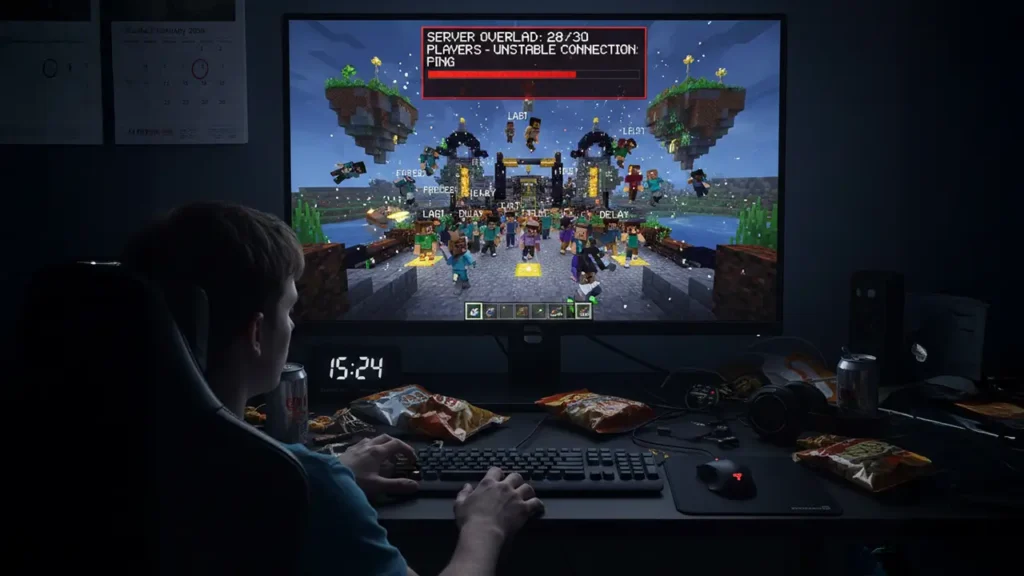
It must be really frustrating when you’re enjoying Minecraft with your teammates, and you suddenly lose your flow because of continuous lags. There can be many reasons for this, such as:
Low clock speed
Minecraft is a single-threaded game, meaning it has a single worker to manage everything. All the activities happening in the game, such as a player building something or changes in the environment, are all handled by a single brain.
And when the number of players is high (20+), it is unable to process all these changes together, which causes the game to start lagging.
Active data loading
Whenever a player moves in the game, Minecraft uses the CPU to load the next bit of data. For example, you see limited visuals in your scene when the player is at rest, but as soon as you move your character, new scenes (trees, foliage, etc.) starts loading.
So, the IOPS (input output operation per second) creates pressure on the SSD disk to manage multiple characters.
High server latency
It’s not always the processor’s fault. High latency can also cause performance lags, and this happens when the server location is far away from the player. It means that when you press a key, your character takes a long time to move because the data is taking too long to travel.
Ultimately, your gameplay slows down and you are unable to compete with other players.
Small data pipeline
When bandwidth is low and players are high, the network starts to lag. Let’s take a real-life example, your house’s drainage pipe carries water and dirt particles, but when the same pipe has to carry a lot of dirt, it clogs.
The same thing happens with network bandwidth. When too many players play Minecraft on the same server, the bandwidth gets clogged up trying to process everyone’s data.
Now, let’s learn how you can avoid these problems.
Choosing the Right Server Before Host
Since you’re considering multiplayer Minecraft gaming, you can choose a VPS or dedicated server. But make sure it has the following qualities:
Latest high-clock CPU
Outdated processors are slow, so you should choose a server with the latest processors like AMD Ryzen or Intel Xeon to avoid lagging gameplay. High clock speeds load data faster.
Storage disk
Make sure the server you purchase has NVMe storage disks. This will automatically create space for new data whenever your player moves. This will prevent lag issues even when you add new plugins.
Ultra low latency and bandwidth
Choose the server location close to where you have the more players. This will ensure equal speeds for each player. You can do this while selecting the configurations. Also, focus on servers with high or unlimited bandwidth.
Mod support and updates
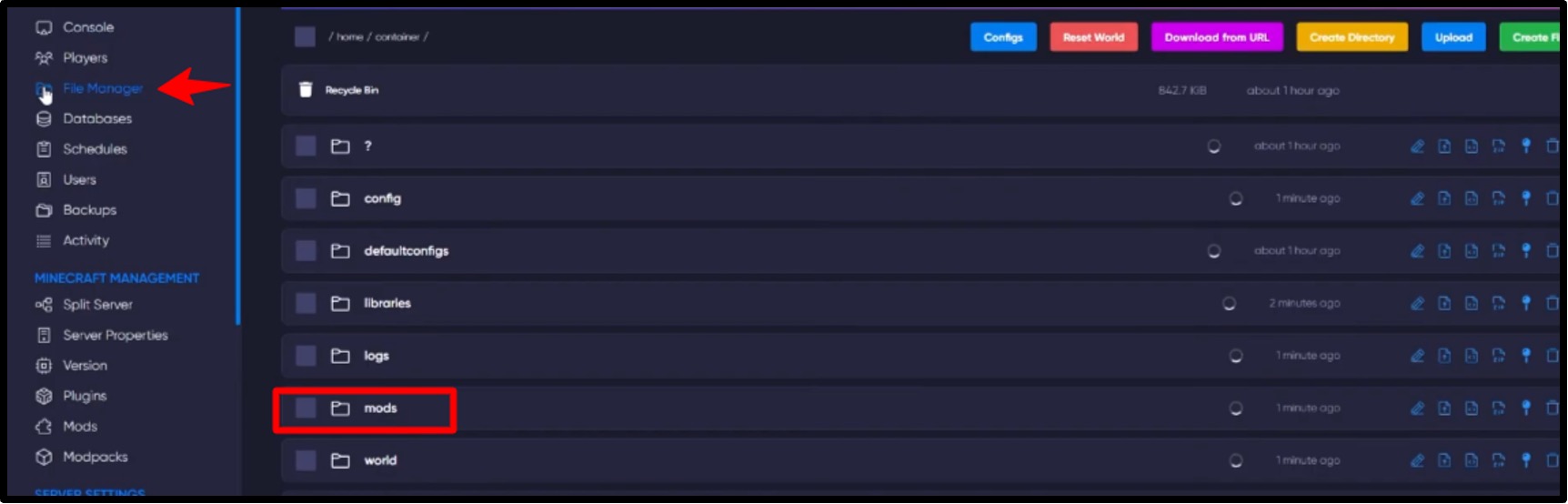
Check for mod and DLC (downloadable content) support. By doing this, you can enjoy new parts of Minecraft like Bluey’s house, Stranger things with your teammates and you won’t have to manually add new things to your game because of automatic updates.
Backup or snapshots
Sometimes, sudden power cuts force players to restart their game because the server didn’t record game progress. Therefore, choose a host with regular backups that will allow you to continue from where you left off even after downtime or power cuts.
How to Host a Lag-Free Minecraft Server (Step-by-Step Guide)
You’re not the only one having issues with multiplayer gaming. According to Reddit and Twitch, approximately 78% of streamers stop streaming Minecraft after 3 months, and the main reason behind this is server and technical failures.
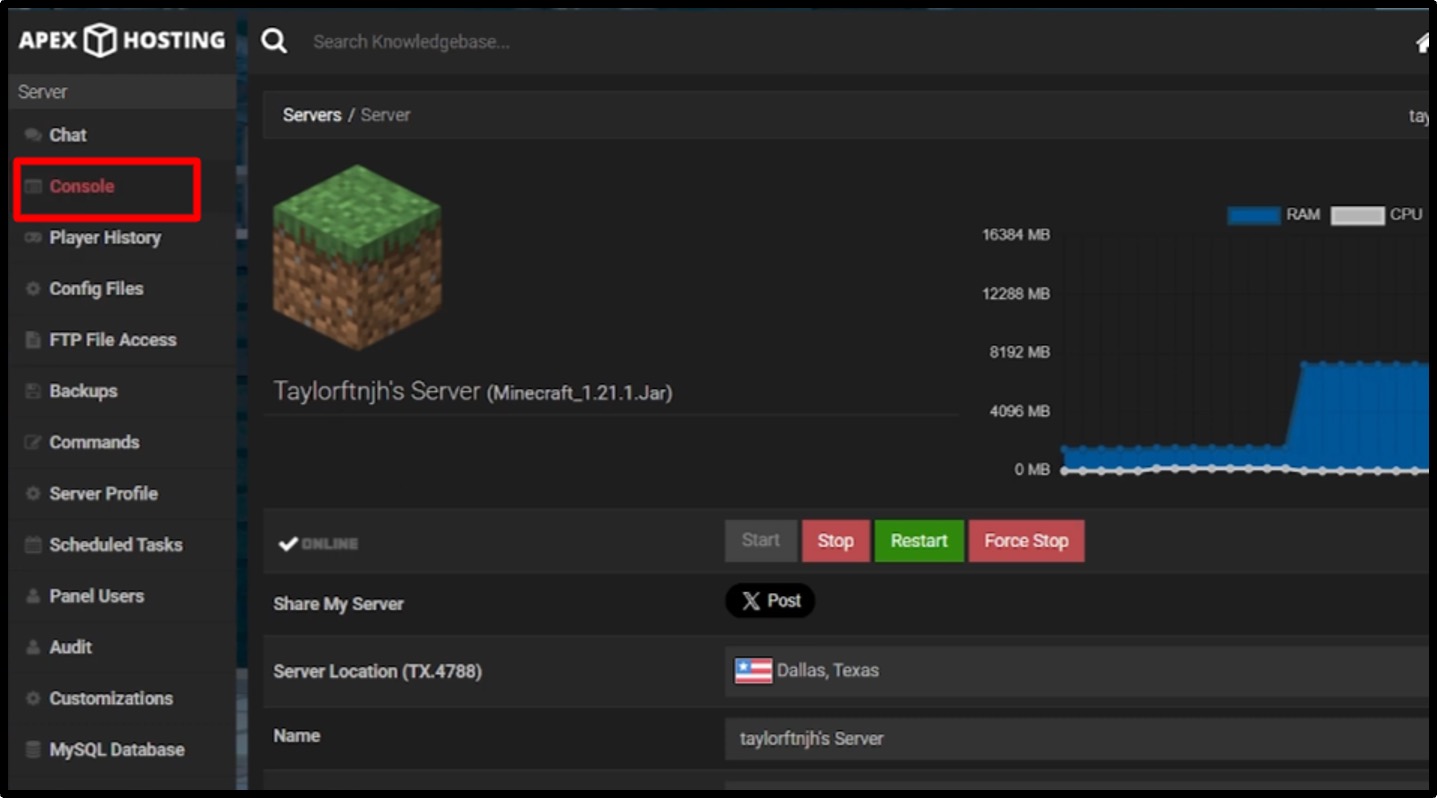
And it’s not that difficult to have a lag-free minecraft gaming experience if you follow correct guidelines. So, follow these steps to enjoy lag-free multiplayer sessions with your squad:
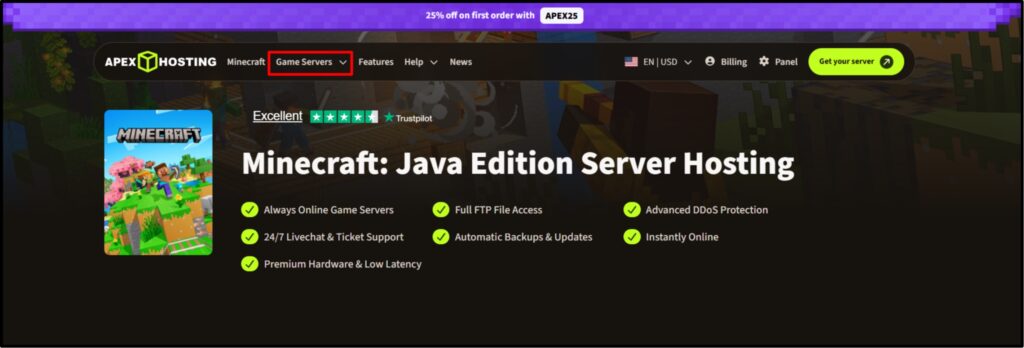
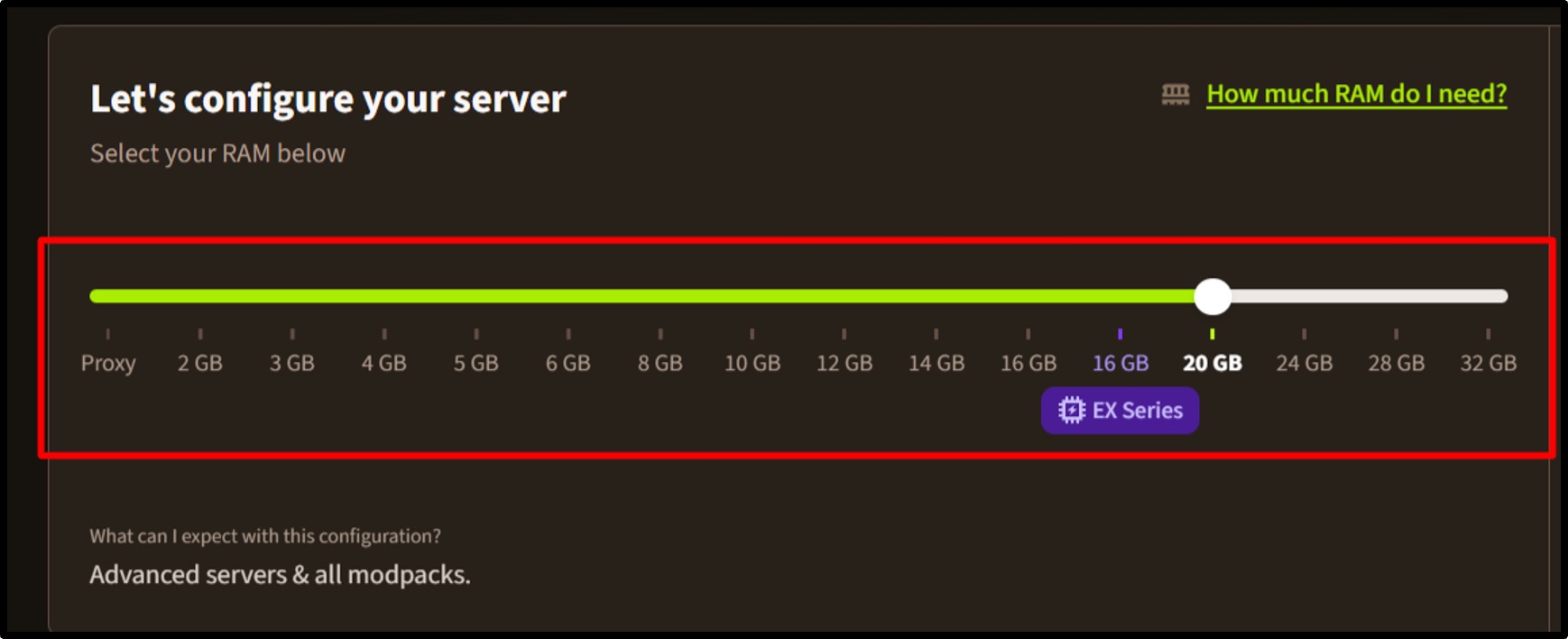
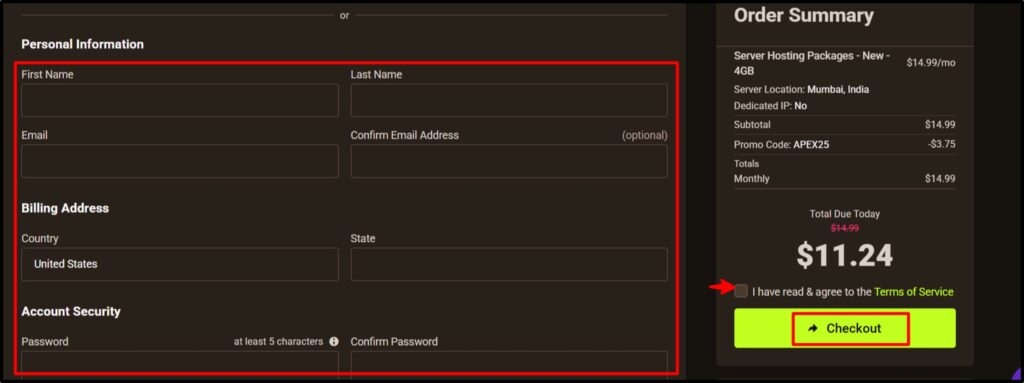
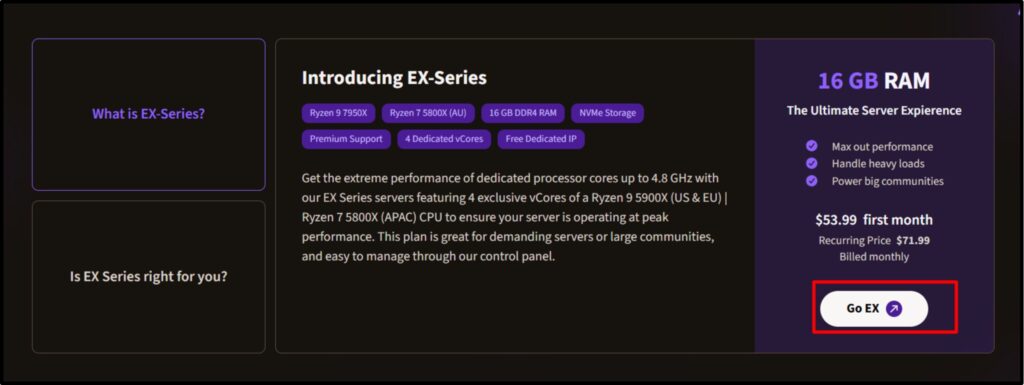
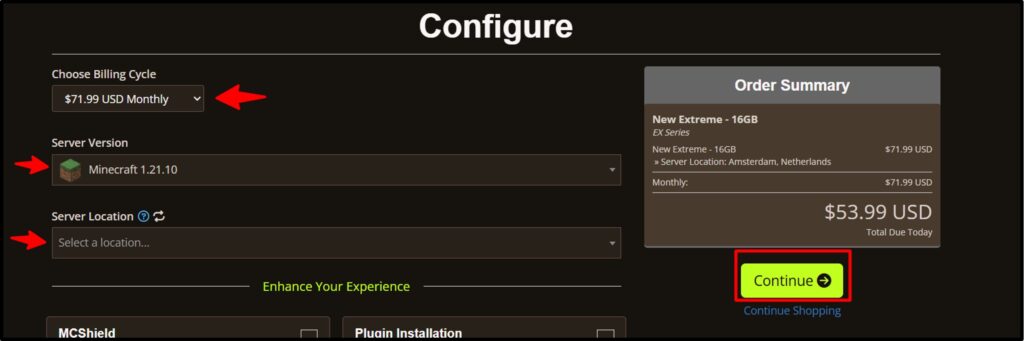
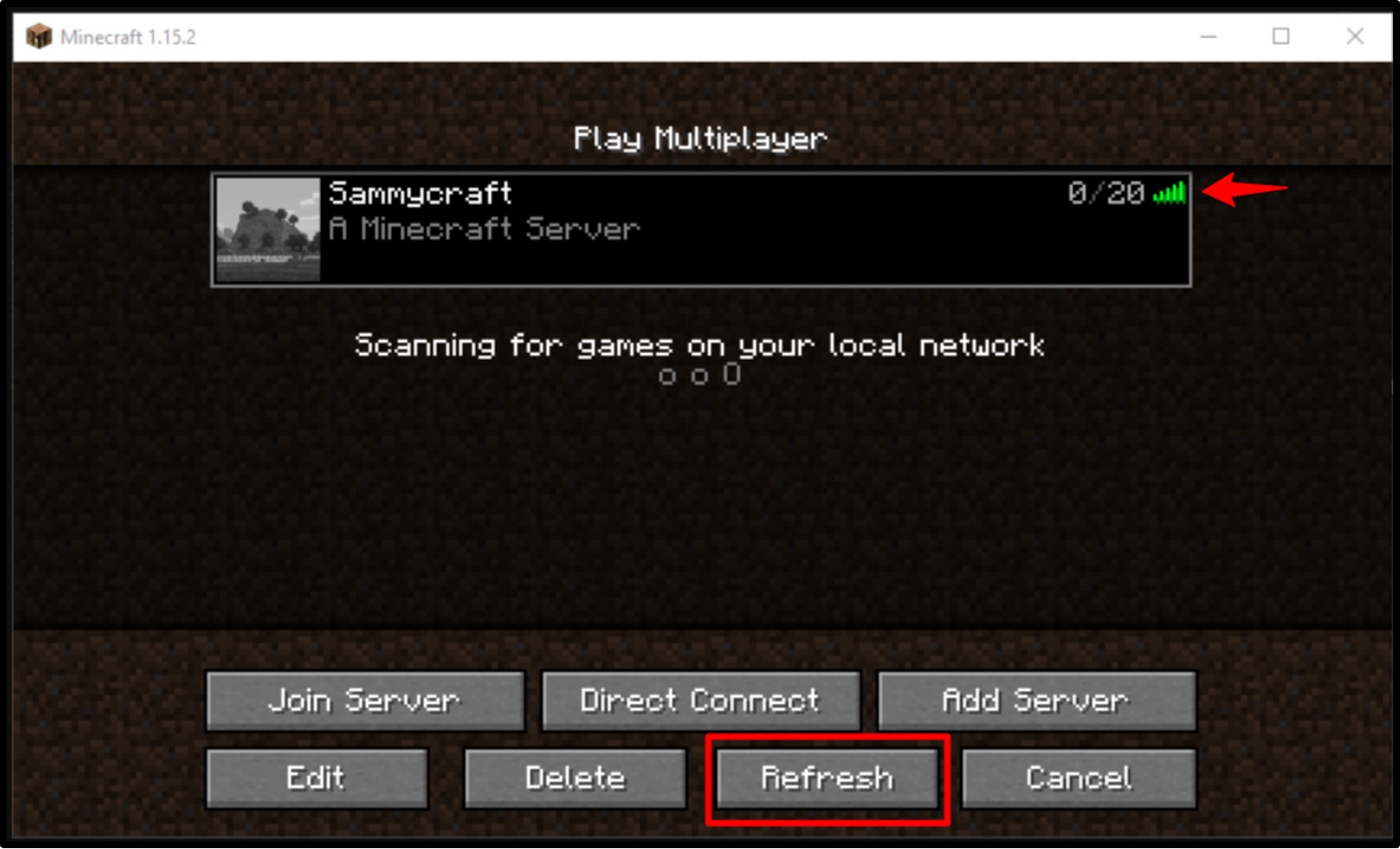
And that’s it! Once you’ve done all this, you’ll get your server within just 5 minutes with an IP address. You can share that address with your friends so they can join you during multiplayer sessions.
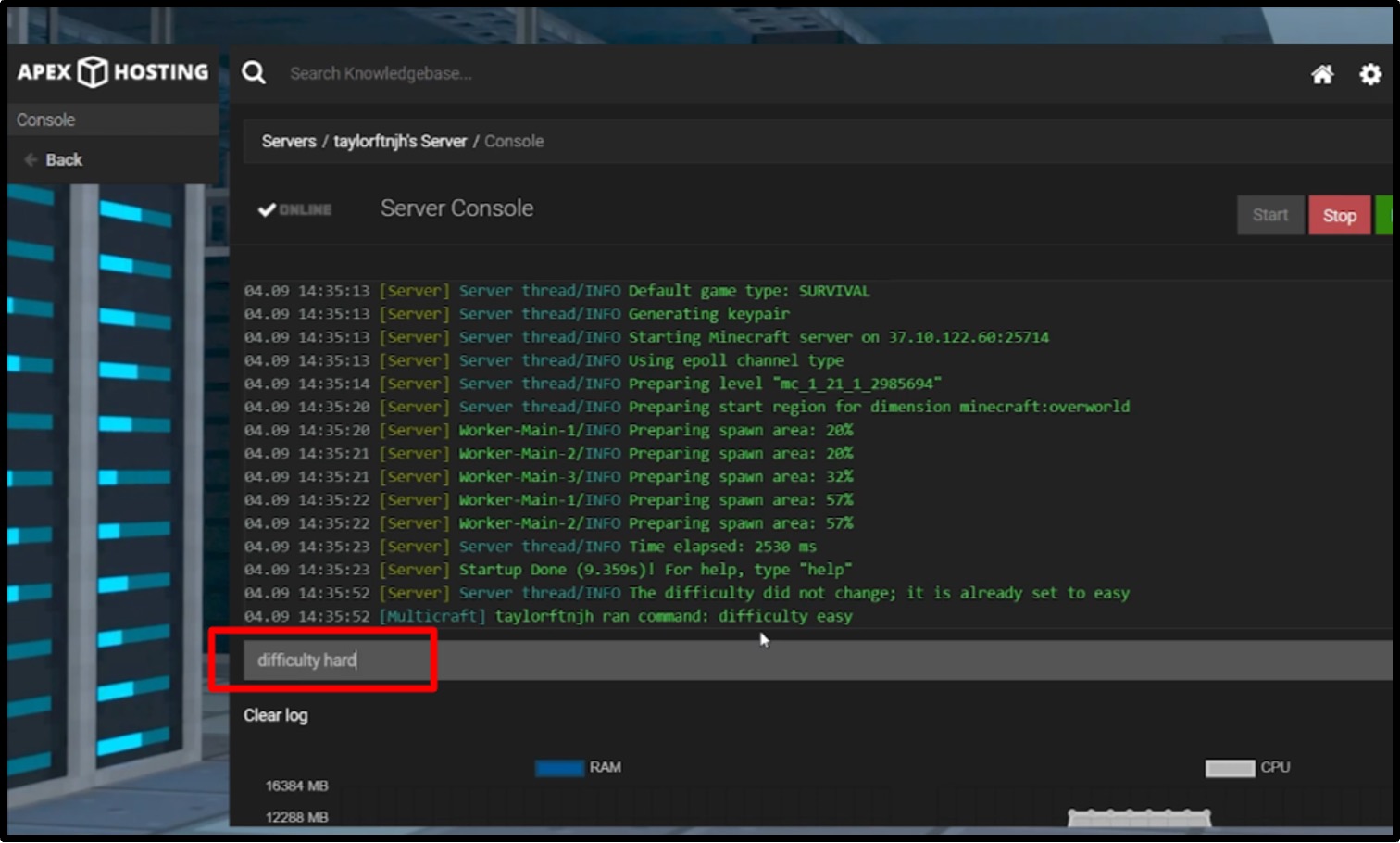
Let’s talk about some important Minecraft game settings that can help you enhance your gaming experience.
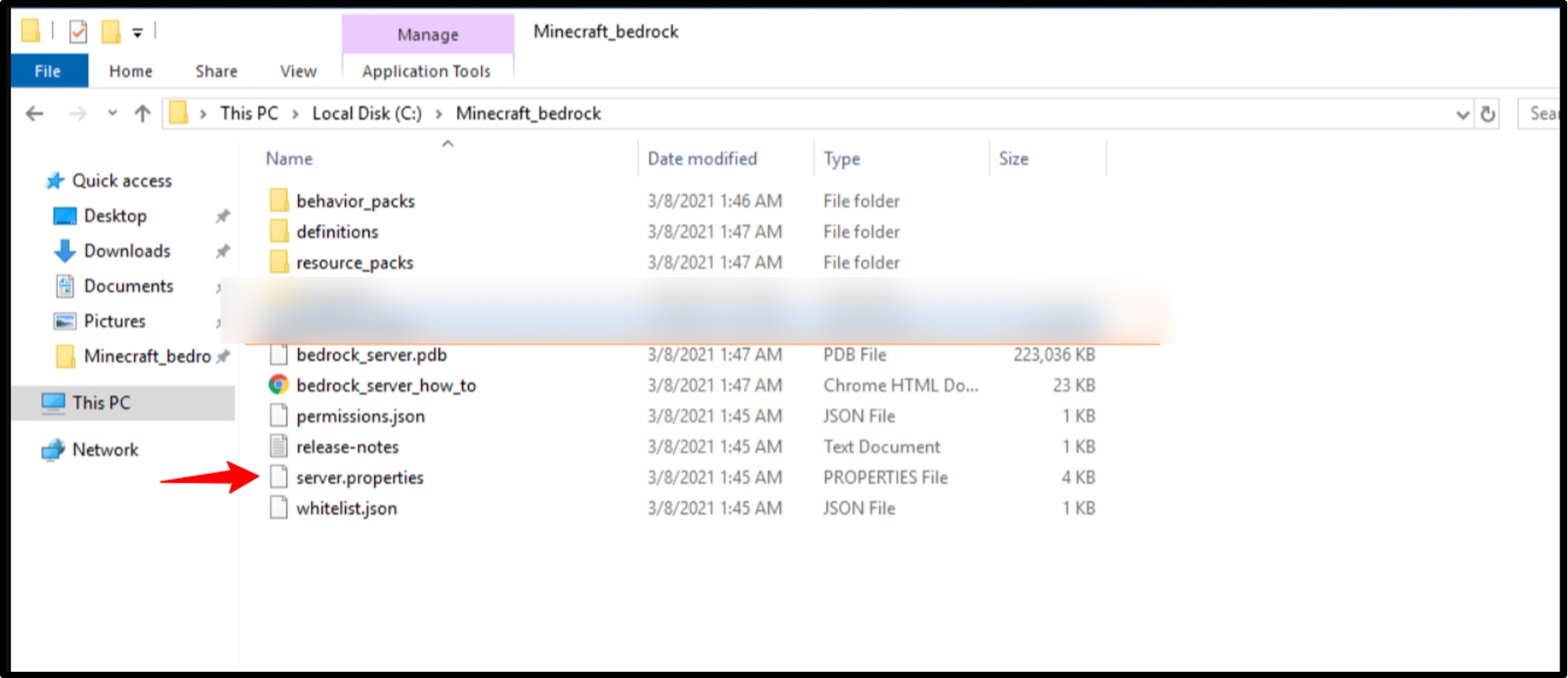
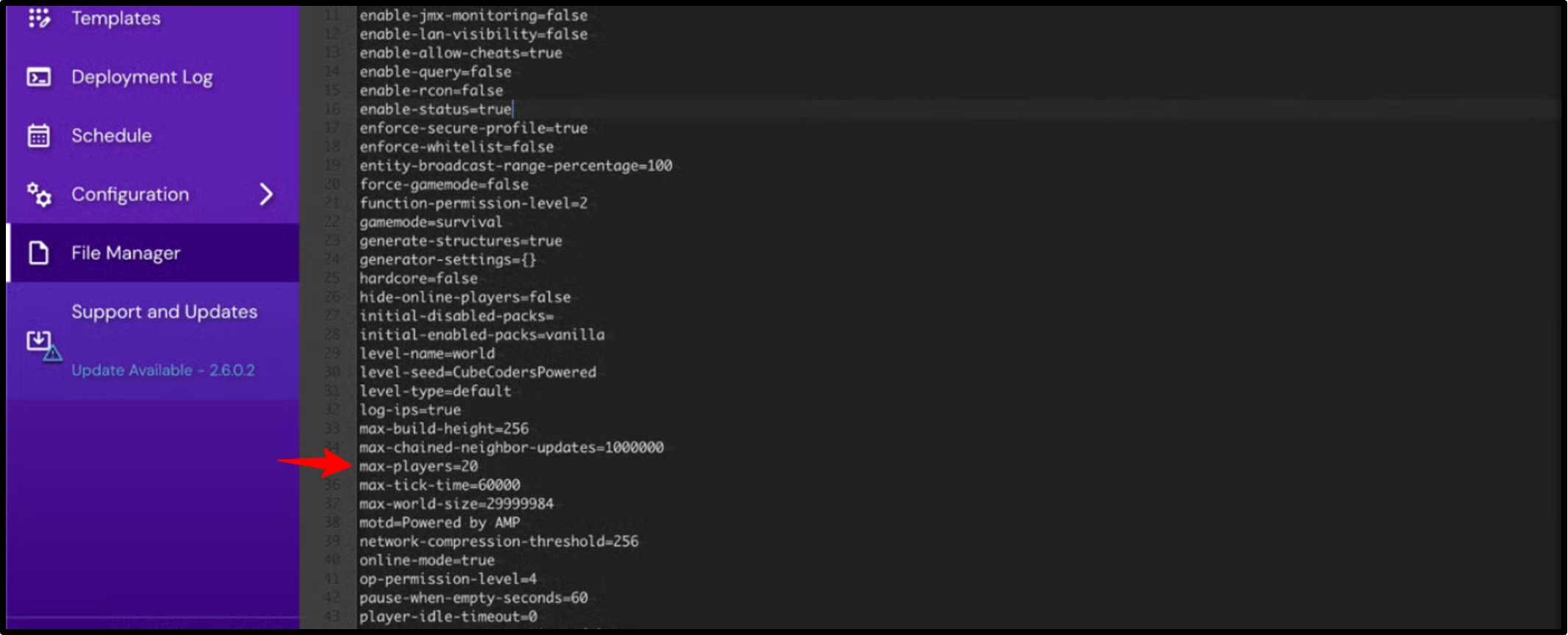
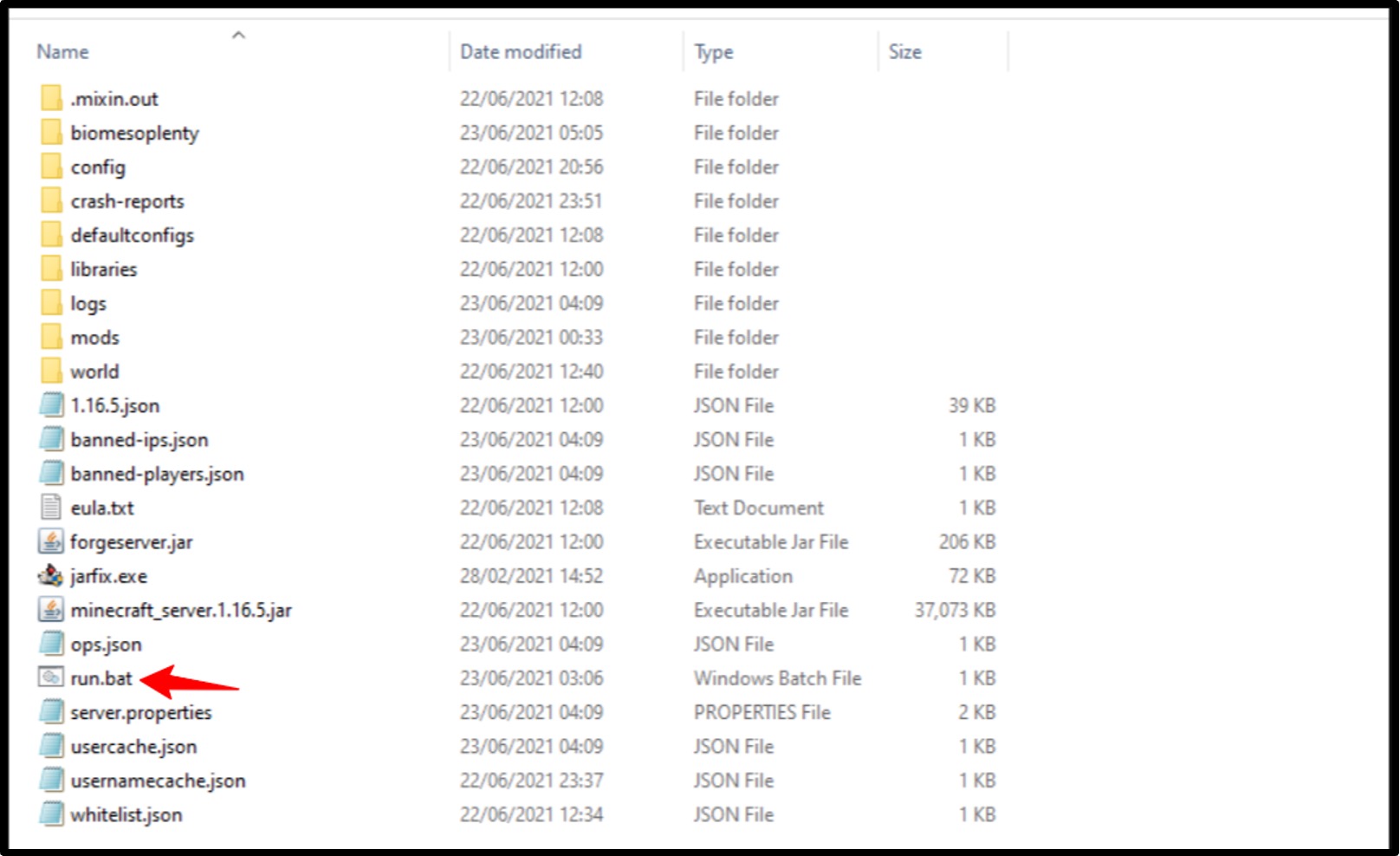
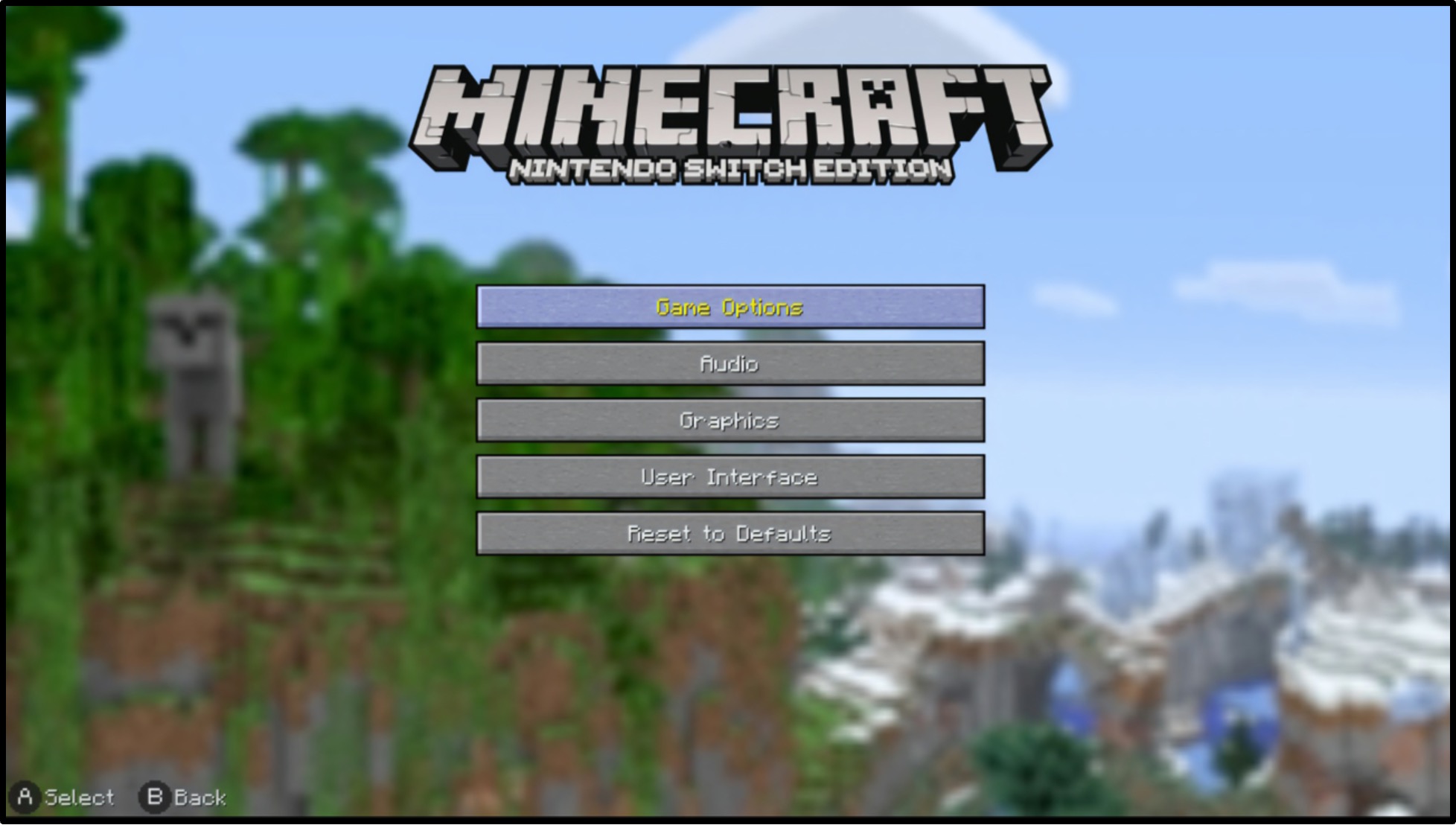
First, let’s learn how to add more players to your game
Conclusion
See! Minecraft is a resource-demanding game, especially when you have a big gaming community with 100+ players. So, playing it on your home system or a simple laptop might destroy your gameplay experience. That’s why you need a Minecraft game server to specifically play this game with your friends.
In this user guide, we have step-by-step added the entire procedure from scratch, explained the order hosting process, and we’ve also provided how to do modifications, add players, and start playing the game right away.
If you seriously have no idea about technical setups and all, but you’re keen to play this game with your friends, this guide is the best tutor for you as it has all the steps along with well-labelled screenshots as well.
Frequently Asked Questions
Q1: Can I host a 24/7 Minecraft server for free?
A: Yes, you can host a 24/7 Minecraft server for free, but it has certain limitations. Free server plans give limited storage, bandwidth, and resources
Q2: How much RAM is required for a 100-player Minecraft server?
A: For a 100 player Minecraft server, you need more than 16GB of RAM.
Q3: How to boost FPS in Minecraft?
A: To boost FPS in Minecraft, you can lower the render distance in video settings on your PC, or you can open the control panel of your server and change the distance in server.properties.
Q4: How to get 1000+ fps in Minecraft?
A: You can get 1000+ fps in Minecraft with a dedicated gaming server that offers high-clock processors, NVMe disks, and RAM.
Q5: How do I find what’s causing TPS drops?
A: To find what’s causing TPS drops, you can install Spark Mod and paste it in the plugin folder >> then, type /spark profiler start while your game is running >> type /spark profiler stop and click on the given link.
Q6: Which server software is best for lag-free Minecraft hosting?
A: ApexHosting is best for lag-free Minecraft hosting. It gives custom plans as well as a special Go EX plan for multiplayer Minecraft sessions. You can select up to 32GB RAM, minecraft version, dedicated IP, and modpack.
💡Recommended Game Server Hosting:-